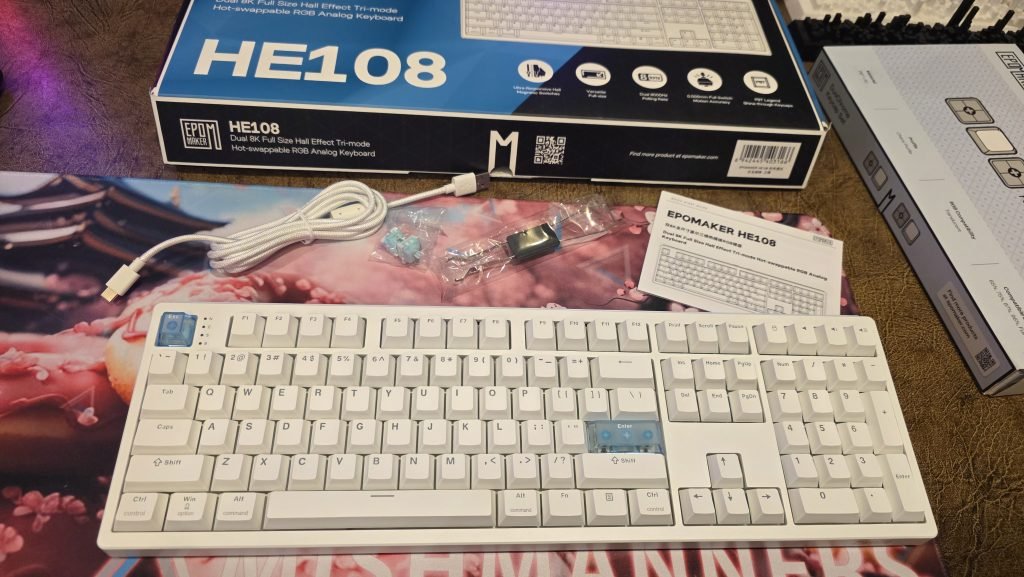
You all know I love a good keyboard, full-sized, vibrant RGB, and completely customisable. Everyone else in the mechanical keyboard space seems to be obsessed with 60% compact layouts with no numpad, which always makes me a little sad, but hey, more full-sized keyboards for me! I do a tonne of work with numbers, so
You all know I love a good keyboard, full-sized, vibrant RGB, and completely customisable. Everyone else in the mechanical keyboard space seems to be obsessed with 60% compact layouts with no numpad, which always makes me a little sad, but hey, more full-sized keyboards for me! I do a tonne of work with numbers, so having a full 108-key layout with a dedicated numpad is a total non-negotiable for me.
Having previously reviewed both the developer-centric Epomaker QK108 and the gorgeous Epomaker TH108 V2 Pro, I was eager to see what Epomaker would do next in the full-size space. Enter the Epomaker HE108. Short for Hall Effect, this keyboard is sleek and clean.
Epomaker stripped away the LCD screens and volume knobs to deliver a clean, solid, and incredibly sleek base powered by ultra-fast Hall Effect magnetic switches. Hall Effect keyboards use magnets and analogue sensors to register keystrokes. This means you have zero friction, and you can adjust the depth. Technologically speaking, it’s really cool. Epomaker combined that with effortless customisation and RGB aesthetic that I can’t get enough of.
Clean design, stepped keys, and subtle ripples
Out of the box, the Epomaker HE108 impresses with its sheer stability and clean lines. It weighs over 1.2kg, sitting super solid on the desk without budging an inch during heavy typing sessions.
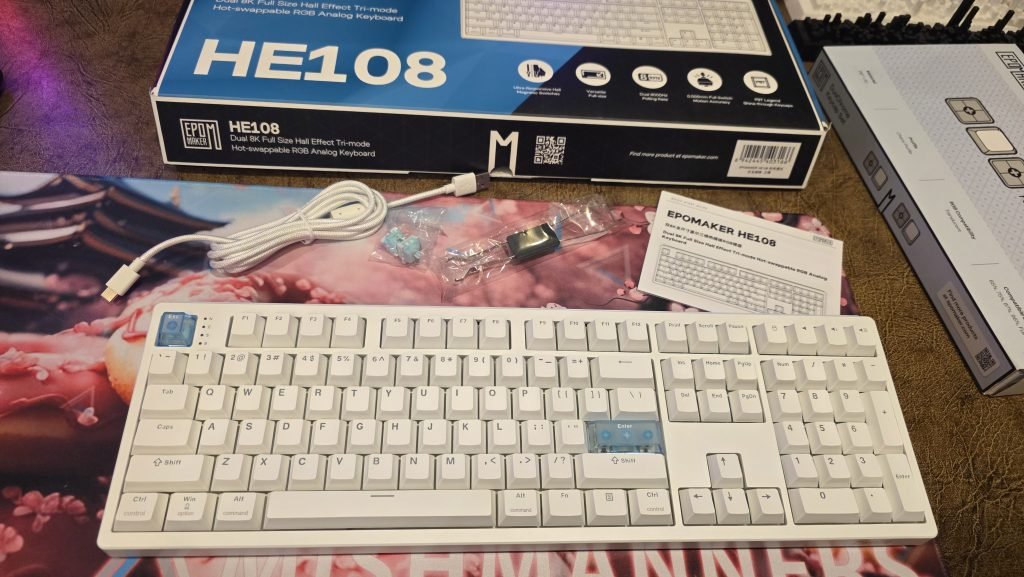
Unlike its screen-touting siblings, the HE108 goes for a simplistic, classic aesthetic. There are no LCD displays or rotary dials, just a beautifully straightforward keyboard layout. It features slightly stepped keys that give it a comfortable, ergonomic posture, paired with adjustable feet so you can dial in your preferred typing angle.
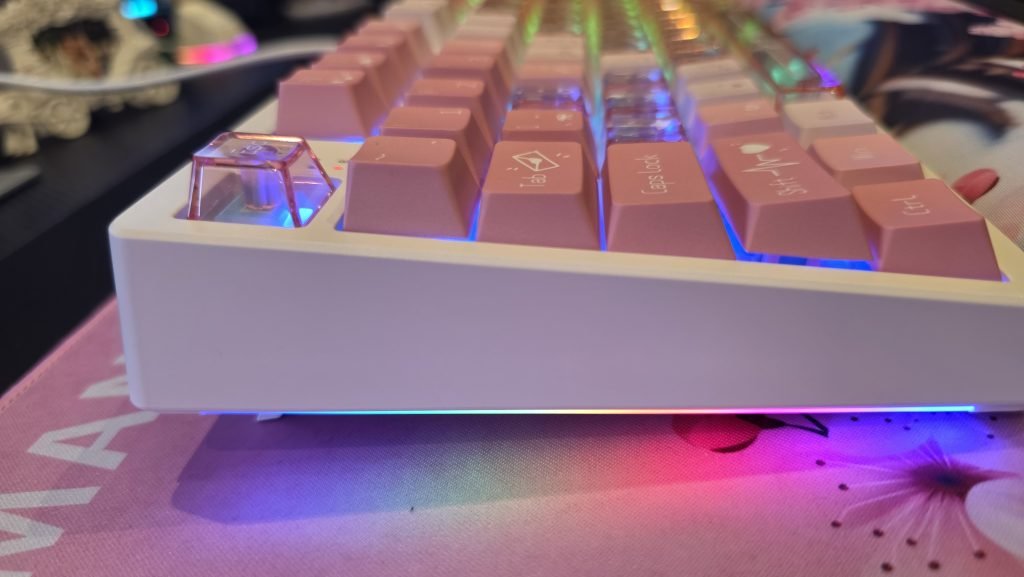
Looking around the edges, there are subtle ripple details along the back of the keyboard, accompanied by gorgeous side lighting strips that throw a soft, colourful glow across your desk mat.
You can pick up the base board in three base colourways:
- Standard White
- Standard Black
- Special Epomaker × Human Fall Flat White Edition
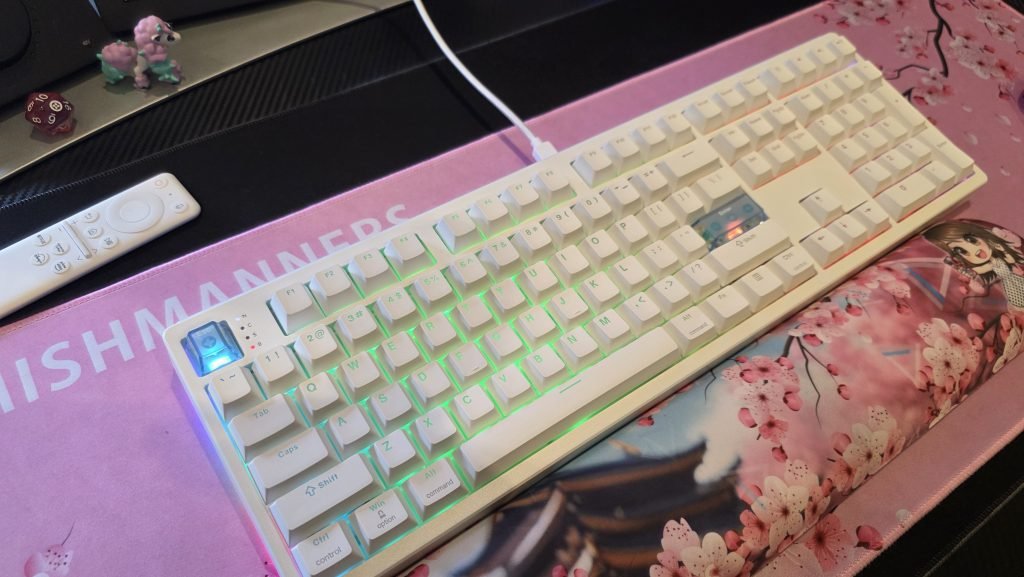
Out of the box, the default keycap options feature a subtle translucent etching for the letters and key names. The RGB backlighting shines through with a delicate, soft glow. There’s nothing too aggressive here, just clean and readable.
Hall Effect switches: Magnetic speed that sounds ridiculously good
The biggest upgrade under the hood is the shift to the Hall Effect magnetic switches. The board comes pre-installed with Epomaker Creamy Jade Magnetic Switches.
If you read my previous reviews, you know I swapped out the ultra-quiet Sea Salt switches on the QK108 for Creamy Jades on the TH108 because I love a satisfying, tactile feel. Hearing that same creamy acoustic signature on an HE board is fantastic. Thanks to a 5-layer sound-dampening gasket structure (featuring PORON, IXPE, and latex layers), every magnetic keystroke lands soft, deep, and clean; no hollow clatter or metallic ping.
Beyond the sound, Hall Effect technology gives you absurd levels of input customisation:
- Adjustable Actuation: Set trigger sensitivity anywhere from 0.1mm to 3.3mm in tiny 0.005mm steps
- Rapid Trigger: Keys reset the millisecond you lift up, allowing lightning-fast re-fires in fast-paced games
- Analog Controls & SOCD: Bind multiple commands to a single keypress based on how deep you press
And if you ever need to replace a switch down the track, Epomaker includes spare switches and a handy low-profile keycap puller right in the box.
Leveling up the aesthetic with DuoChrome Keycaps
While the stock setup is clean, mechanical keyboards are all about making the desk setup uniquely yours. To give this board a complete visual makeover, I paired it with a set of Epomaker DuoChrome Keycaps.
These keycaps fuse durable PBT tops with fully translucent PC (Polycarbonate) bottoms in an ergonomic Cherry profile. The effect? Pure RGB bliss. I got mine in the pink colour way, but they are also available in blue and purple.
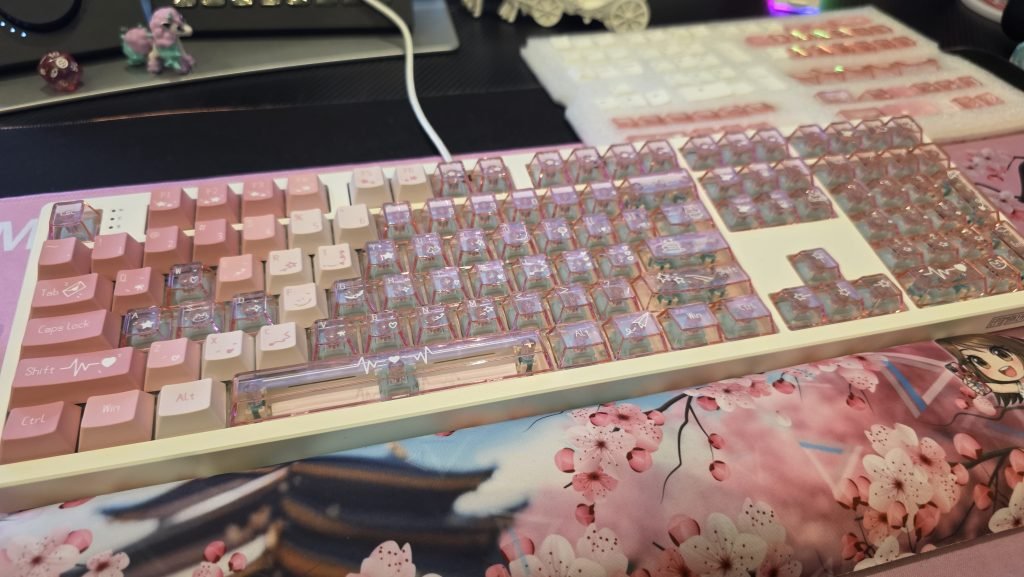
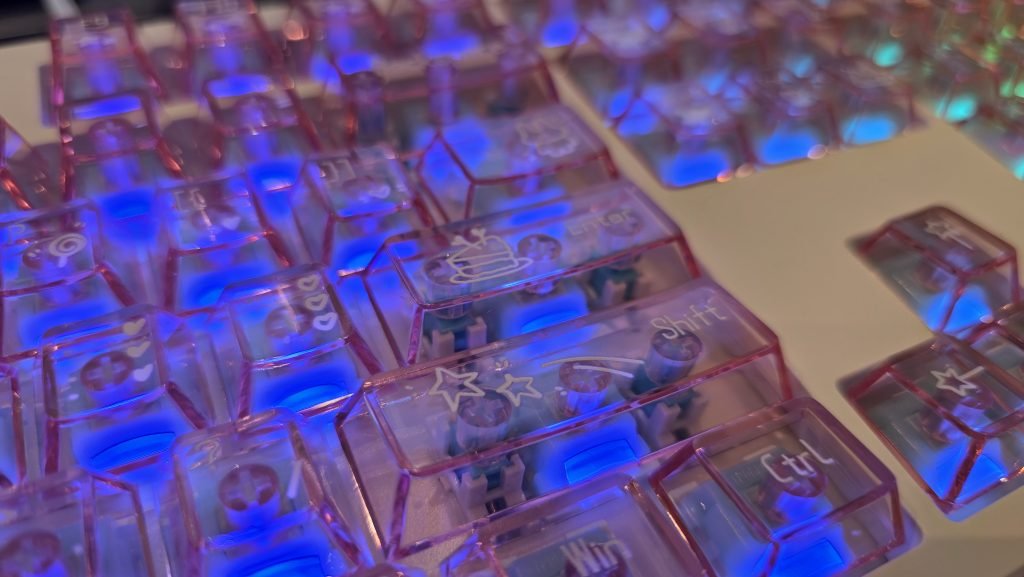
Because the keycap bases are entirely see-through, the south-facing RGB lights bleed through in a bold, vibrant glow. It gives off an awesome, high-tech “hardware and electronics” vibe across the board.
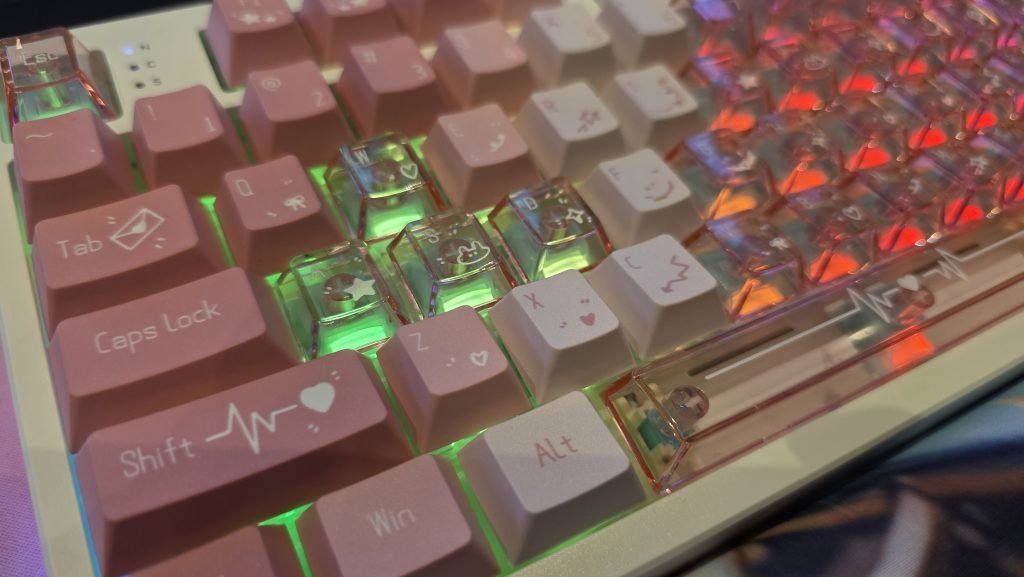
A word of warning if you go full translucent:
- Legibility: The clear legends can be a bit tricky to read under bright lighting through the frosted plastic. But if you can touch-type, you won’t need to look down anyway
- Smudges: Transparent PC surfaces tend to pick up oils and fingerprints quickly, so keeping a microfibre cloth nearby isn’t a bad idea
If you’re thinking of switching up the keycaps, think about whether you want the minimal, clean, soft look of the stock Epomaker HE108 keycaps, or if you want the intense, full-body light diffusion, and bold aesthetic of the DuoChrome keycaps.
Web-based software: Pure browser convenience
One of my biggest praises for Epomaker in my past reviews remains true here: no bloated desktop software required.
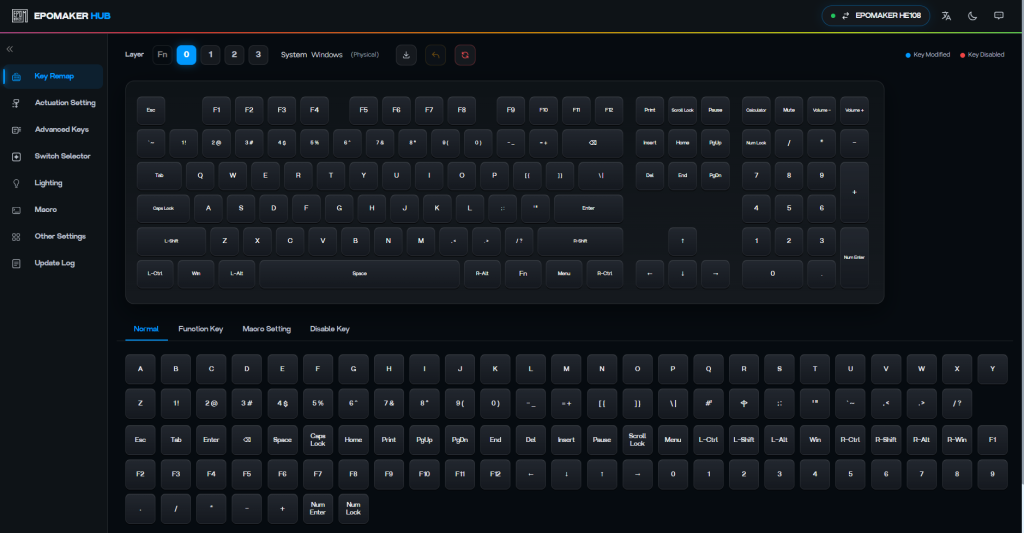
Instead of forcing you to download background apps or register accounts, everything on the HE108 is configured directly through your browser. Just plug the board in, jump online, and you’re ready to tweak:
- Customise actuation points per key
- Program custom macros and key remapping
- Remap the switch selector keys (like reassigning volume control keys to execute whatever action you prefer)
- Tweak RGB lighting profiles and side-glow lighting effects
Once you save your changes in the browser, everything writes directly to the board’s onboard memory.
Tri-Mode connectivity & effortless OS switching
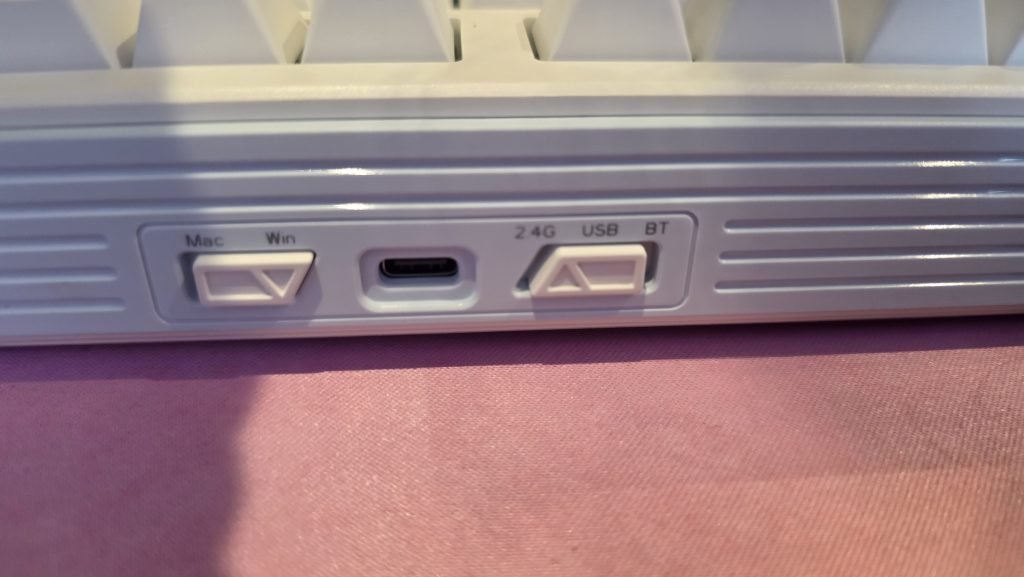
Whether you like a clean wireless desk or zero-latency wired play, the HE108 covers every angle with Tri-Mode connectivity:
- 2.4GHz Wireless (via USB dongle)
- Bluetooth 5.0 (pair up to 5 devices)
- USB-C Wired
Inside, a massive 10,000mAh battery delivers up to 500 hours of wireless use with the RGB turned off.
Around the back, a physical OS switch lets you flick instantly between Windows and Mac modes (and it works seamlessly with Android devices too!). When paired with custom keycaps, switching between operating systems on the fly is smooth and simple.
Final thoughts
The Epomaker HE108 is a gorgeous, high-performance option for anyone who refuses to compromise on the full-size layout.
Starting at $95.99 USD (~$140 AUD), it packs top-tier Hall Effect magnetic speed, 8K polling, smooth Creamy Jade switches, and a solid gasket-mounted frame into a very reasonably priced package. You can pick up the DuoChrome keycaps for $24.99 USD (~$37 AUD)
By skipping built-in LCD screens and focusing on solid hardware, easy browser configuration, and plug-and-play versatility, Epomaker has delivered a beautiful canvas. Leave it simple out of the box, or toss on a set of DuoChrome keycaps to flood your desk with vibrant RGB colour; either way, it’s an absolute joy to type on.
For more tech updates, stay tuned to our blog.