If you’re someone who spends half their life in meetings, interviews, or audio note-taking sessions, you’ve likely started playing around with various transcription tools. You might have even tried some of the AI features that are floating around these days. If you are looking for an all-in-one solution, then check out the BOYA Notra Neo,
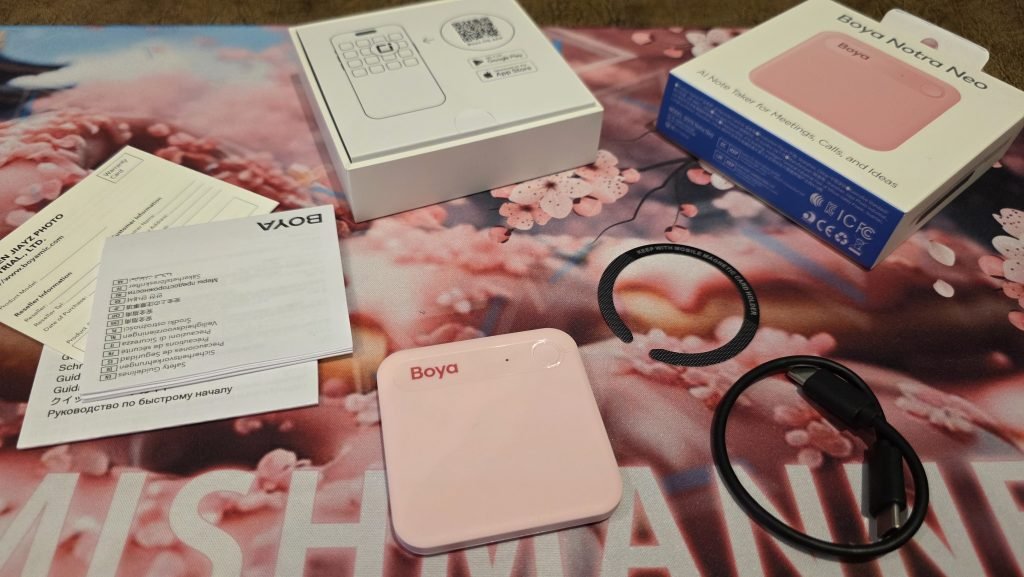
If you’re someone who spends half their life in meetings, interviews, or audio note-taking sessions, you’ve likely started playing around with various transcription tools. You might have even tried some of the AI features that are floating around these days. If you are looking for an all-in-one solution, then check out the BOYA Notra Neo, an ultra-slim, MagSafe-compatible AI note-taker designed to sit directly on the back of your smartphone.
The BOYA Notra Neo brings a fun aesthetic, solid battery speed, and instant cloud sync into a remarkably lightweight card-style format. We rounded up all the features and dug deep so you don’t have to.
Out of the box: Ultra-Slim and eye-catching
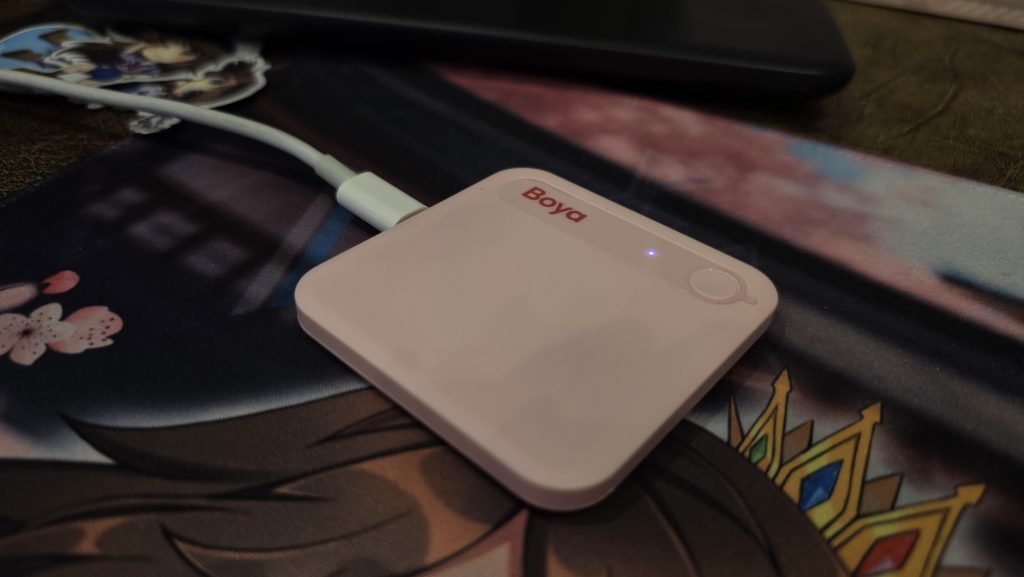
The first thing you’ll notice about the BOYA Notra Neo is its aesthetic. The colourway (especially in pink, that was obviously my choice) is absolutely gorgeous and stands out immediately compared to the standard array of black plastic tech accessories. It also comes in a neon yellow, and of course white and black for those you want to be a little more stealthy.
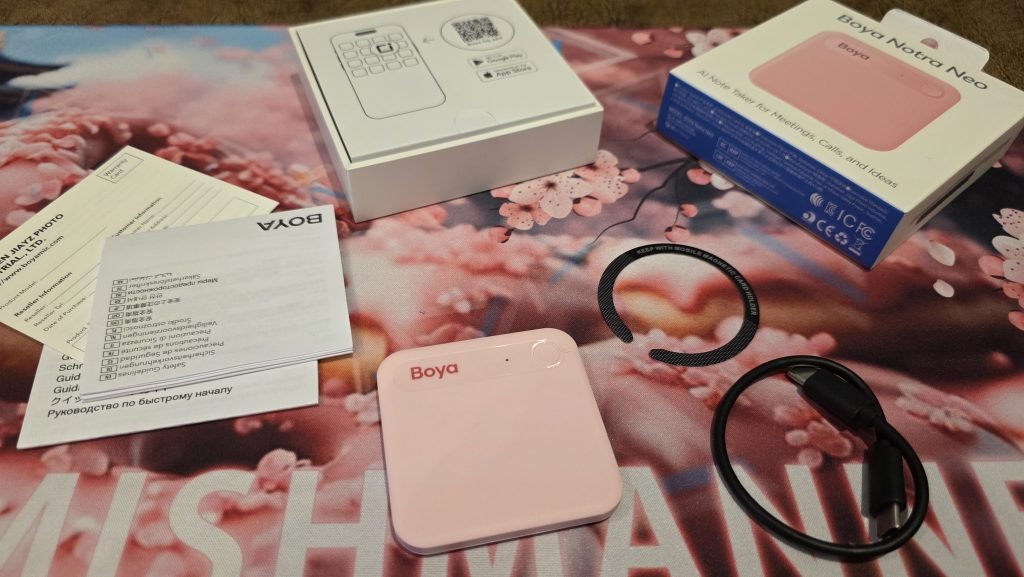
It is ridiculously slim and super lightweight. It features a magnetic design built to snap directly onto MagSafe-compatible iPhones or cases. If your phone or case doesn’t have MagSafe built-in, BOYA includes an adhesive magnetic ring in the box that you can attach to make it compatible.
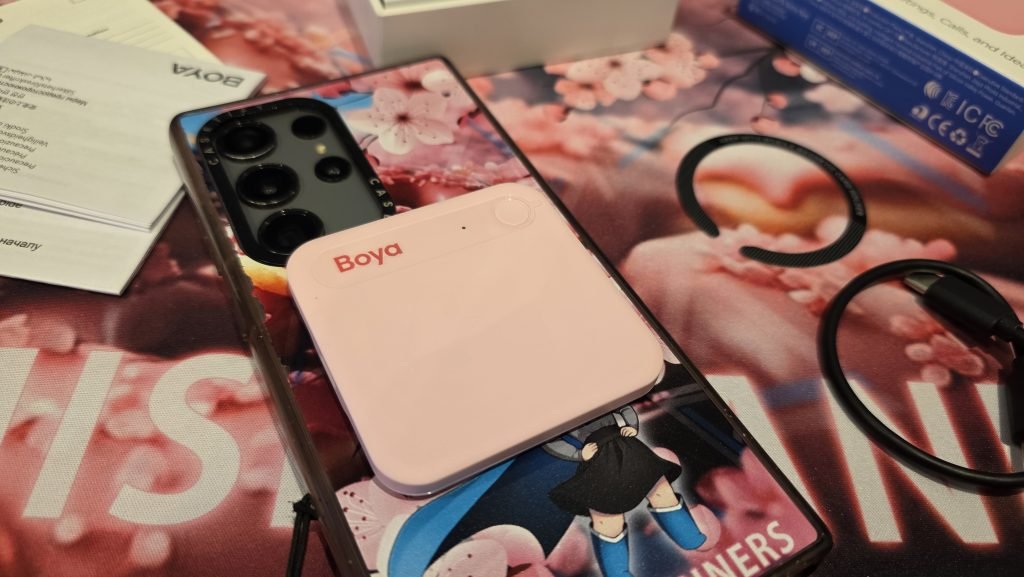
Because it is so light, one small quirk to keep in mind is that if bumped, it can fly off the magnetic backing if you aren’t careful. During testing, slipping it straight into a pocket worked flawlessly. No more flying off the back of my phone, and it picked up every word with impressive clarity.
It comes partially charged straight out of the box and tops up to full battery extremely quickly via USB-C.
In use: Audio pickup & the BOYA OS App
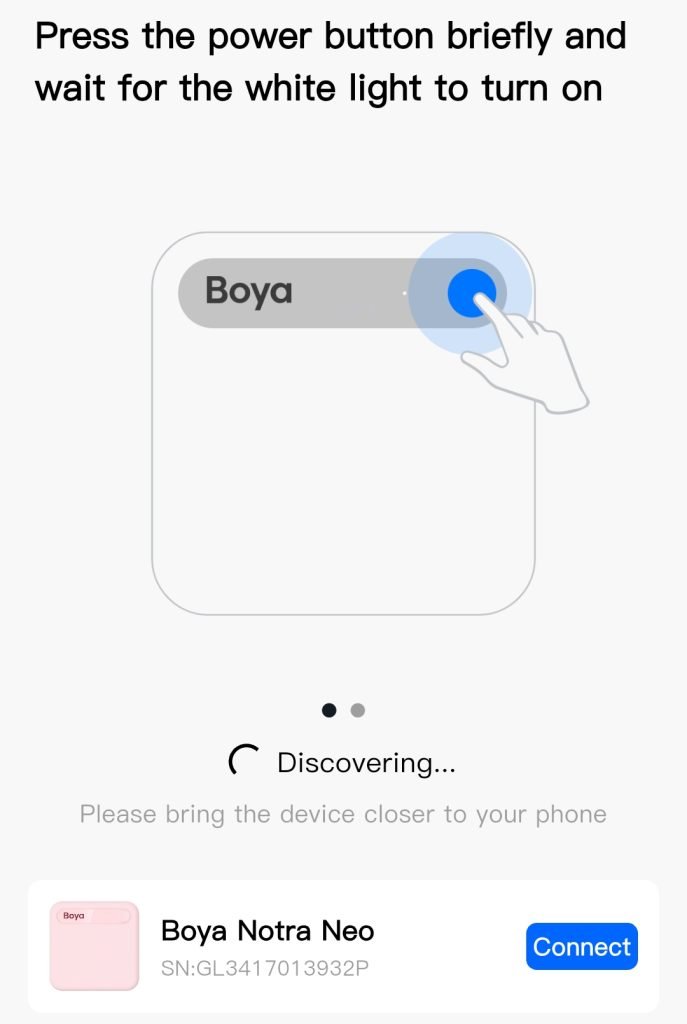
To get started, you’ll need to pair the device with its companion app, BOYA OS.
Despite being tucked away in a pocket during a ~33-minute test meeting, the microphone picked up voices effortlessly and captured clean audio without forcing anyone to speak directly into a mic. Even though half the people were on the other side of the meeting room, it worked so well.
Transcribing that 33-minute recording took around 15 minutes. While 15 minutes might feel a little long compared to instant local processing, most people review notes post-meeting anyway, so this waiting time really isn’t an issue, and the transcription works reliably and accurately. If you want to record a phone call, snapping the BOYA Notra Neo onto the back of your phone works the best. It picks up the vibrations from the phone and captures the call so well. For flawless audio capture, you can connect via Bluetooth and have the Notra Neo record and transcribe a meeting or online class.
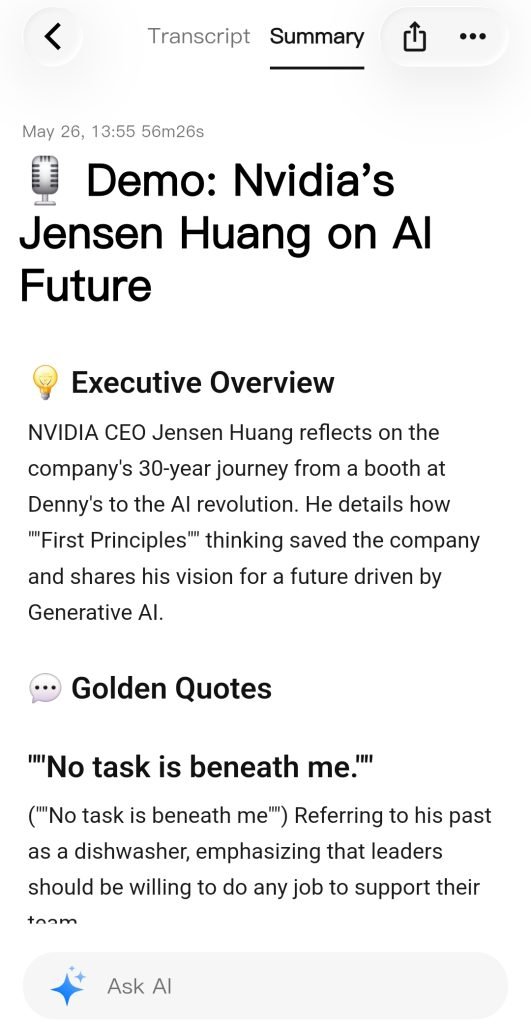
The app is also really great as it walks you through using the device, giving helpful tips along the way. Plus, the app will provide any firmware updates along the way.
App capabilities and exporting options
Once your audio is processed inside the BOYA OS app, you get access to a suite of useful organisation and export controls:
- Speaker labels: You can manually label speakers so your transcripts read with actual names instead of generic “Speaker 1” and “Speaker 2” tags.
- Retranscription & Summaries: If the AI misinterprets something, you can trigger a re-transcription. Regenerating a summary or mind map will regenerate the breakdown (taking up your minutes and overriding the previously saved files), though the app clearly prompts you with a warning before overwriting existing summaries.
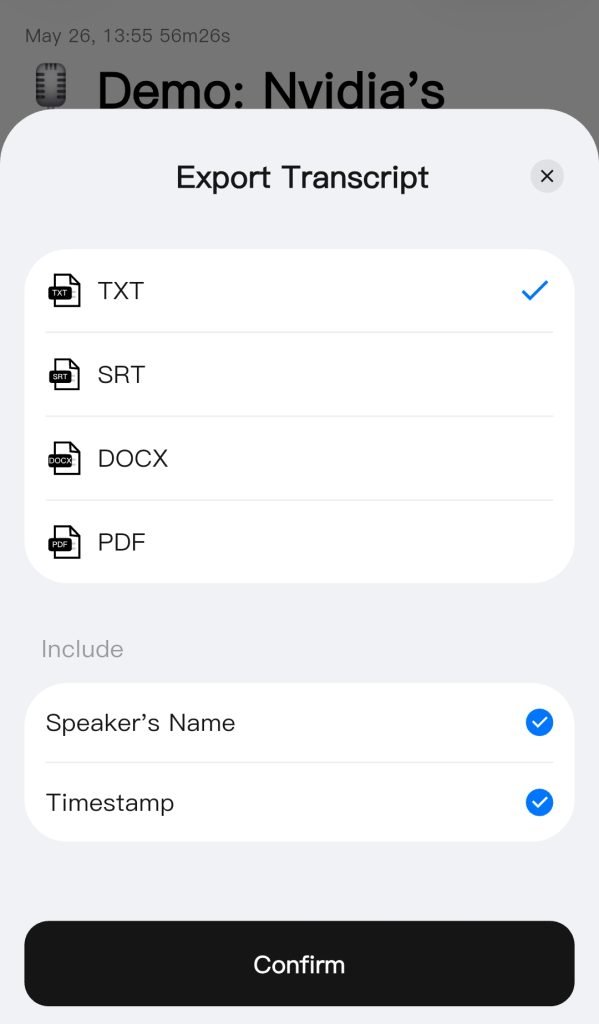
- Extensive Export Options: Sharing options are comprehensive. You can copy raw transcripts or summaries, share web links, or export audio directly as
.mp3or.wav. - Subtitle & Developer Friendly Formats: For video editors, exporting transcripts as
.srtfiles makes subtitle creation effortless. Developers and markdown lovers can export summaries and mind maps as Markdown (.md), and then there are the usual text formats for summaries and transcripts:.txt,.docx,.pdf, or.jpeg.
You will probably want to export and remove your recordings periodically as the BOYA Notra Neo only has 8GB of onboard memory. It does however have free cloud sync capabilities.
Subscription tiers and pricing options
One thing to note with the BOYA Notra Neo is that depending on your usage, you might have to pay more money than simply purchasing the device. The use of the AI transcription and summaries aren’t necessarily free. The pricing model is something worth looking into depending on how many hours of audio content you plan to record:
- Free Tier: Resets monthly with 320 minutes (just over five hours) of free recording and transcription time. A handy visual meter on the app homepage shows exactly how many minutes you have left.
- Pay-As-You-Go Minutes: Flexible top-ups are available without committing to an annual plan. For example, you can purchase 120 minutes for $4.90 USD or 6,000 minutes for $149.99 USD.
- Ultimate Plan: For power users needing unlimited transcription, the annual tier runs at almost $400 USD/year.
If you are only attending a few meetings a week, dictating short memos, or conducting occasional interviews, the 320-minute free monthly tier might just cover your needs without costing extra. But if you’re looking for something more, then you might have to shell out a little more money for a paid plan.
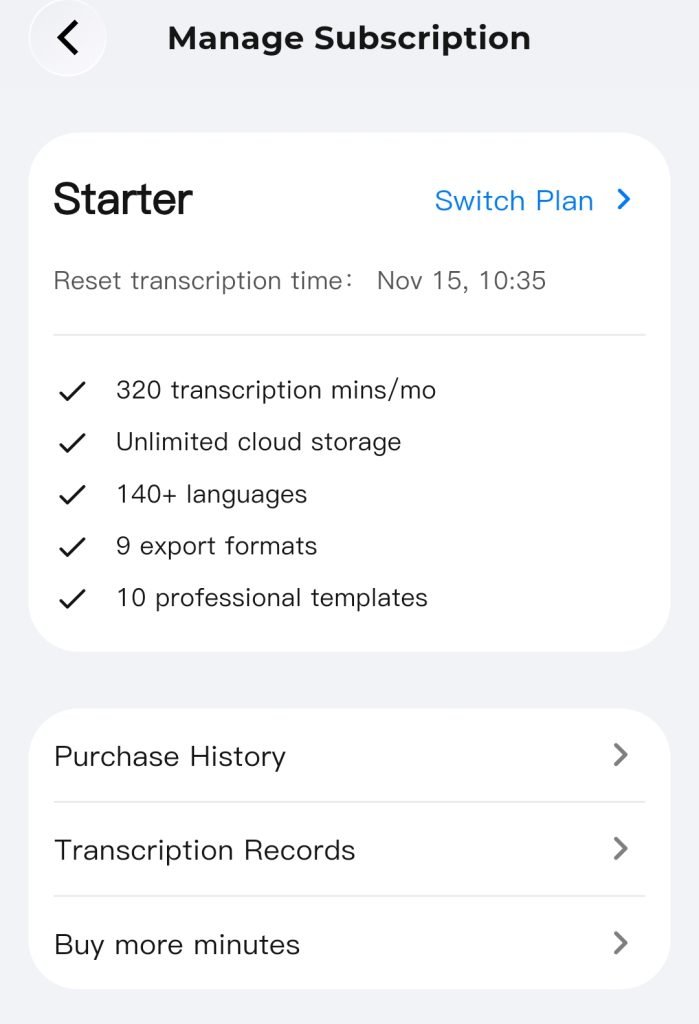
I do like the unlimited cloud storage, which is a welcome feature in this day and age when storage can come at a premium. You might also see on this screen that the BOYA Notra Neo supports over 140 languages, which should be plenty for your needs. Unfortunately, I don’t speak a language other than English, so I couldn’t accurately verify the transcripts I received from alternate languages.
Verdict: Is it right for you?
If you already use AI assistants like ChatGPT, Microsoft 365 Copilot, or Gemini in your daily workflow, you might already have a preferred way of generating summaries and reviewing day-to-day notes manually. It’s also worth noting that if you’re using recording devices, you should be disclosing that information to the people in the meeting or class. It is common courtesy to let people know that you are recording a call or meeting, and/or using an AI note taker. Also remember that AI can make mistakes too, and that you should be actively reviewing the content that AI is generating.
With all this in mind, if you are using it responsibly, the BOYA Notra Neo excels where it counts: accurate voice capture, sleek magnetic mounting, extremely lightweight build, and flexible export formats. As a standalone piece of hardware, it’s technologically sound. The AI transcription works fairly accurately, but you should always have a person review.
The BOYA Notra Neo is currently on special for $125 AUD. If you’re looking for a fun, lightweight, and capable pocket recorder for students, journalists, and professionals for simple meeting transcription, then this is perfect. If you need massive local storage without relying heavily on cloud sync, the Notra (64GB version) is currently on special for $189 AUD.
You can purchase them directly from the BOYA website, and if you missed the specials, then use the code “FRIEND-Z2VG7RX” for 10% off at the checkout.
Check back often for more exciting news!