
If you’ve been looking for a mechanical keyboard that works just as well for your daily grind as it does for a late-night gaming session, you usually have to make a few compromises. Either you sacrifice wireless speed for battery life, or you end up with a boring, slab-sided piece of office plastic. GravaStar has
If you’ve been looking for a mechanical keyboard that works just as well for your daily grind as it does for a late-night gaming session, you usually have to make a few compromises. Either you sacrifice wireless speed for battery life, or you end up with a boring, slab-sided piece of office plastic.
GravaStar has clearly decided to throw those compromises out the window with the new Mercury K98 Pro. Known for their sci-fi mecha designs, GravaStar has packed pro-level wireless tech, a massive battery, and an intricate cyberpunk aesthetic into a 98% layout. We got our hands on the Phantom Black edition to see if this futuristic beast is all show, or if it’s worth a spot on your desk.
Out of the box
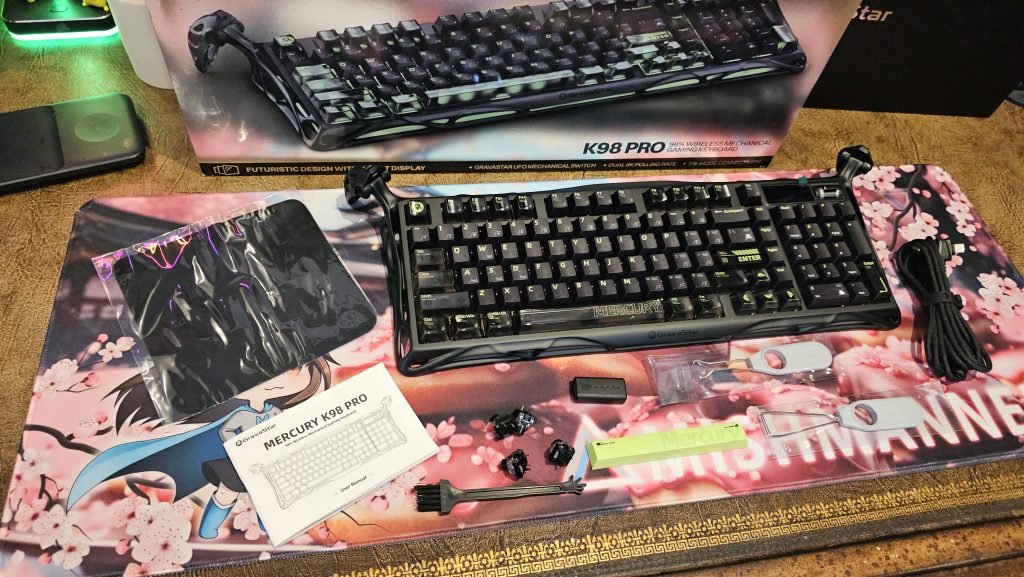
GravaStar gives you everything you need to get started, and then some. Alongside the keyboard itself, you get a solid braided cable, a wireless receiver, a microfibre cloth, keyboard cleaner, and manual.
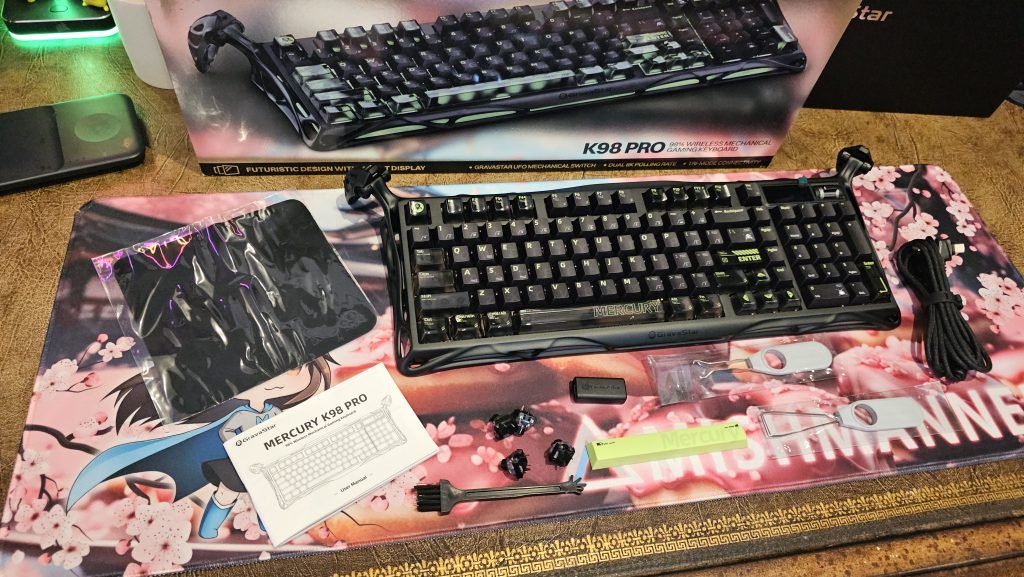
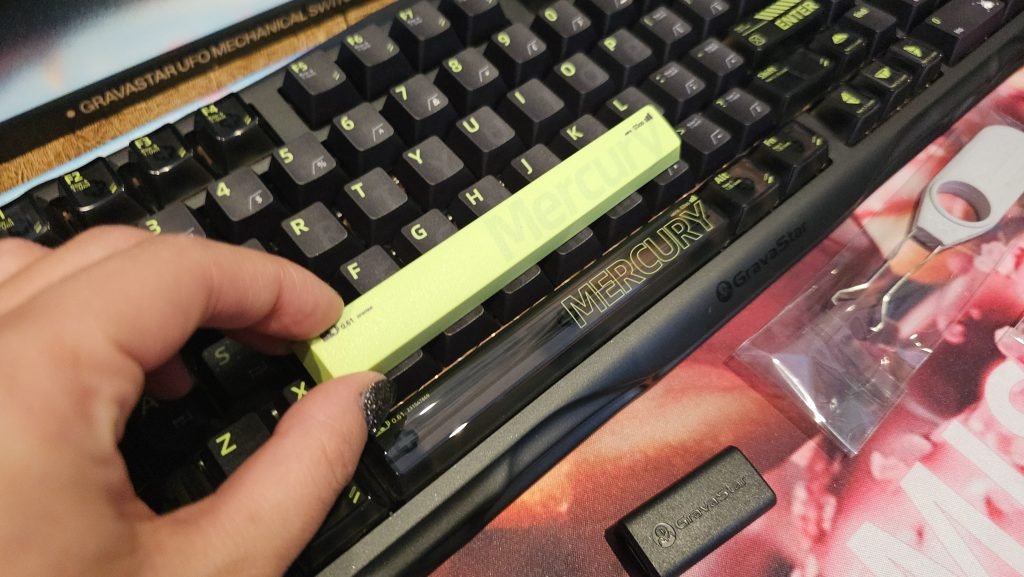
Because this is a hot-swappable keyboard, they’ve also thrown in a few extras for the tinkerers: four extra proprietary UFO linear switches, both a switch puller and a keycap puller (very handy to have both in the box), and an alternate spacebar in a completely different, complementary colour so you can mix up the look right away.
The included cable is hefty and attaches to the keyboard at a right angle, keeping it tucked neatly away to one side rather than sticking straight out the back. Depending on how your desk is laid out, this could be ideal—or slightly awkward—but given how good the wireless performance is, you can easily ditch the cable altogether.
Futuristic design and solid build
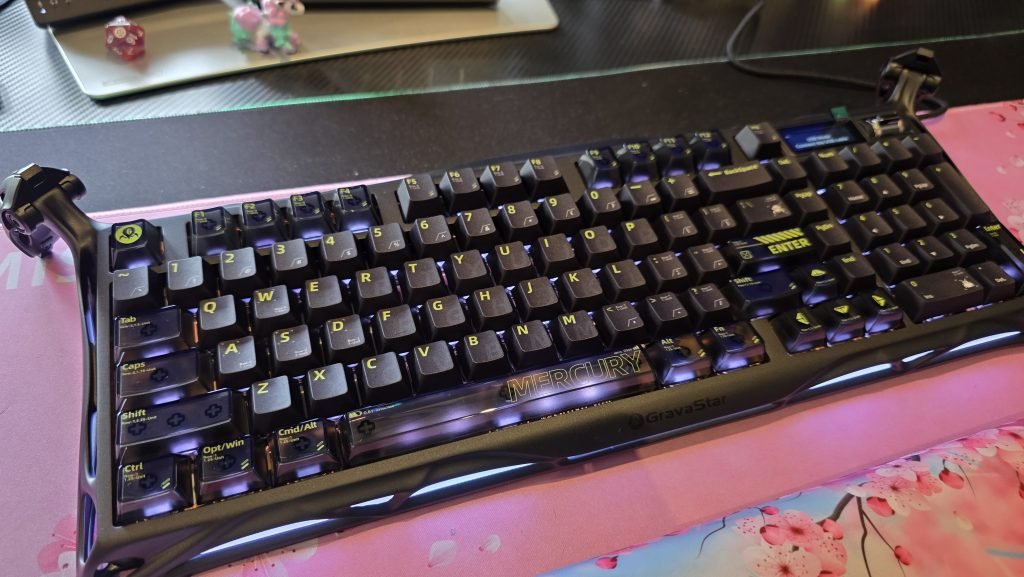
As soon as you pick up the GravaStar Mercury K98 Pro, you realise this thing is built like a tank. It features a solid, CNC-machined aluminium skeleton chassis with lighting running all the way around the edges, and even lights built into the legs.
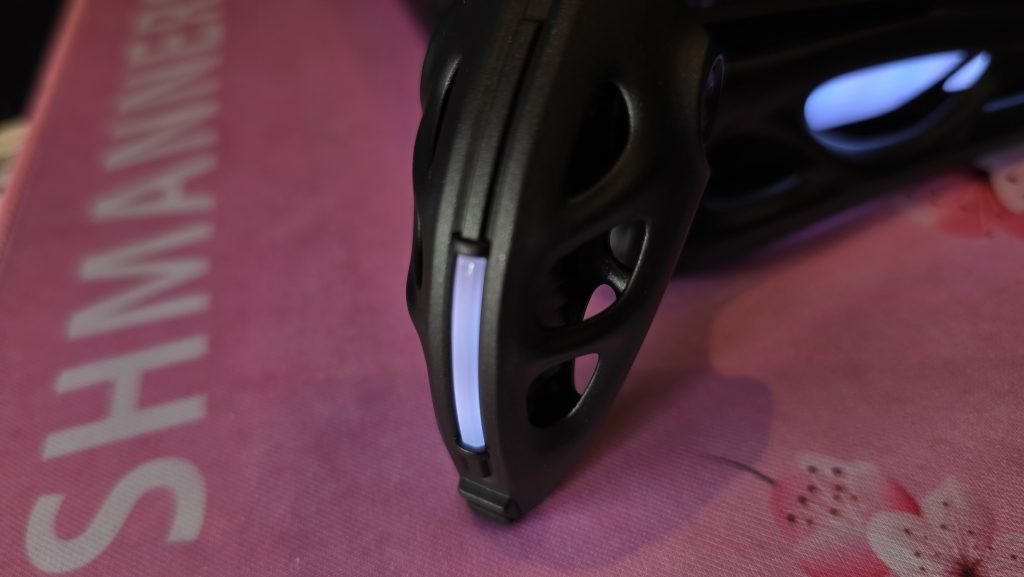
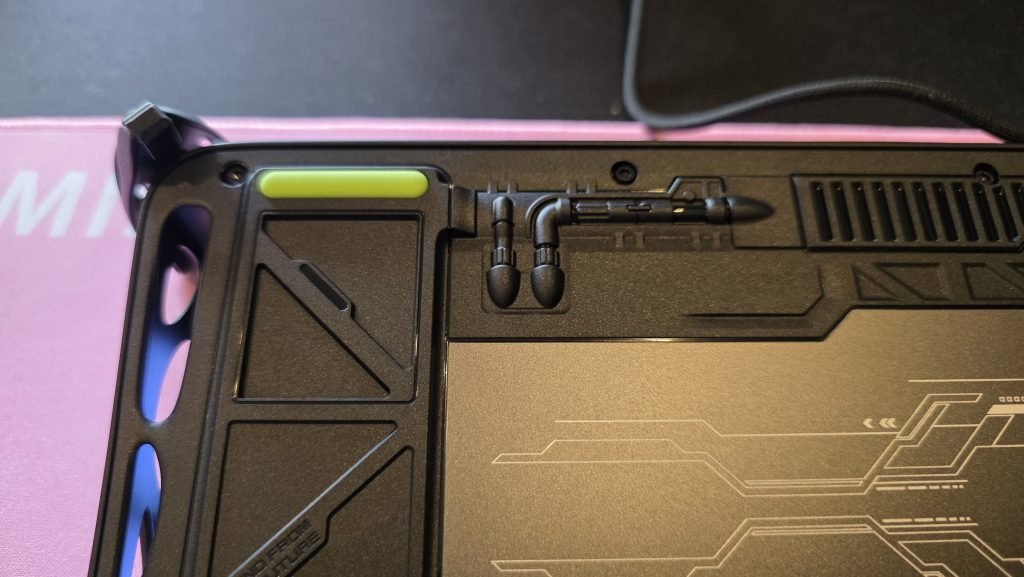
Most companies don’t even think about the underside of a keyboard, yet GravaStar has made the back look just as intricate as the top. It’s covered in cyberpunk, robotic details, tiny pipes, and mechanical textures. Flipping out the legs gives you some serious War of the Worlds tripod vibes. Just keep in mind that these robotic legs only flick out to one set angle, so what you see is what you get for typing ergonomics.
The keycaps themselves are a smoky, translucent material. Instead of giving you that overwhelming “rainbow spew” lighting you see on cheaper gaming boards, the RGB shines through subtly. The inscriptions on the keys even feature cool little coordinate markings that really lean into the sci-fi aesthetic.
Layout and typing feel
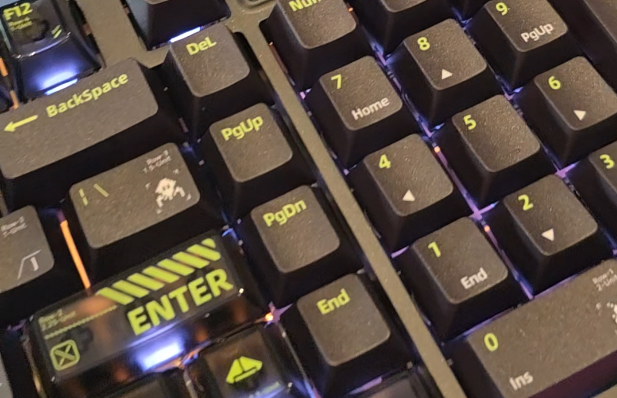
The K98 Pro uses a 98% layout. It’s not quite full-sized, which saves a bit of desk space, while still giving you a dedicated numpad for work. That said, the layout takes a little getting used to. You get dedicated Print, Lock, and Pause keys, while the Home and Delete keys sit vertically right next to the Backspace button. For a keyboard that already has a fairly large footprint thanks to its chunky metal frame, you kind of wonder if they might as well have just included the full set of standard keys.
Typing on it, however, is a treat. Thanks to the gasket-mount structure, five-layer acoustic dampening, and GravaStar’s custom UFO linear switches, the keys have a distinct, hollow sound with a great amount of clicky-ness and tactile satisfaction.
Customisation without the bloatware
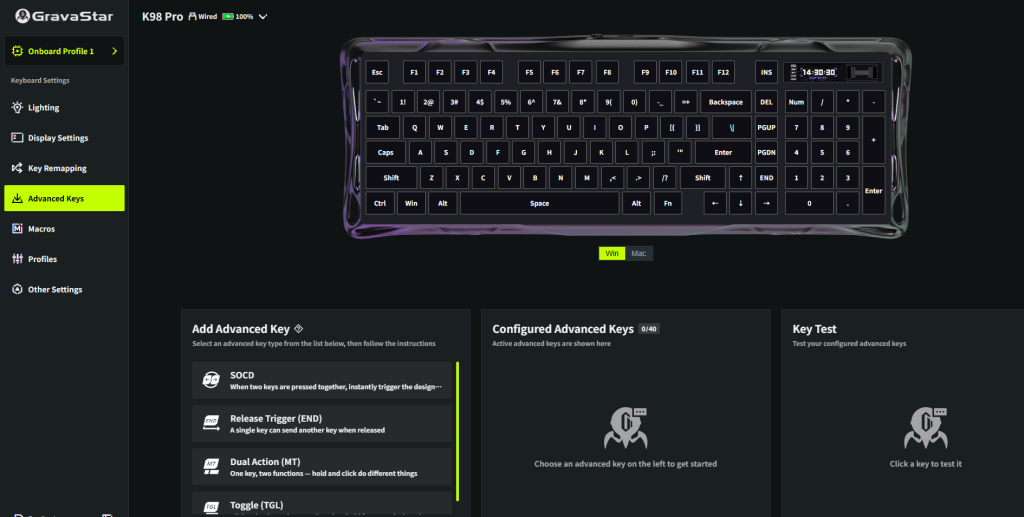
One of my favourite things about this keyboard is how you set it up. There is no bloated desktop software to download and clog up your PC. Instead, everything runs through a web-based application. It even opens with a slick loading screen, and as soon as I plugged the keyboard in, the web app automatically detected that I needed a firmware update and installed it for me seamlessly.
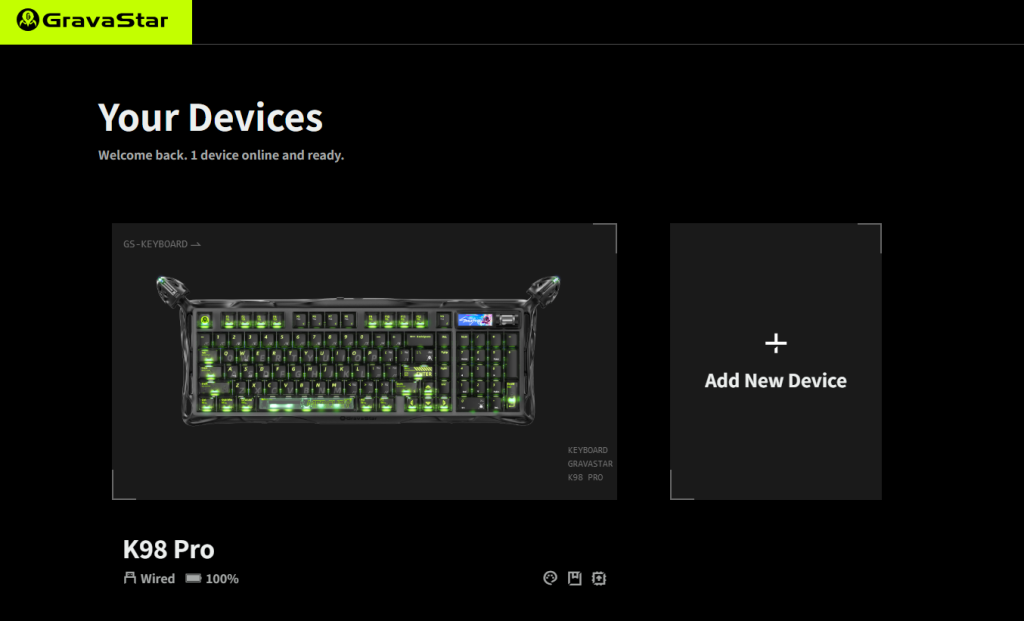
Once you’re in, there are so many settings to tweak. You can adjust the key lighting and the keyboard’s ambient side lighting independently, remap keys, and even upload your own custom GIFs to display on the built-in 1.65-inch Smart TFT screen. The only minor catch with the GIFs is a 3MB file size limit, so you might have to do a bit of hunting or compressing to find the exact animation you want.
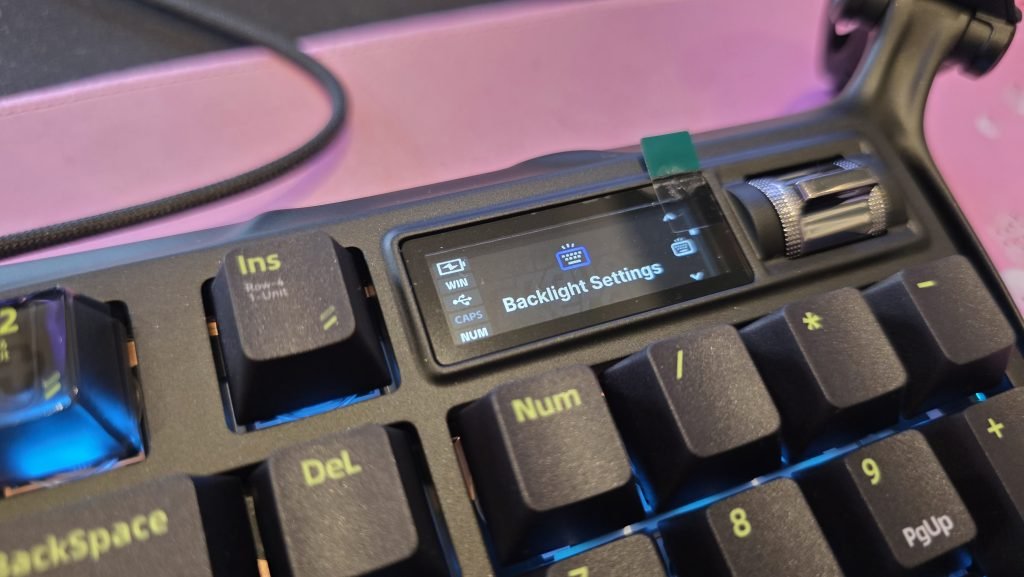
If you don’t want to touch the web app at all, you can control almost everything directly on the hardware. Using the little LCD screen and the roller switch next to it, you can scroll through and adjust:
- Time and date
- Screen backgrounds and lighting modes
- Key triggers and onboard profile switching
- Connection modes
Connectivity and battery life
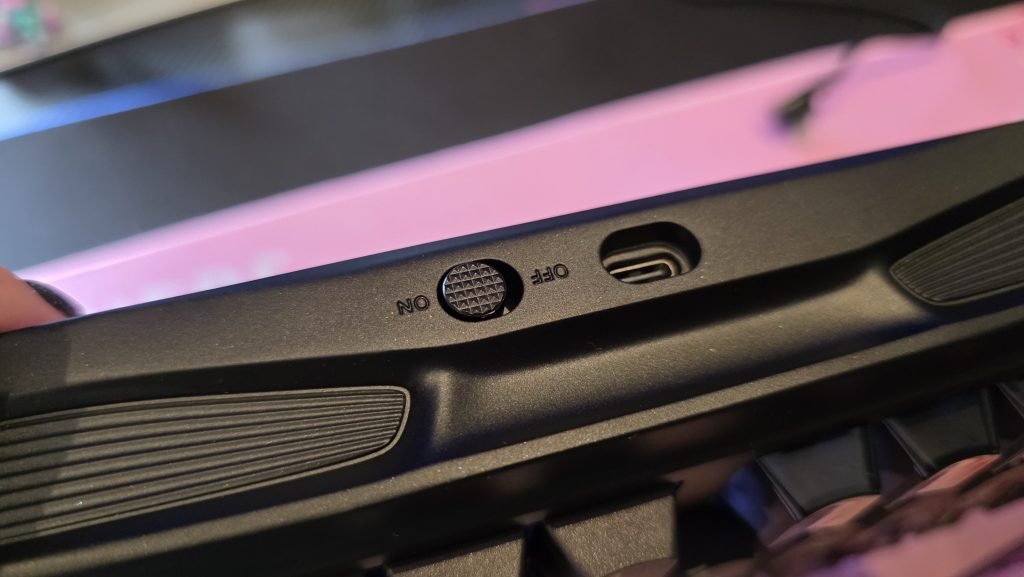
On the back of the board, there’s a physical switch to turn it on and off. Being wireless, it’s good to be able to switch it off to conserve power. The keyboard can also switch between its tri-mode connectivity: wired, Bluetooth, or 2.4 GHz wireless. Usually, going wireless means taking a hit on latency, or watching your battery drain in a day. GravaStar has tackled both with an 8000 Hz polling rate across both wired and 2.4 GHz wireless modes, paired with a massive 8000mAh battery.
In real-world use, it feels instantaneous, and the battery lasts for ages. If you’re someone like me who is constantly forgetting to plug your peripherals in, this keyboard has you covered.
Pricing and availability
The GravaStar Mercury K98 Pro Mechanical Keyboard in Phantom Black is available now in Australia for RRP $499.99 AUD ($579.99 NZD) via Silk Gear online, or at their physical store in Melbourne. Stock is set to roll out soon to Scorptec, Centcom, and Amazon. It’s definitely an investment, but if you want a solid, head-turning piece of tech that bridges the gap between serious work and competitive gaming, it’s hard to beat.
Check back often for more exciting news!