If you’re in the market for a capable, everyday machine that can handle gaming and creative work without breaking the bank—or your back—the GIGABYTE AERO X16 (EG61H) deserves a serious look. Positioned squarely in the mid-range market with an accompanying price tag, this laptop manages to pack a surprising amount of modern tech into a
If you’re in the market for a capable, everyday machine that can handle gaming and creative work without breaking the bank—or your back—the GIGABYTE AERO X16 (EG61H) deserves a serious look. Positioned squarely in the mid-range market with an accompanying price tag, this laptop manages to pack a surprising amount of modern tech into a sleek, portable chassis. We got our hands on this machine to put it through its paces.
Design, display, and first impressions
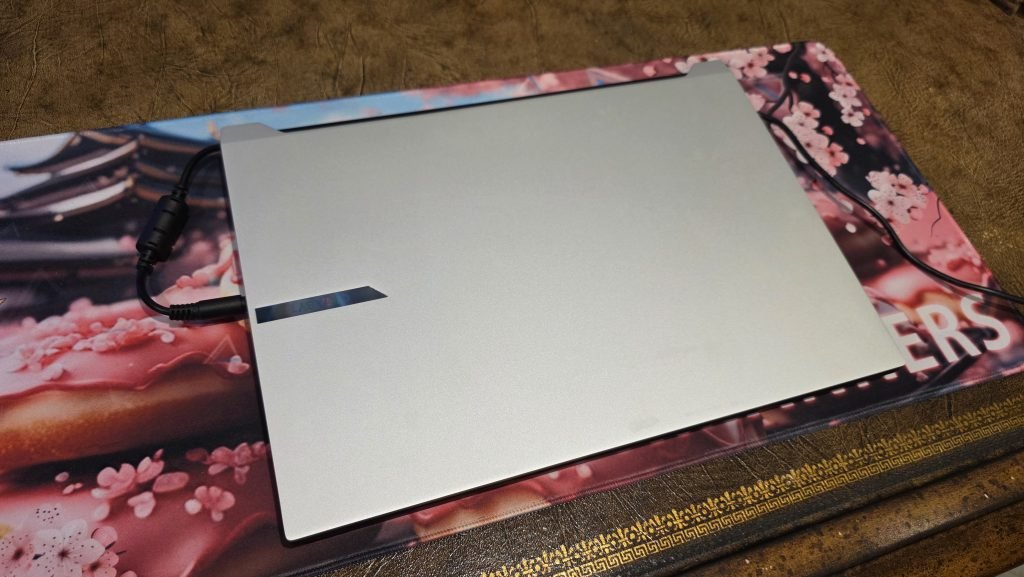
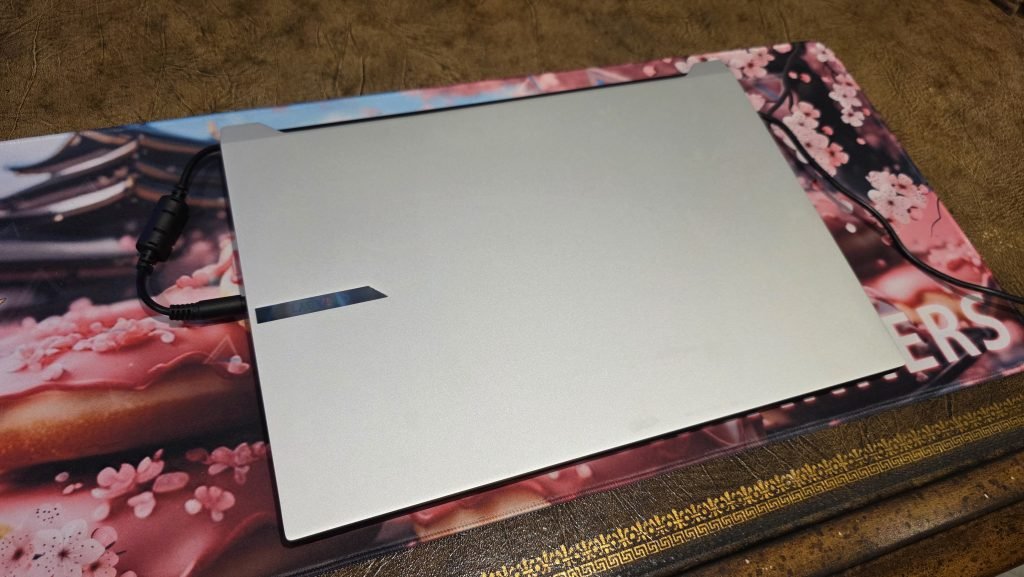
Straight out of the box, the AERO X16 impresses with its thin and lightweight profile, and lightweight boxing. The box is very slim (great for having to deal with the packaging post-unboxing), and you’ll just receive the laptop and charger; no extras, nothing else to worry about. Measuring just 16.75mm thin and tipping the scales at 1.9kg, it’s easy to slip this laptop into a backpack and carry around all day. Despite the slim form factor, GIGABYTE hasn’t skimped on thermal design, incorporating solid air circulation with exhaust outlets on either side of the chassis. Even my current laptop feels like a brick and doesn’t have the specs that the GIGABYTE AERO X16 has.
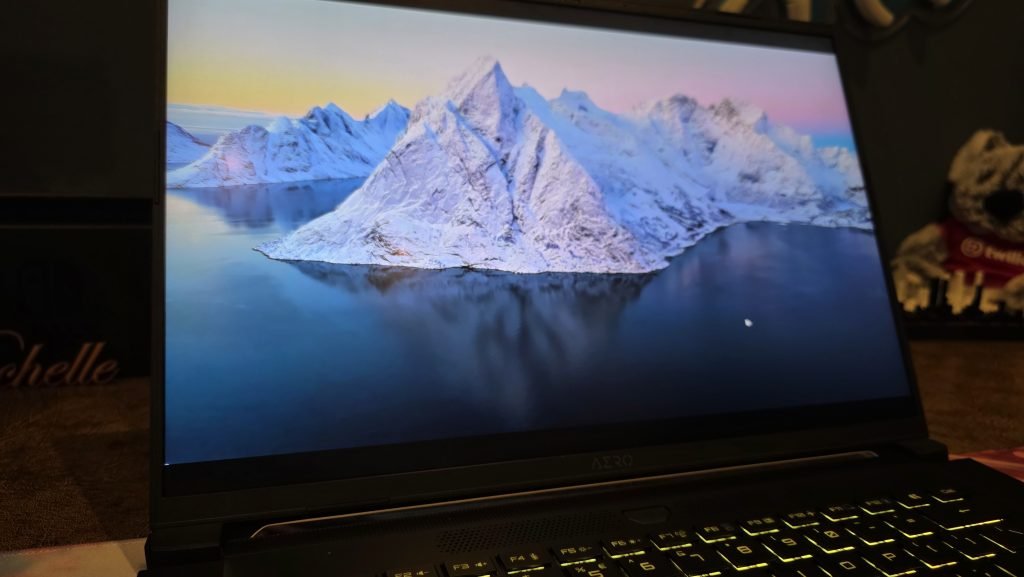
Opening the lid reveals a 16-inch Wide Quad Extended Graphics Array (WQXGA, which has a 2560 x 1600 display resolution) 165Hz non-touch display, and it’s liquid clear. Laptop displays have come a long way, and this Pantone-validated panel (complete with TÜV Rheinland Low Blue Light certification) looks fantastic whether you’re editing photos, gaming, or just browsing.
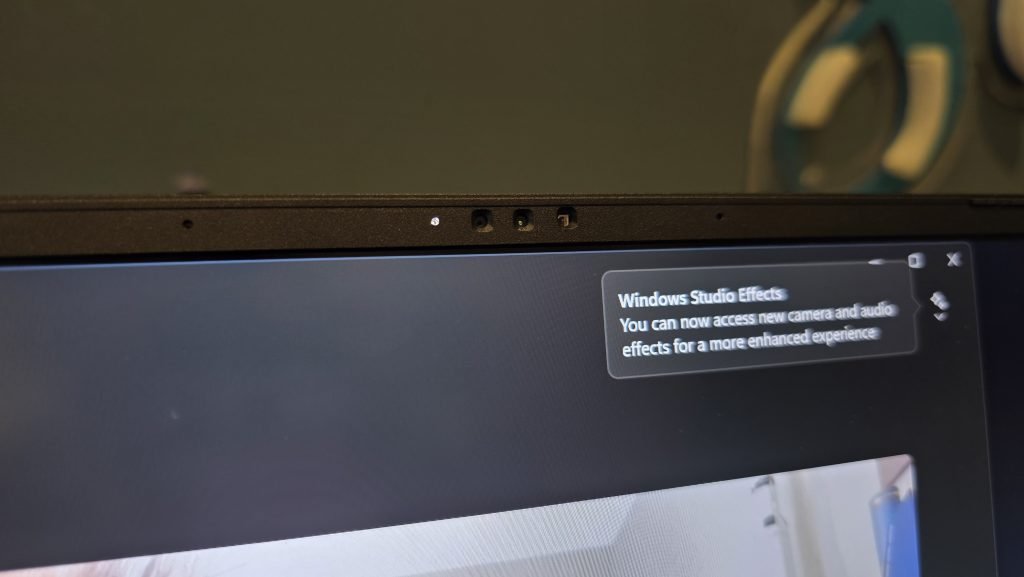
Above the screen sits a tiny front-facing camera that is so well hidden you can barely see it. While I do miss having a physical privacy shutter, there is a handy indicator light that lets you know whenever the camera is active. Plus, Windows 11 now includes some genuinely useful built-in camera effects, including eye tracking, background blur, and automatic framing.
Setup, keyboard, and trackpad
When you first boot up the GIGABYTE AERO X16, make sure you set aside a bit of time, as Windows setups can take a while. One quality-of-life improvement I really appreciate with modern Windows setups is Microsoft Authenticator integration. Instead of hunting through a password manager and typing out a massive password, you can just approve a notification straight from your phone. Make sure you have the app downloaded and signed in beforehand so you can use this feature. GIGABYTE also throws in free Xbox Game Pass to get you started right away, which is handy since you can play Xbox Cloud Gaming right from your laptop.
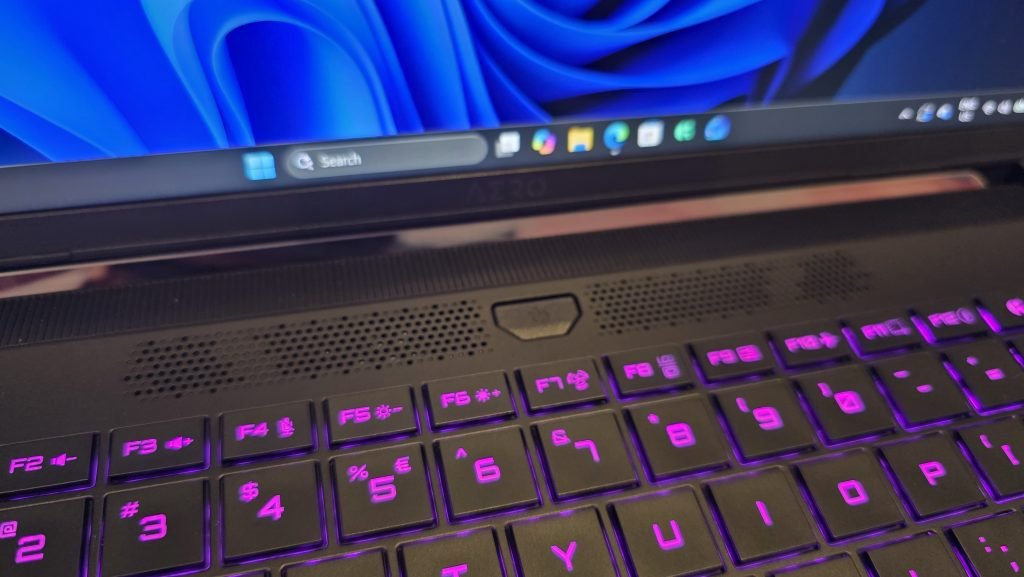
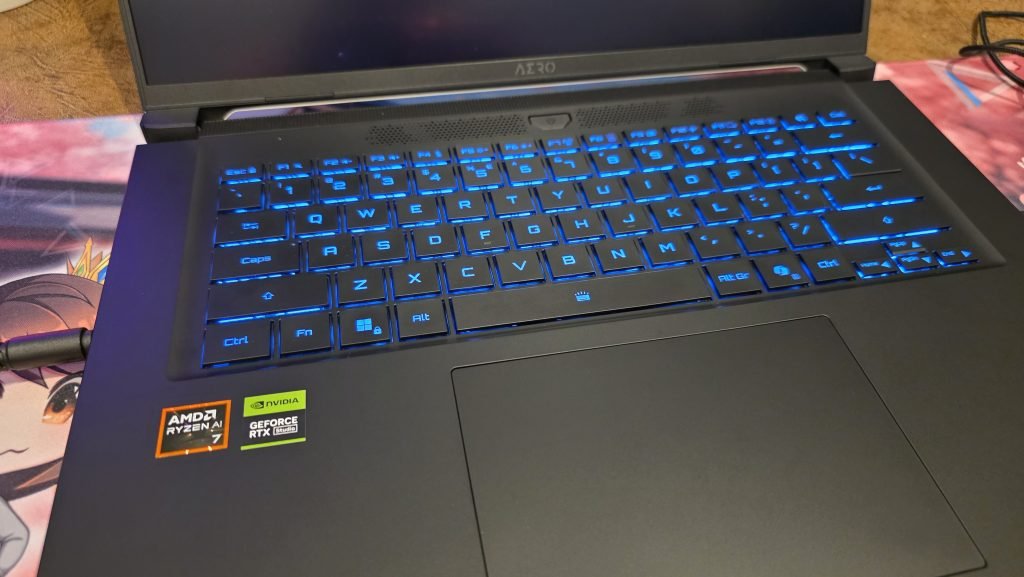
The keyboard itself is a joy to type on. It’s not a full-sized layout with a dedicated number pad, but name me a slim 16-inch laptop these days that actually has one. When you first power the machine on, the keyboard cycles through RGB colors before defaulting to a solid blue during setup; once you’re signed into Windows, the full RGB lighting kicks back in, which I love. Above the keyboard sit the top-firing speakers—which sound surprisingly rich and not at all tinny—flanking a centrally placed power button. I’m usually used to reaching for the top right or the side of a laptop to turn it on, so it took a minor adjustment, but I really enjoy the symmetry and shape of the button right in the middle.
Below the keyboard is a massive trackpad that stretches right down to the edge of the deck. As someone who is very much a mouse person, I usually gloss over trackpads (and you can easily disable this one if you want to), but the clickiness of the select mechanism here is super nice.
Ports and connectivity
The GIGABYTE AERO X16 is under 17mm thick, which one would assume would mean the designers skimped on ports to save space. But not here. The port selection is generous, no dongle life required:
- Left side: Power port, Ethernet, HDMI, USB-A, and a cutting-edge USB4 Type-C port (offering up to 40Gbps bandwidth and DisplayPort support)
- Right side: Two additional USB-A ports and a 3.5mm AUX audio jack
Under the hood and real-world performance
Powering the GIGABYTE AERO X16 is an AMD Ryzen AI 7 350 processor paired with an NVIDIA GeForce RTX 5060 Laptop GPU (built on NVIDIA’s Blackwell architecture). Well, at least this particular version of the AERO X16 has this configuration. There are different versions of both the processor and graphics card you can choose:
Processor:
- AMD Ryzen™ AI 7 350 (16MB cache, up to 5 GHz, 8 cores, 16 threads)
- AMD Ryzen™ AI 9 HX 370 (24MB cache, up to 5.1 GHz, 12 cores, 24 threads)
Graphics:
- NVIDIA® GeForce RTX™ 5070 Laptop GPU 8GB GDDR7
- NVIDIA® GeForce RTX™ 5060 Laptop GPU 8GB GDDR7
- NVIDIA® GeForce RTX™ 5050 Laptop GPU 8GB GDDR7
Depending on your choice, the price will change. All other specs remain exactly the same. Because this laptop is a Copilot+ PC, you also get access to Windows AI features alongside GIGABYTE’s exclusive GiMATE software, which acts as an intelligent interface to help manage system controls and performance modes.
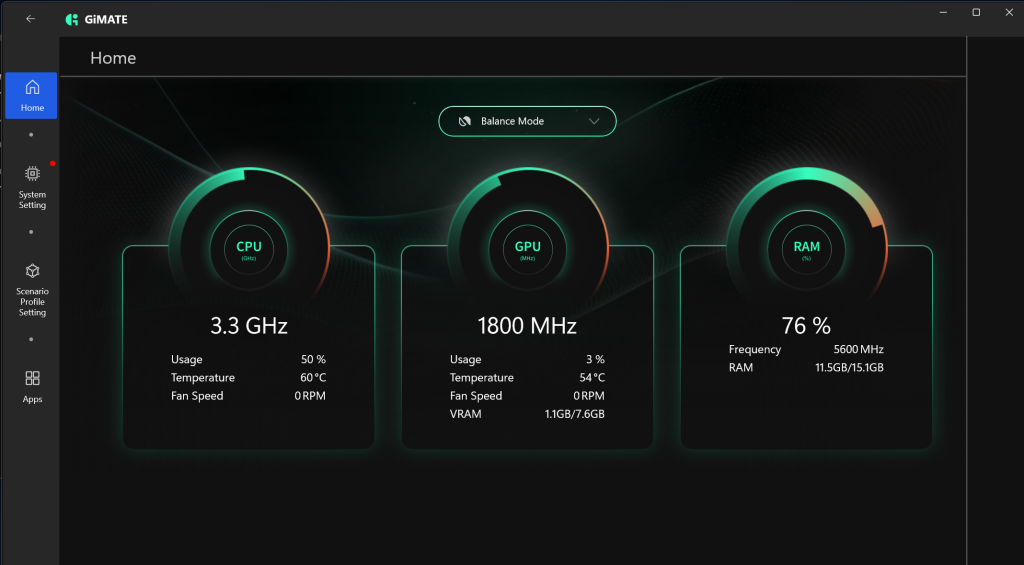
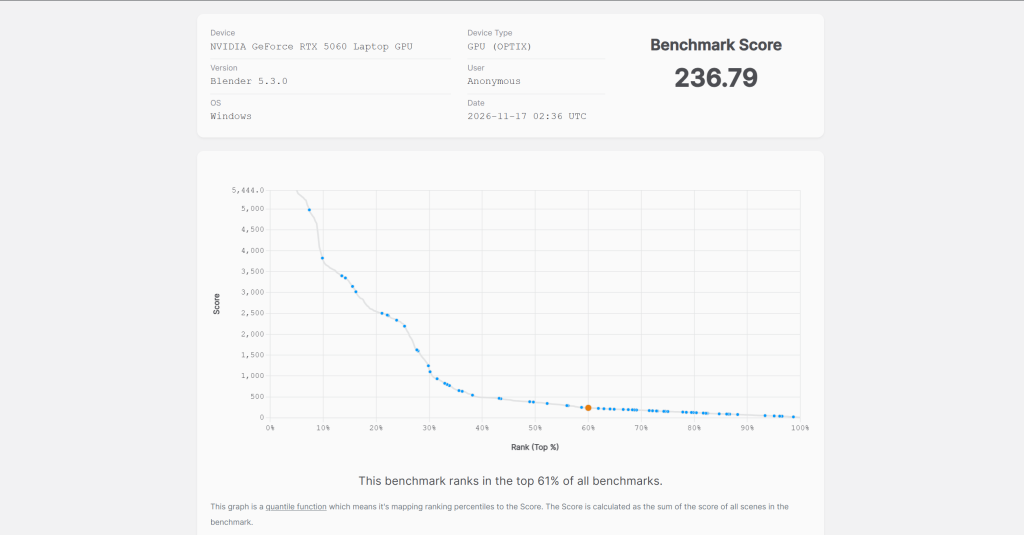
The laptop I tried out uses both onboard AMD graphics and the dedicated RTX 5060, so I benchmarked both to see how the hardware handles the load:
- CPU Performance: During heavy CPU benchmarking, the fans didn’t spin up to obnoxious levels, which is great to see and keeps things comfortable in a quiet room.
- GPU Performance: Switching over to the dedicated NVIDIA RTX 5060—which brings DLSS and NVIDIA Studio acceleration to the table—you can definitely hear the fans spin up. It’s much more audible than during CPU tasks, though still not overly loud.
Since this is a mid-range laptop, you won’t see chart-topping numbers on the CPU or GPU benchmarking, but unless you’re rendering super heavy videos, and doing some hectic AI processing, you probably aren’t going to need much more than what’s built into this laptop, especially if it’s your daily driver.
Battery life and charging
When you aren’t pushing the RTX 5060 to its limits, GIGABYTE rates the AERO X16 for up to 14 hours of battery life, and fast charging will get you back up to 50% in just 30 minutes. You can use the charger that comes with the laptop, although that’s a hefty brick. Having the USB-C inputs means you can use any other USB-C charger to power your laptop. Just remember that the higher the wattage, the quicker your laptop will charge.
Price and availability
Overall, the GIGABYTE AERO X16 hits a sweet spot. It isn’t trying to be an over-the-top, heavy desktop replacement, nor does it carry that kind of price tag. Instead, it’s a well-built, lightweight mid-range laptop with a gorgeous screen, great typing experience, and plenty of horsepower to get a serious amount of work—and gaming—done.
The GIGABYTE Australia website lists all the currently available retailers for the version of the laptop you wish to purchase. You’ll find the GIGABYTE AERO X16 available from suppliers such as Scorptec, JB Hi-Fi, Aftershock PC, PLE Computers, PC Case Gear, Mwave, Centre Com, MSY, and PC Byte.
The selling price is $1,819 AUD RRP and includes a copy of Street Fighter 6. All versions of the laptop are available in either Space Gray like we’ve reviewed here, or Lunar White.
Keep following us for the latest insights.