In recent years, several technology executives have told us that glasses could be the next big interface for consumer hardware. And yet, today’s smart glasses rely heavily on phones, even if they have good hardware. Even Realities’ G2 smart glasses are in the same boat. They’re a premium pair of glasses with a neon-style front
In recent years, several technology executives have told us that glasses could be the next big interface for consumer hardware. And yet, today’s smart glasses rely heavily on phones, even if they have good hardware. Even Realities’ G2 smart glasses are in the same boat. They’re a premium pair of glasses with a neon-style front screen that can be viewed in any lighting, but their functionality depends largely on their connectivity to your phone, which can be** unreliable and frustrating.
Even Realities takes a different approach to smart glasses than players like Meta. Its devices have a monochrome front screen that displays text and information in green, giving it the appearance of a neon board.
There are no cameras or speakers, and that’s by design. The company wants to focus on productivity instead of recording, so that people around you don’t have to worry about being filmed.
The G2 is Even Realities’ second pair of smart glasses and an improvement over the G1 released a few years ago. The G2 has a brighter 1,200-nit display (up from the G1’s 1,000 nits), four microphones (up from two), and a 75% larger viewing area than its predecessor. The new display also has a better 60Hz refresh rate, compared to the G1’s 20Hz.
In the few months that I have been using the G2, the connectivity with the phone has improved greatly. At first, the glasses disconnected from the app so frequently that I almost abandoned them. But after some updates to the app, that problem got better.
The glasses are aimed at people who may be constantly in meetings, giving presentations and traveling to countries where different languages are spoken.
Design
The glasses, which come in two frame designs, are very light, weighing 35 grams. The frame is made of magnesium alloy and the temples (the arms that cover the ears) are made of titanium alloy. In terms of weight and fit, the glasses were comfortable to wear.
However, since I work from home most of the time, I didn’t feel much need to wear them all day. That said, the lenses have built-in UV protection, so it’s still worth wearing them outdoors just to protect your eyes, whether they have smart features or not.
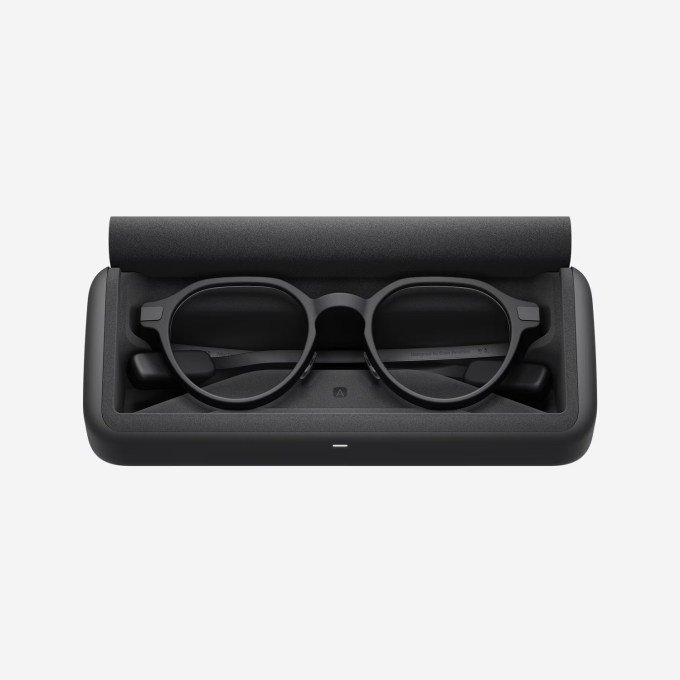
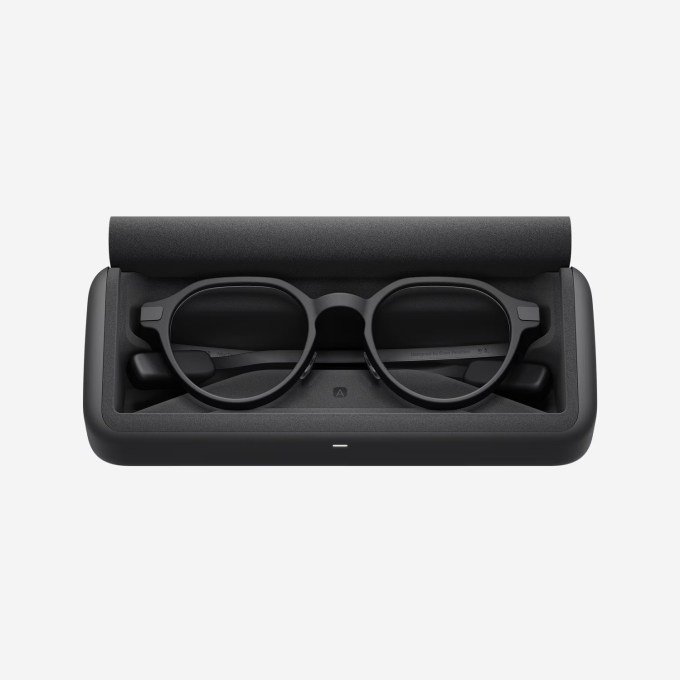
The company claims that based on typical use, the G2’s battery can last up to two days on a single charge. The glasses come with a protective case that can recharge them up to seven times before having to plug them in. I personally didn’t test the two-day claim, but the battery lasted long enough for me to put them back in the case without running out of power.
That case is big (can’t fit in a pocket), but it’s solid and the glasses fit perfectly.
Features and operation
The glasses act as your companion for schedules, reminders and access to notes. You can wake them up by tapping the stem-based controls. If you double-tap the stem dashboard, you’ll see a dashboard with information like your upcoming meetings, actions, and top news.
The G2 can also display real-time phone notifications, but the pop-ups weren’t always reliable and, since my phone is usually within reach anyway, I didn’t find much use for this feature.
A long press on the temple control opens a menu with several functions: a notification tray, Translate, Chat, Teleprompt, a to-do list, and Browse. Translate allows you to set a target language and chat with anyone. At the recent Global Connect Show (GCS) in China, I wore the glasses while talking to company representatives doing demos, and the translation was good enough to follow when someone spoke Chinese. I also tried it with other journalists who spoke several languages, including French and Spanish. (The downside to this feature is that the other person doesn’t know what you’re saying in your language unless they’re also using the app.)
Navigate is a cool feature that displays step-by-step instructions on the front screen. The problem: it doesn’t work with Google or Apple Maps. Instead, you must set your route through the Even Realities app. I tried it several times walking to cafes near my house. The directions appeared fine on the screen, but the app kept getting directions wrong, so I can’t trust it for places I don’t know how to get to yet. Still, I can see cyclists or motorcyclists finding it useful once the company fixes the accuracy issues.
At first, Conversate only displayed a live transcript of the conversation on the glasses, which seemed useless since you can just as easily record a meeting with an app or external notepad. The company later added a “preparation notes” feature that shows more context: You can add notes or documents manually before a meeting and let the AI reference them during the conversation, or let it listen in real time and show short explanatory bubbles of concepts as they arise. For example, during an energy briefing, he showed me a bubble for “Green Hydrogen,” and when I touched it, a definition appeared in front of my eyes. That was really helpful, although I wouldn’t want to have a transcript or explanation bubbles for every conversation I have.
At the center of all this is the built-in assistant, Even AI. As with any voice assistant, you say a wake word to activate it and ask questions or add items to your to-do list. I often misunderstood my to-do list requests, and for general questions, the answers were often long paragraphs that appeared on the screen without the ability to interrupt or skip.
Another problem: despite having four microphones, even the AI often didn’t activate or misheard me when I was outside. Ambient noise in India could have played a role, but I would still expect a modern device to have better noise handling.
The G2’s screen was readable in most conditions, but in a bright room I had to adjust the brightness manually through the app. Even if the company hasn’t built an automatic brightness sensor yet, I’d like to see manual brightness control built into the glasses, rather than requiring the phone app.
Don’t put the R1 ring on it.
It even released a companion ring called the R1 alongside the G2. The idea is to control the glasses through a touch surface on the ring instead of the glasses’ own touch controls. But its price and functionality do not fully justify the cost.
The ring works well and I didn’t have any problems using it. But I struggled to find scenarios where I really needed it, since the glasses’ touch-sensitive temples already do the same job.
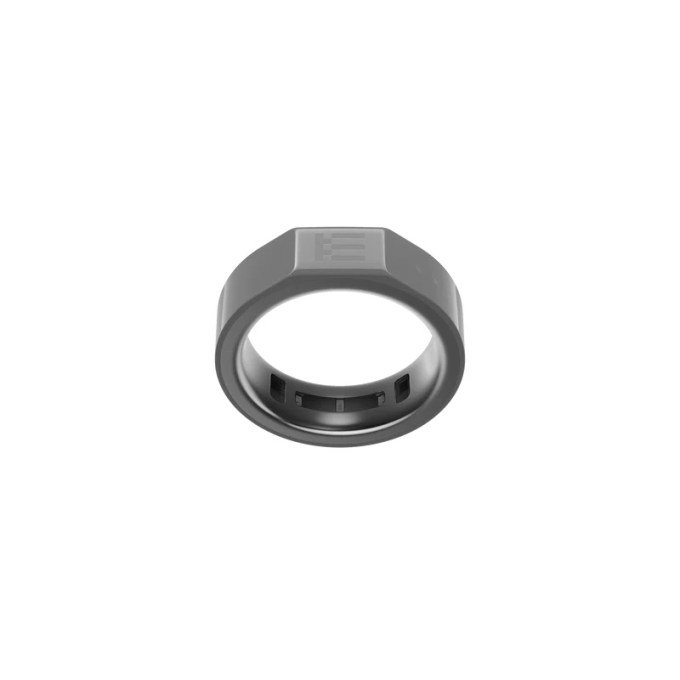
On top of that, Even built health tracking into the ring: heart rate, calories, steps, sleep, and SpO2 (blood oxygen level). Personally, I’d prefer to go with a dedicated ring like Oura or Ultrahuman if I wanted that form factor with health tracking. Secondly, if I already use a fitness tracker, I wouldn’t want to buy a ring where health is an auxiliary function of a ring meant to control the crystal.
All of this functionality brings the price of the ring to $249, which isn’t cheap. If I used my smart glasses a lot, I would consider purchasing a controller ring at a lower price if it also had a microphone, which I could use to send commands to the AI assistant. As it is, I’d skip R1.
Where is G2 located?
Smart glasses are emerging rapidly. Screenless, camera-equipped models such as Meta Ray-Bans are popular, but Meta, Snap and other competitors are also racing to make glasses with color screens. Only a handful of Chinese companies (such as Rokid and Inmo) make glasses with this same style of neon screen.
The Even G2 costs $599 and offers solid hardware in an attractive, lightweight frame. The company is also working to make the glasses more customizable by supporting third-party apps, although I didn’t find any apps compelling enough to compel me to wear the glasses more often. They’re nice to have – they’re fun to explore if you like playing with new hardware and don’t mind trying out third-party apps.
The hardware itself is good, but outside of jobs that require constant translation or teleprompting, it’s hard to find a clear everyday use case for smart glasses like these.
Even’s bet is that skipping the camera and speakers is the right decision for a productivity-focused device, and I don’t disagree with that direction. But now that the company has recently achieved unicorn status, it needs to develop more of its own software to make the glasses something people actually use every day.
When you buy through links in our articles, we may earn a small commission. This does not affect our editorial independence.
Keep following us for the latest insights.