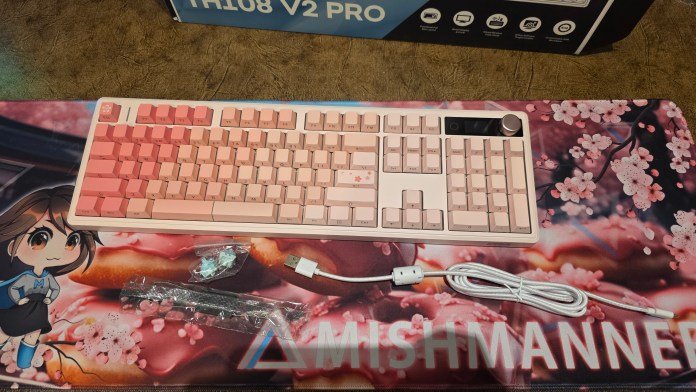
You all know that I love a good keyboard; Full size, RGB, customizable. I’m not sure what’s up with everyone else lately, but everyone wants 60% compact keyboards, no numpad. I think it has something to do with people using most of the keyboard for gaming and texting only. I want my number pad because
You all know that I love a good keyboard; Full size, RGB, customizable. I’m not sure what’s up with everyone else lately, but everyone wants 60% compact keyboards, no numpad. I think it has something to do with people using most of the keyboard for gaming and texting only. I want my number pad because I work with numbers a lot, so this is a non-negotiable for me. Which makes me sad when they come out with beautiful keyboards, which are exactly my aesthetic, and the keyboard only comes in a compact format. Imagine how happy I was to discover Epomaker’s range of stylish, beautiful and customizable keyboards, with various size options.
Last month I reviewed the Epomaker QK108, a keyboard I loved for its customization and developer-friendly features. But Epomaker has not stopped there. Enter the Epomaker TH108 V2 Pro. While it shares a similar footprint, this new iteration completely elevates the aesthetic and user experience in ways that make it incredibly difficult to go back. If you love tinkering, modifying, and making a keyboard truly your own, there’s a lot to love here.
A design that stands out (with a side profile to die for)
Right out of the box, the first thing that catches your attention is its impressive design. The Epomaker TH108 V2 Pro features a beautiful stepped key design, giving you an incredibly ergonomic feel from the first press.
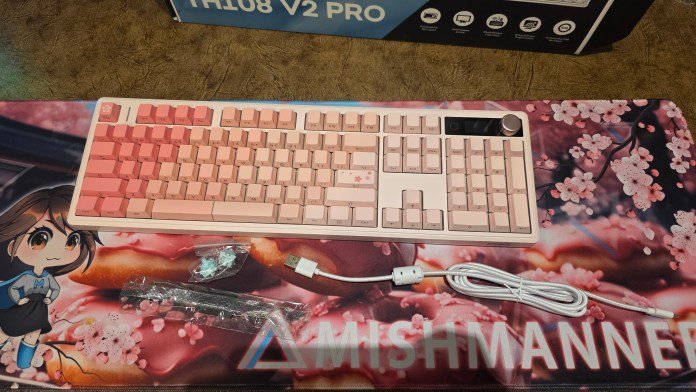
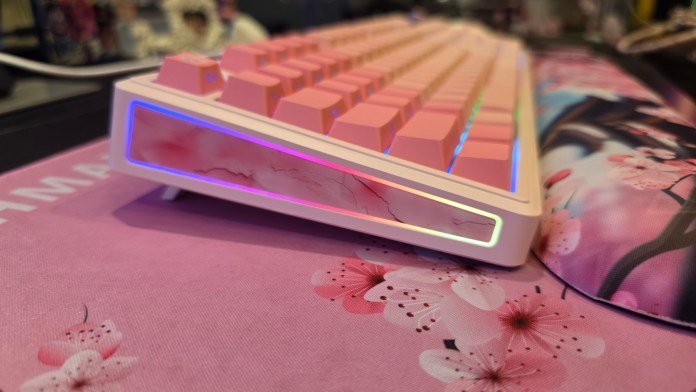
But what is really spectacular is the side profile. Unlike the more traditional case of the QK108, the TH108 V2 Pro features beautiful bright pink, marble-like images running along the sides, combined with a subtle and beautiful side glow RGB strip. When it’s on your desk, it looks pretty.
The Writing Experience: Finding the Right Vibe
The Epomaker TH108 V2 Pro keyboard chassis has an excellent and solid weight. It sits firmly and nicely on the desk without moving. The hot-swappable switches on this model are very nice (I went with the Creamy Jade switches this time); definitely much more my vibe out of the box compared to the ultra-quiet Sea Salt switches I chose on the previous keyboard. Of course, you can choose to ship your keyboard with either switch or purchase a second set so you can switch whenever you want.
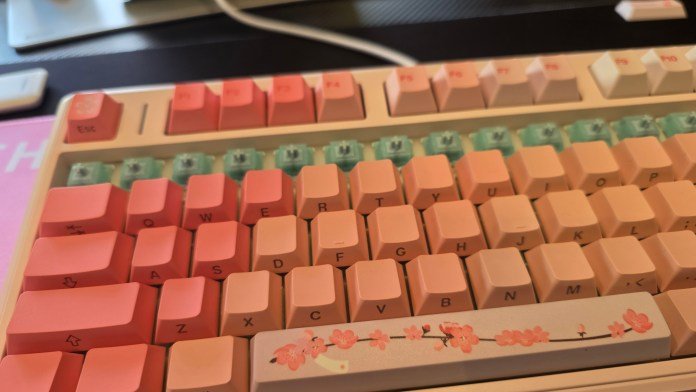
The Creamy Jade switches aren’t exactly quiet, but they don’t click much either. Instead, they have a fairly satisfying click. not silent. If you were working in a shared corporate office, you’d probably want to swap out the Creamy Jade switches for the Sea Salt ones; I am a fast typist and can be quite annoying to those working around me. But for my home setup? Is everything all right. When I’m on a work call, I just mute myself so I can take notes, but when I livestream or host webinars, people in chat constantly tell me they love hearing the tactile and clicking sound of my typing.
(Note: If you remove the keys, keep in mind that they are very tight. Some of my switches came off with the keys, and unfortunately one broke in the process. Luckily, Epomaker includes extra switches in the box, making it a very quick and easy swap and repair.)
A major upgrade to the LCD screen and controls.
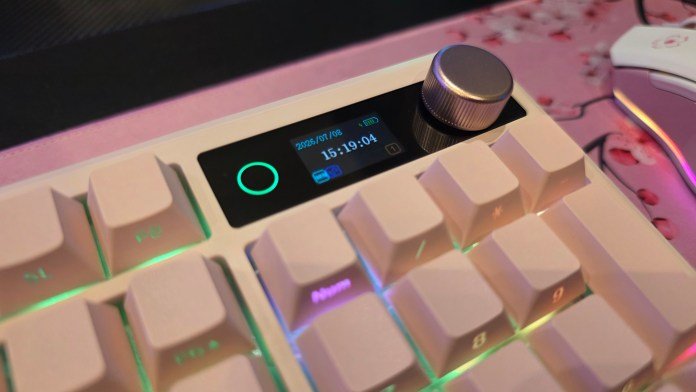
The customizable LCD screen was one of my favorite new features of the Epomaker QK108, but the TH108 V2 Pro takes the viewing experience to a whole new level. The design is also much cleaner. I was initially worried that the black accent block on the keyboard where the LCD screen is located would look a little jarring, but in person, it looks incredibly sleek and clean.
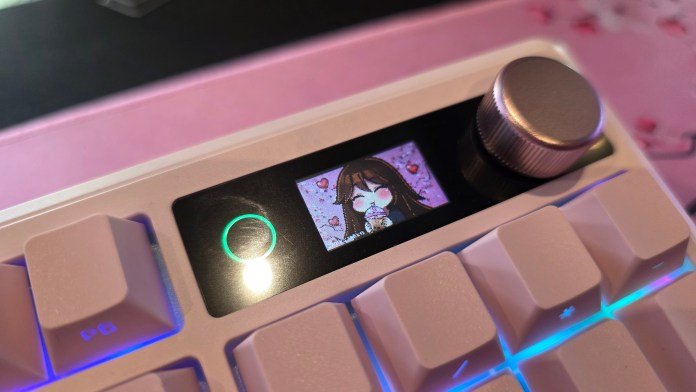
Right next to the screen is a small circle. I admit, at first I thought it might have been a fingerprint scanner; which seems like a missed opportunity. Instead, Epomaker has simplified the onboard controls a bit by integrating them directly with the screen. Instead of forcing you to memorize a long list of key combinations like the previous model, you can now see your active controls right on the screen (although physical shortcut keys still work perfectly if you prefer them).
Another major update is the physical media knob. On the Epomaker QK108, the volume knob was soft. The TH108 V2 Pro upgrades it to a shiny metallic knob with a beautifully textured, ridged finish. You can really feel the tactile grip in your hand when you turn it, which gives it a great, premium touch.
Web-based software done right: meet Epomaker Upgear
If you read my previous review, you’ll know that one of my highest praise was directed at the web-based configuration tools; No background bloat software required. The Epomaker TH108 V2 Pro takes this convenience and perfects it with a new in-line controller called the Epomaker Upgear.
With the Epomaker QK108, configuring the display and remapping keys seemed like separate tasks, requiring the use of two separate web tools. Upgear solves this problem completely by making everything in a single web interface. Lighting, custom macros, key remapping, and custom GIF display are managed here. There is no need to worry about multiple websites or confusing software processes. That means no *.json files!
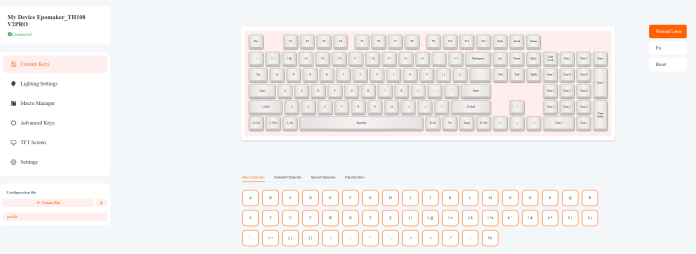
The tool allows you to easily save and export your settings, and the best part? Once you send your settings to the keyboard, everything is loaded and saved directly to the hardware’s onboard memory. If you switch computers a lot like I do, it’s a total game changer. All your custom GIFs, macros, and lighting profiles remain active on any machine you connect, without needing to install anything – win.
Lighting and layout adjustments
The RGB options of the Epomaker TH108 V2 Pro are extensive. There are many built-in lighting profiles to choose from, and you can even download a plug-in through the software to make your lights flash dynamically to your music.
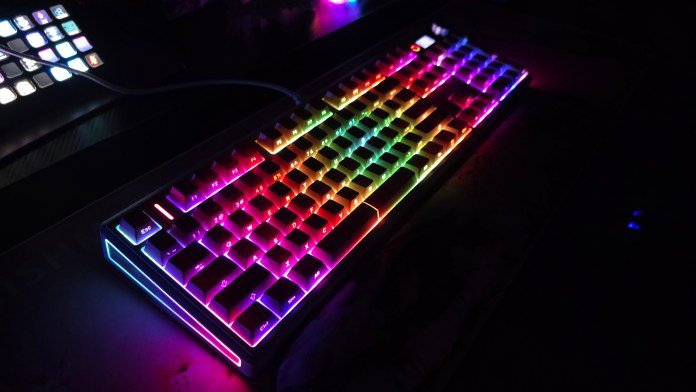
The only minor drawback to note is that the lighting cannot be controlled independently; The marble glow side lights and keyboard top lights are linked, meaning the sides will reflect whatever effect you choose for the main keys.
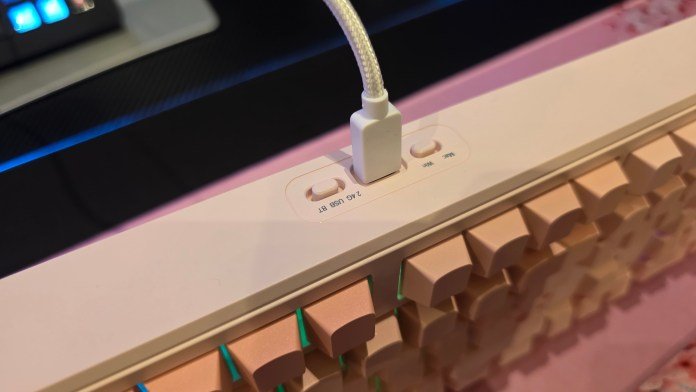
For cross-platform users, please note that this keyboard does not include additional physical Mac keys in the box this time. You’ll have to deal with the standard Control and Windows key layout, but the internal toggle switch works perfectly to seamlessly switch keyboard logic between Windows and Mac modes. Plus, it uses the exact same USB-C cable setup as the previous model, making it incredibly easy to hot-swap the physical keyboards on your desktop if you own both. And don’t forget that you can always pair your keyboard in Bluetooth or wireless mode.
Keys and keys
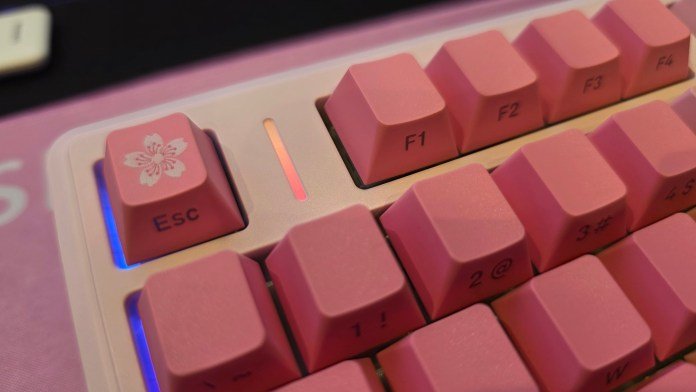
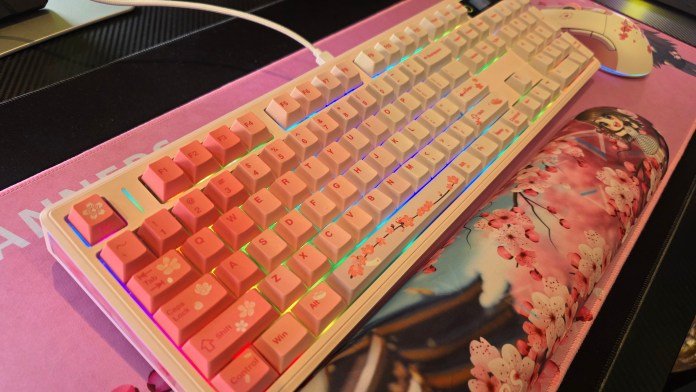
When it comes to keys, the Epomaker TH108 V2 Pro has keys with a beautiful glossy look. I loved the default floral designs on some of the keys.
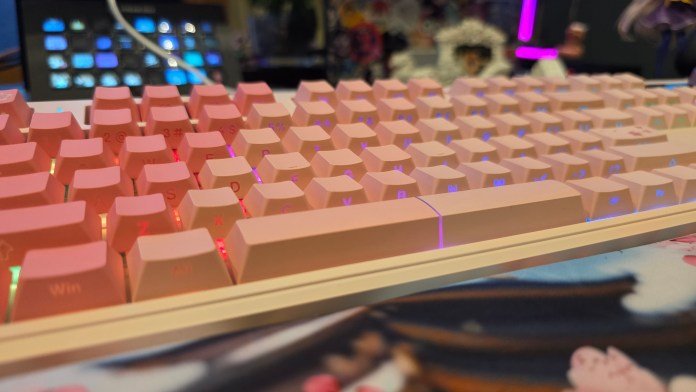
However, if you know me, you know that I’m a Sakura girl through and through, so I wanted more flowers. I also wasn’t sure how I should feel about the numbers and letters that were on the front of the keys. It’s definitely a thing for some people, but for me it was strange.
This is the great thing about mechanical keyboards: you can customize them to be exactly what you want. Not only can you choose a completely different color base, you can also choose different shades: there is black, blue/white/pink or the pink version that I have here. I decided to change the default capitalization to lean fully into my cherry blossom aesthetic and the fact that I like letters ON keys. I had a slight issue using a standard wire key puller; The default keys are quite soft and were suffering from a slight dent because they were very rigidly attached. I switched to an all-plastic key puller from my box of goodies, which solved the problem completely. Fitting my new Sakura keys was quick, easy, and incredibly satisfying.
Final thoughts
The Epomaker TH108 V2 Pro is a striking example of what makes mechanical keyboards so addictive. It gives you a fantastic out-of-the-box chassis, beautiful side profile aesthetics, improved touch controls, and an all-in-one web controller that makes customization an absolute pleasure.
Whether you want to leave it stock or, like me, add some custom Sakura keycaps to truly make it your own, typing on this keyboard is an absolute pleasure and a gorgeous addition to any desktop setup. And it’s a keyboard that won’t break the bank. Some professional-grade keyboards can cost between $300 and $400 AUD. But you can buy the Epomaker TH108 V2 Pro directly from the website for $98.99 USD ($144 AUD). Now that’s a decent bargain.
For more tech updates, stay tuned to our blog.