ASUS has launched the latest version of its 14-inch gaming champion, the ASUS ROG Zephyrus G14 (2026) GU405. If you’re looking for a machine that can comfortably handle intensive content creation, high-level editing, and demanding gaming on the go, this laptop could be the answer. It certainly has enough performance under the hood to act
ASUS has launched the latest version of its 14-inch gaming champion, the ASUS ROG Zephyrus G14 (2026) GU405. If you’re looking for a machine that can comfortably handle intensive content creation, high-level editing, and demanding gaming on the go, this laptop could be the answer. It certainly has enough performance under the hood to act as your main PC, especially considering how cloud-focused most workflows are these days.
We got our hands on this long-awaited laptop to see if it lives up to the hype.
Out of the box and design.
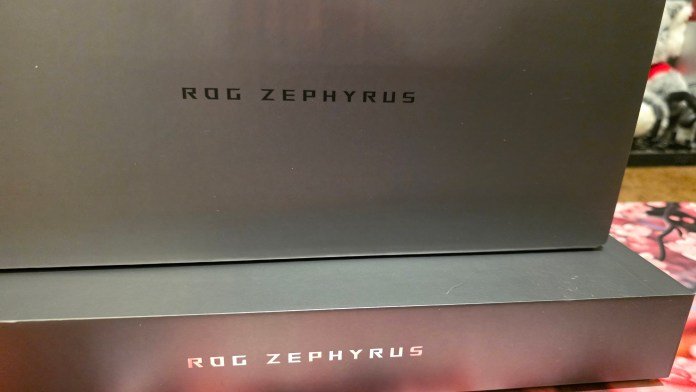
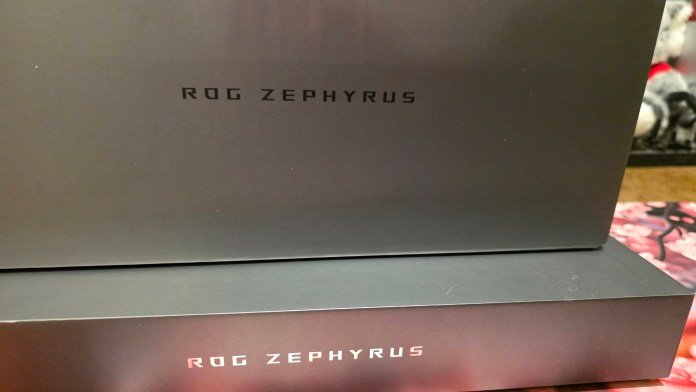
The unboxing experience starts off strong. The ASUS ROG Zephyrus G14 arrives in a very nice, smooth silver box, with the instructions neatly packaged inside the inner flap. Once you take out the laptop, the build quality is immediately evident. It is only 30cm wide, making it very portable.
One of the first surprises was the power brick. For how big it is, it’s surprisingly light. ASUS has used an L-shaped cable on one side of the brick, which is great because it prevents the cable from getting in the way and taking up unnecessary space on the desk. It’s not a standard power plug, meaning you’ll only be able to plug it into the laptop on one side. The cable also includes a built-in Velcro strap which is a nice touch to prevent tangles without needing to search for your own ties.
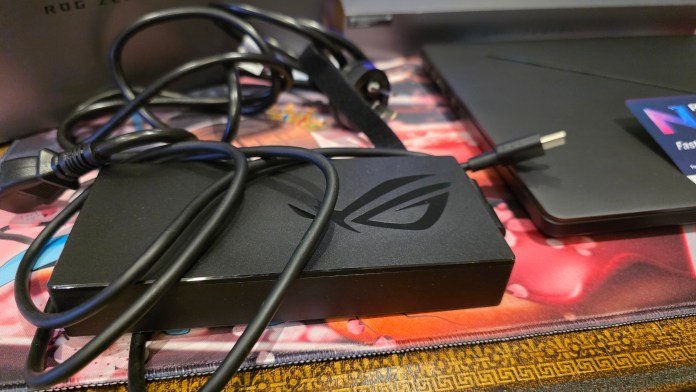
If you don’t want to carry the main brick, it’s not necessary; any decent USB-C power supply will work, and the power pass-through on the desktop docks works perfectly as well (we tested it successfully with a Razer dock). Just keep in mind that charging will be slower as it will consume less watts than the official brick.
Connectivity without dongles
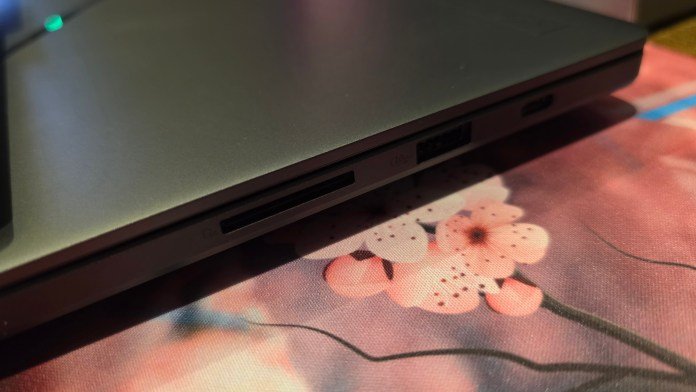
One of the best things about the design of the ASUS ROG Zephyrus G14 is the input/output options. Many modern laptops force you to live the dongle life, but ASUS has loaded this chassis with real-world port options.
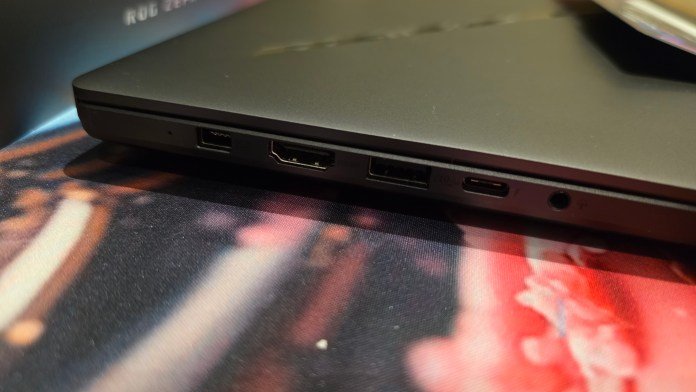
On the one hand, you have an HDMI port and an AUX input, which means you won’t have to search for audio or display adapters. That side also houses a USB-A and USB-C port. Flip to the other side and you’ll find another USB-C port, another USB-A port, and a dedicated SD card slot. If you use another camera, drone, or 3D printer, having that built-in SD slot is an absolute lifesaver, saving you from carrying an external laptop hub or having to plug in an SD card reader.
Keyboard, trackpad and RGB
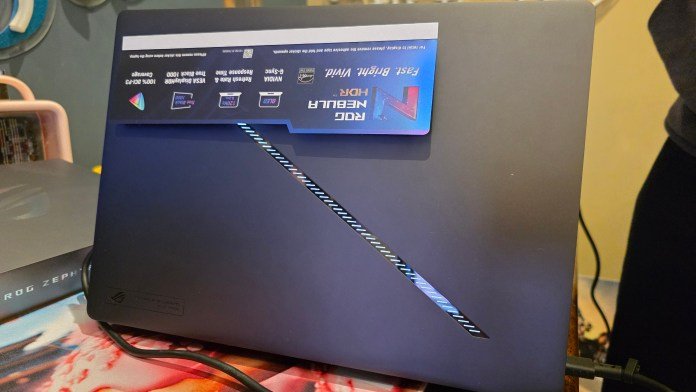
Open the ASUS ROG Zephyrus G14 and you’ll be greeted by a gorgeous array of RGB lighting. The lighting on the back is also quite interesting. It is customizable, but only displays as a white light, not RGB.
The laptop keyboard comes as a smaller keyboard and most 14-inch laptops don’t carry a full-size keyboard because it simply won’t fit. What this keyboard lacks in a numeric keypad, it makes up for in typing feel. It feels really nice to type on, as it offers much more tactility than the standard soft laptop keyboard.
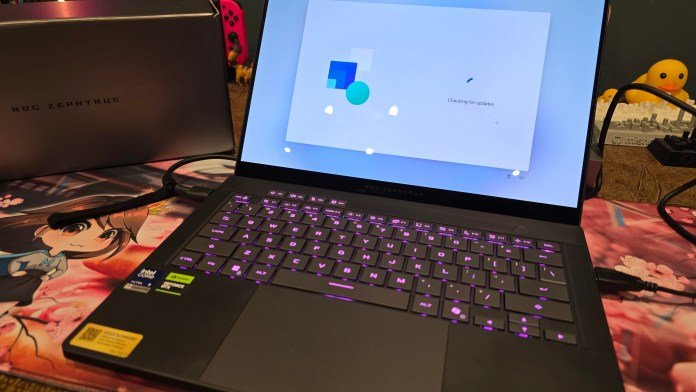
ASUS has also added four additional customizable ‘M’ keys at the top for multimedia controls, which are incredibly intuitive for adjusting volume on the fly. Below the keys is a massive trackpad that takes up almost all of the remaining space on the deck. It feels smooth as glass, but if you’re not a big trackpad user, the dual-sided USB-A ports let you quickly connect a mouse to the side that best suits your setup. There’s also a quick option to disable the trackpad completely. I loved this because I am a full-time mouse user and having this option for me is non-negotiable.
After unpacking and turning on the laptop, be sure to set aside some time. The ASUS ROG Zephyrus G14 runs Windows, so you’ll need to follow the usual initial setup steps, although Windows does a great job of allowing you to transfer your settings from another computer to speed things up.
That beautiful liquid display
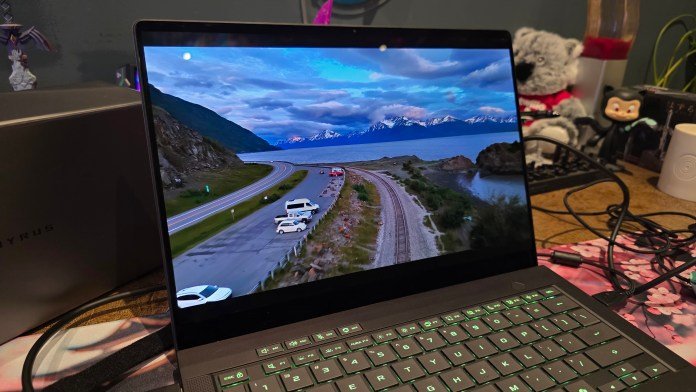
The absolute star of the show here is the screen. ASUS has equipped the ASUS ROG Zephyrus G14 with a 14″ 3K (2880 x 1800) ROG Nebula HDR OLED display that runs at a smooth 120Hz.
It is a clear liquid screen. The colors are incredibly vibrant and so sharp that you can’t even see the individual pixels. While it’s not a touchscreen, the visual depth and color accuracy make it a dream for creative work. The screen is framed by a very subtle webcam at the top, which delivers nice, clear audio through the built-in speakers. The depth of sound is impressive and it doesn’t sound tinny at all, which is rare for a laptop of this size.
Performance and benchmarks
Under the hood, this specific configuration I tested (the GU405AR-SY006W) includes important hardware:
- Processor: Intel® Core™ Ultra 9 386H Processor
- Graphics: NVIDIA® GeForce RTX™ 5070 Ti Laptop GPU
- Storage: 1TB M.2 NVMe™ PCIe® 4.0 SSD
Plus, it comes pre-installed with ASUS Armory Crate and the Xbox app.
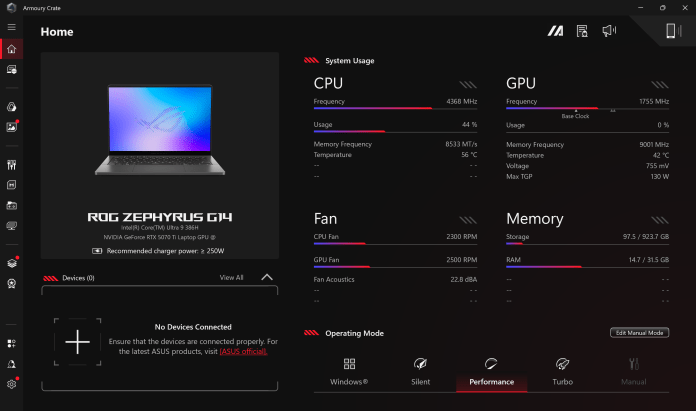
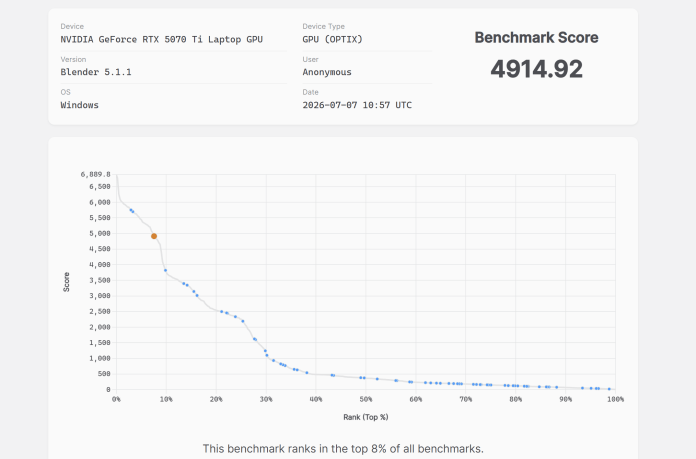
To test the system, we run the Blender Benchmark Launcher. The combination of the Ultra 9 processor and the RTX 5070 Ti means this machine processes heavy rendering workloads and modern games with ease. The most impressive thing is that for a PC with such high specs, it runs very quietly.
It obviously gets noisier when the fans are spinning under heavy load, but even then, thermal management is pretty good. I was very impressed that this laptop ranked in the top 8% of all GPU benchmarks. That’s right, the top 8%… for a laptop! That’s wild. The fact that this laptop is more powerful than the previous desktop I built says a lot about its capability.
Availability
The ASUS ROG Zephyrus G14 (2026) is available now through the official ASUS ROG store and major Australian tech retailers. The laptop comes with a few options and hence the starting price is $4,399 AUD.
It sounds like a lot, but its RRP is $5,499 AUD, which means you can get this laptop for over a thousand dollars off. Prices go up if you select a better GPU (up to a 16GB NVIDIA GeForce RTX 5080).
All other specifications are the same. It is quite comparable to a desktop PC, with portability. And as you can see from the benchmarks, it absolutely holds up. If we compare with the best graphics card, the laptop would have placed even higher on the performance table.
So if you’re looking for a premium, highly portable device that refuses to compromise on specs, design or screen quality, it’s worth checking out.
Check back often for more exciting news!