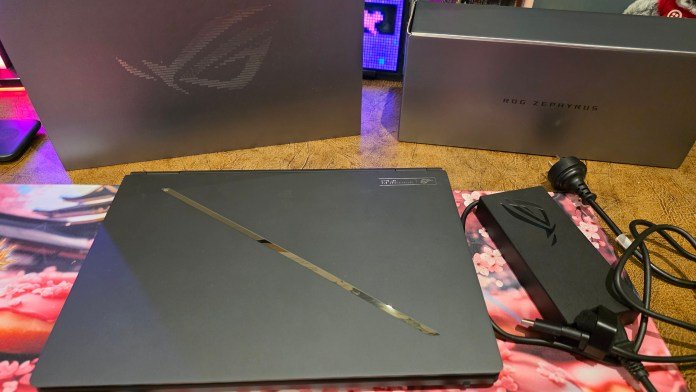
We recently received the ASUS ROG Zephyrus G14 and put it through its paces. I came away thoroughly impressed by its ultra-premium design and massive power. I’m one of those people that love my hardware, yet my usual workflow relies heavily on having a multi-monitor display. I also get really annoyed when a co-working space
We recently received the ASUS ROG Zephyrus G14 and put it through its paces. I came away thoroughly impressed by its ultra-premium design and massive power. I’m one of those people that love my hardware, yet my usual workflow relies heavily on having a multi-monitor display. I also get really annoyed when a co-working space doesn’t have additional monitors.
Enter the ASUS ROG Zephyrus Duo (GX651). Unveiled at CES 2026, this dual-screen machine takes everything we love about high-end portable gaming and turns it on its head. Instead of packing a traditional deck, ASUS built what is essentially a high-performance computer squeezed behind two stunning display panels, complete with a fully detachable keyboard.
Is it worth the investment? Let’s break down how this powerhouse behaves in the real world.
Unboxing, setup, and first impressions
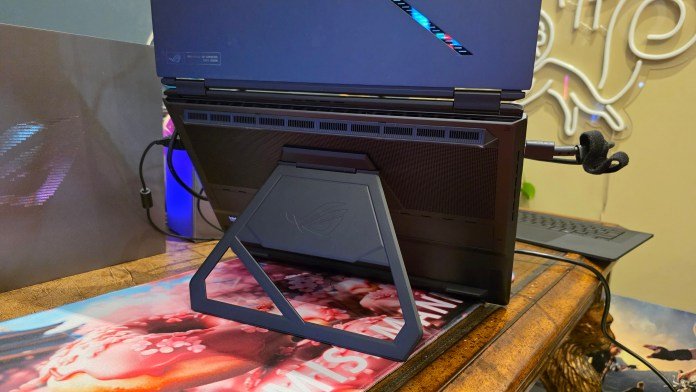
Pulling the Zephyrus Duo out of the box, the first thing you notice is the weight. It is noticeably heavier than the ASUS ROG Zephyrus G14 we recently reviewed, which is to be expected considering you’re carrying a whole second panel around. However, compared to standard 16-inch Windows laptops on the market (like the one I usually lug around with me), it doesn’t feel overly heavy at all. In fact, given everything packed inside, it’s surprisingly light, and super thin to boot.
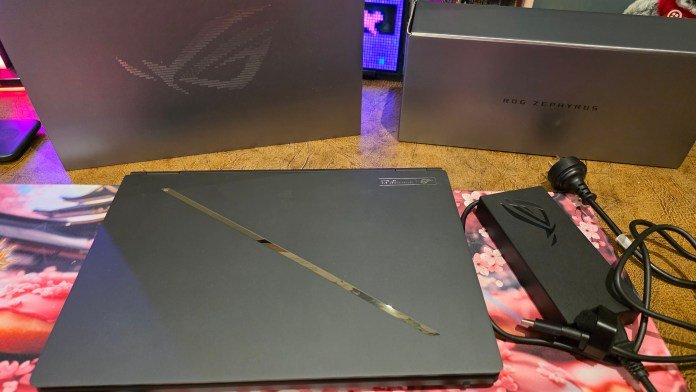
The familiar, welcome design touches I experienced with the Zephyrus G14 are still here: ASUS included their standard great power plug featuring the handy built-in Velcro strap, keeping your cable management clean out of the box.
First-time setup presents an immediate puzzle: How on earth do you turn it on?
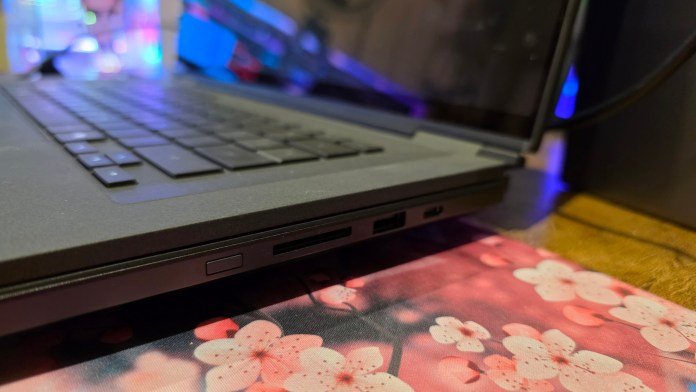
Because the keyboard is completely detachable, there is no traditional power button sitting above or on the keyboard deck. Once you locate the power button on the main chassis and fire it up, you’re greeted by a clever setup process. The secondary screen guides you through initial setup and offers instant usage tips.
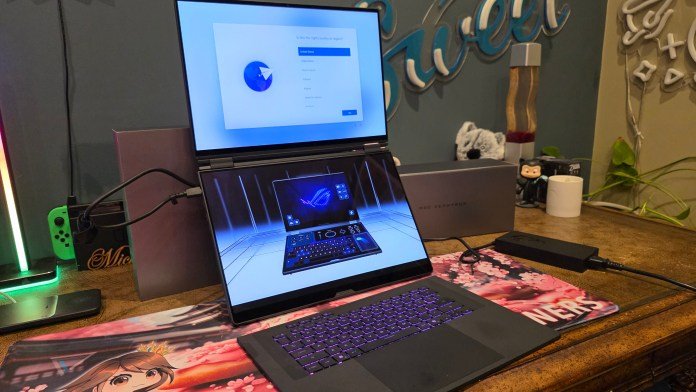
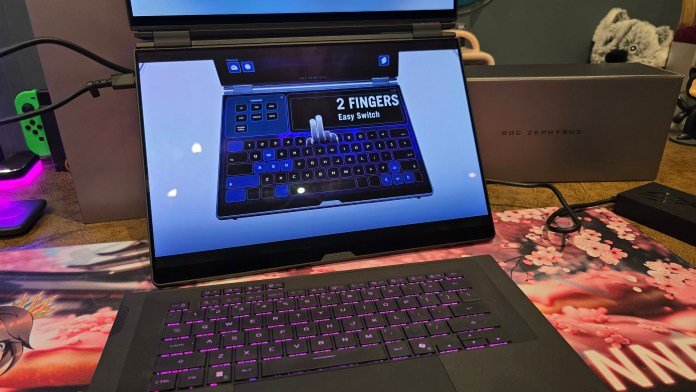
One of the coolest features during setup: while the main screen is busy pulling down Windows updates and installing software, the second screen plays interactive video tutorials to walk you through the system’s feature set.
Dual 3K OLED displays & software wizardry
The display setup on the ASUS ROG Zephyrus Duo is simply breathtaking. You get two 14-inch (or dual 16-inch equivalent real estate) 3K ROG Nebula HDR OLED touchscreens running at a buttery-smooth 120Hz with an ultra-fast 0.2ms response time. The top primary panel also supports NVIDIA G-SYNC.
The screens are super crisp. The colours pop, blacks are infinite, and the sharpness makes reading text or editing fine details a joy.

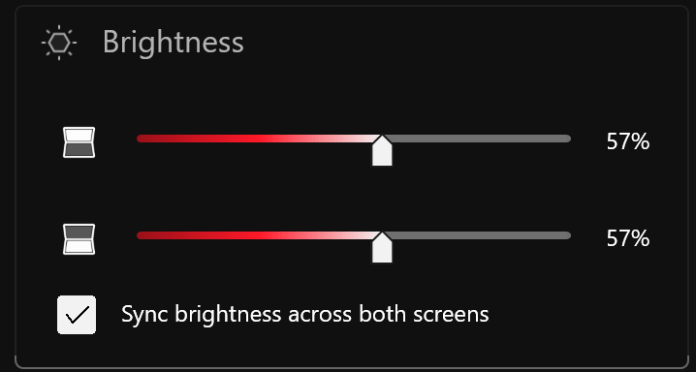
Managing two screens on a laptop could easily turn into a clunky experience, but ASUS’ ScreenXpert software handles the heavy lifting seamlessly. It gives you quick controls to either synchronise brightness across both panels or manage them completely independently. Switching apps, pin-pointing windows, and extending apps across both displays happens effortlessly.
Modular keyboard & trackpad design
The detachable keyboard brings a totally unique layout to the table. It has a reassuring weight to it—not overly heavy (sitting around that half-a-kilo mark)—giving it a sturdy feel when typing.
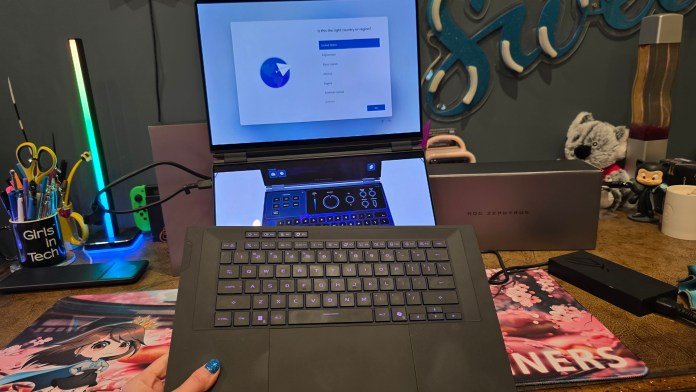
When attached to the laptop, the keyboard snaps magnetically into place and charges directly through physical pogo-pin ports on the rest of the chassis; very cool. A flashing indicator light on the side of the keyboard provides you with charging status.
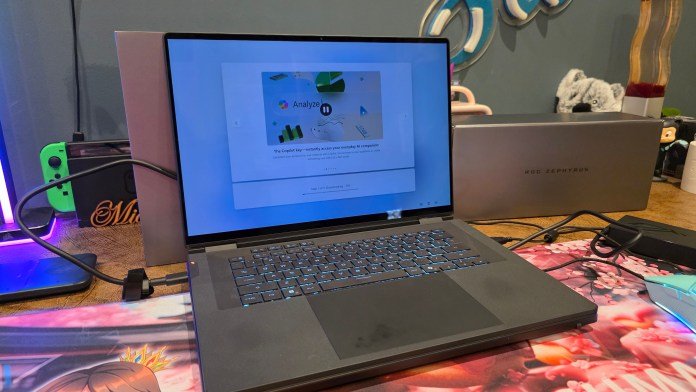
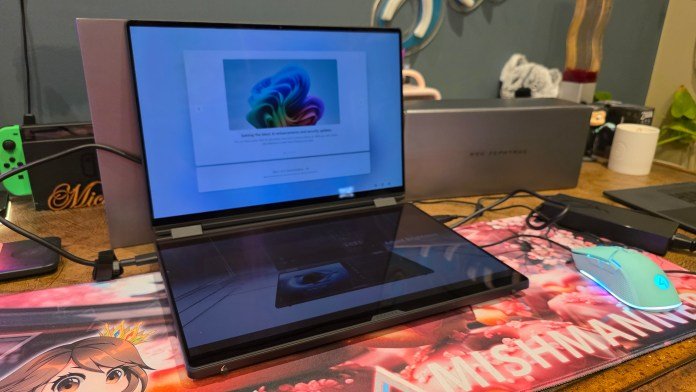
Because many power users and gamers prefer an external mouse and a dedicated wireless mechanical or TKL (tenkeyless) keyboard, you can completely remove the stock keyboard and set it aside. Doing so leaves you with two massive screens stacked on your desk without a giant trackpad sitting in the way. You can simply pull out your favorite keyboard, drop it right where you need it, and plug in a mouse. This effectively turns the device into a dual-monitor desktop workstation built into a single portable unit, and it’s exactly what I’d be doing if I was lucky enough to keep this laptop!
Performance under the hood
Despite the radical form factor, ASUS didn’t hold back on raw hardware. The ROG Zephyrus Duo is equipped to handle the heaviest workloads on the market:
- Processor: Latest Intel Core Ultra Processors
- Graphics: Up to NVIDIA GeForce RTX 5090 Laptop GPU
- Displays: Dual 3K ROG Nebula HDR OLED, 120Hz, 0.2ms, Touchscreen, G-SYNC support
- Cooling: ROG Intelligent Cooling with liquid metal
Whether you’re rendering heavy 3D scenes, running AI workloads locally, or pushing maxed-out ray tracing in modern AAA games, the specs match high-end desktop rigs while managing thermals using ROG’s Intelligent Cooling system.
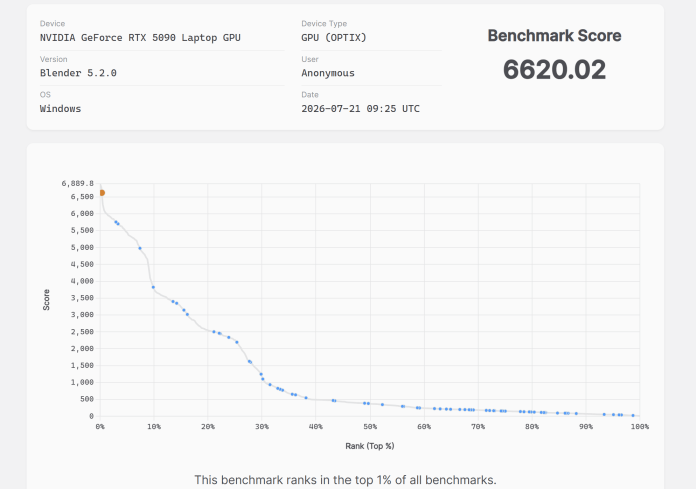
Similar to the ASUS ROG Zephyrus G14, I ran some benchmarking software. The CPU was nothing too flash, about average for all CPUs, but it’s the GPU where this laptop really shines. It turned up in the top 1% of all benchmarks. Remember, this benchmarking software has information for all computers, both laptops and desktops. The fact that a laptop sits in the top one percent of all computers is incredible. It’s absolutely the type of laptop I want as my daily driver.
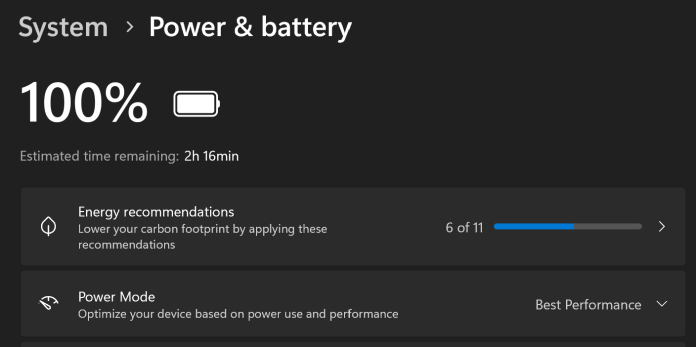
Also surprisingly, the laptop doesn’t take a ridiculous amount of power. At “Best Performance” power mode, it was estimated that I had two hours and sixteen minutes of battery life. Which is pretty good considering the laptop is powering two monitors and a keyboard.
The practical verdict: Is it worth it?
When you look at the price tag for high-end dual-screen flagships, there’s always a bit of sticker shock. But should you get it?
If you look at the math, buying a high-spec gaming/creator laptop and then purchasing a high-end portable secondary OLED display (plus the extra cables, stands, and hub dongles required to carry them around) easily rivals or exceeds the cost of this setup. And you gotta remember this laptop has an incredibly high-powered GPU, meaning it’s better than most desktop PCs out there, which are rather expensive.
For digital nomads, creators, and professionals, this machine is an absolute dream as your main computer. You can plug it into a single desktop dock at your home office for full PC-like power, and when you step out, you take an entire dual-monitor setup with you in a single bag. You no longer have to carry an extra portable monitor around or book a dedicated desk at a co-working space just to get multi-screen productivity on the go.
Literally, you don’t need another monitor. The ROG Zephyrus Duo offers amazing technology wrapped in surprising portability, making it one of the most exciting form factors to hit the market this year. It’s something I would absolutely save up my money for.
For more tech updates, stay tuned to our blog.