Nabu Casa — the commercial side of the Open Home Foundation, which runs Home Assistant — just launched the Home Assistant Connect Aux-2, a multi-function box designed to help you bring more devices into your smart home. It’s part of Home Assistant’s ongoing efforts to become more user-friendly. And it’s working. I’ve been testing the
Nabu Casa — the commercial side of the Open Home Foundation, which runs Home Assistant — just launched the Home Assistant Connect Aux-2, a multi-function box designed to help you bring more devices into your smart home. It’s part of Home Assistant’s ongoing efforts to become more user-friendly. And it’s working.
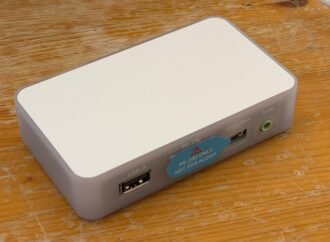
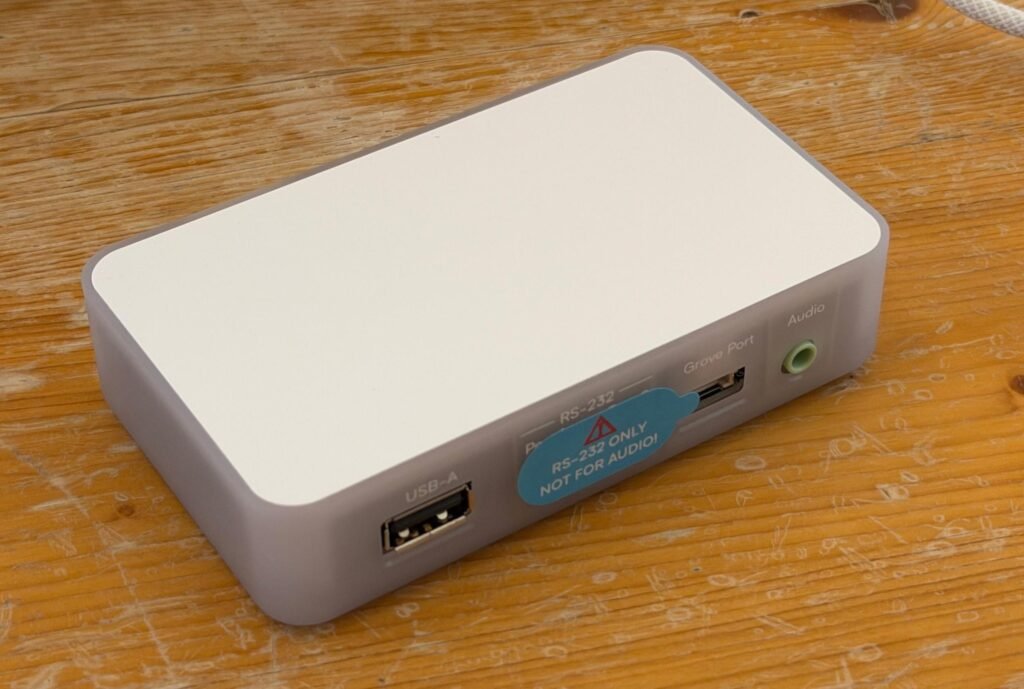
I’ve been testing the Aux-2 for a couple days and I’ve found it unsurprisingly useful and surprisingly easy to set up. The Aux-2 is a $69 box about the size of a deck of cards. It has 2.4GHz Wi-Fi, Bluetooth, Ethernet, USB-A, USB-C, a digital/analog audio jack, a Grove port for interfacing with peripherals like sensors, buttons, and LEDs, and a pair of RS-232 serial ports.
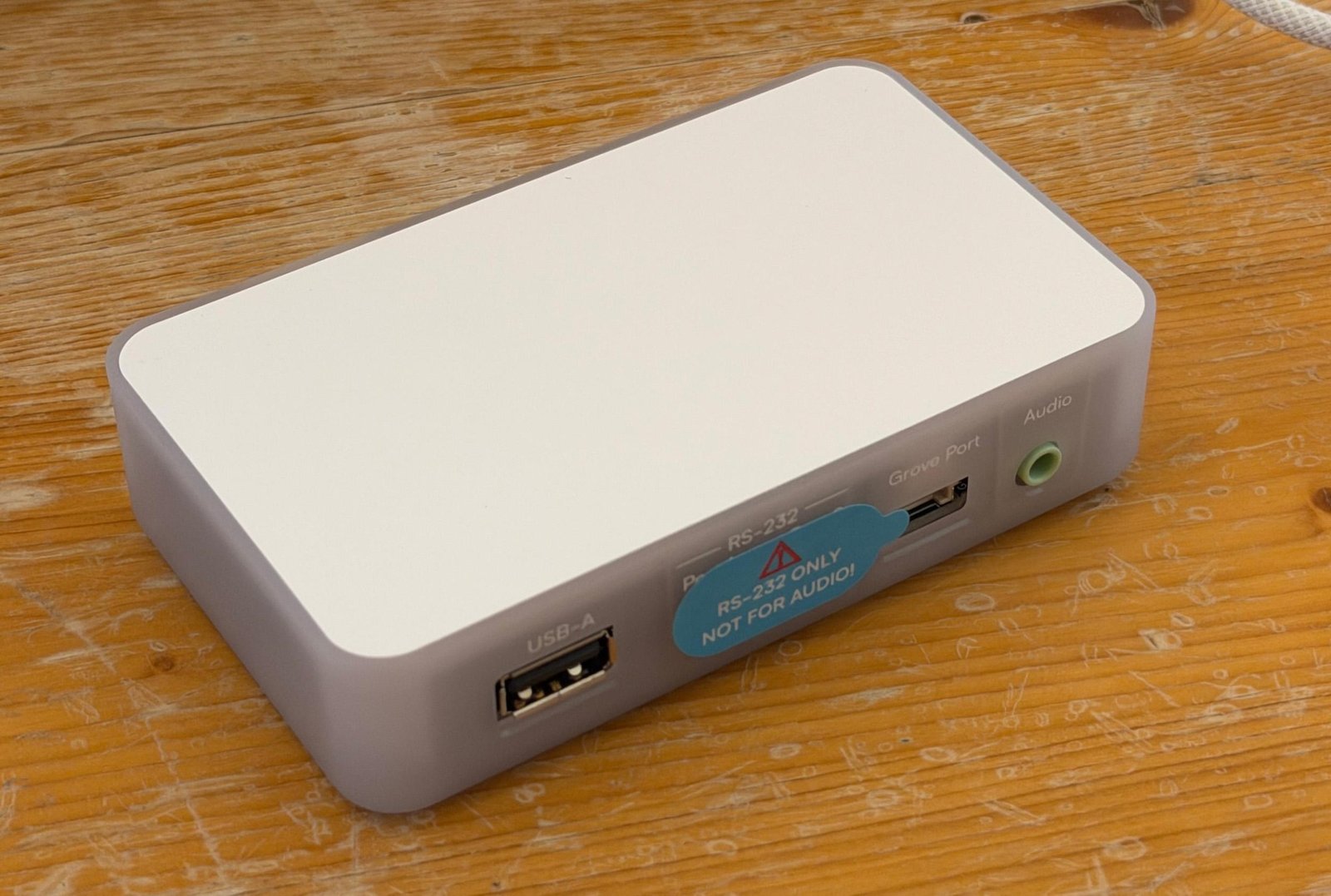
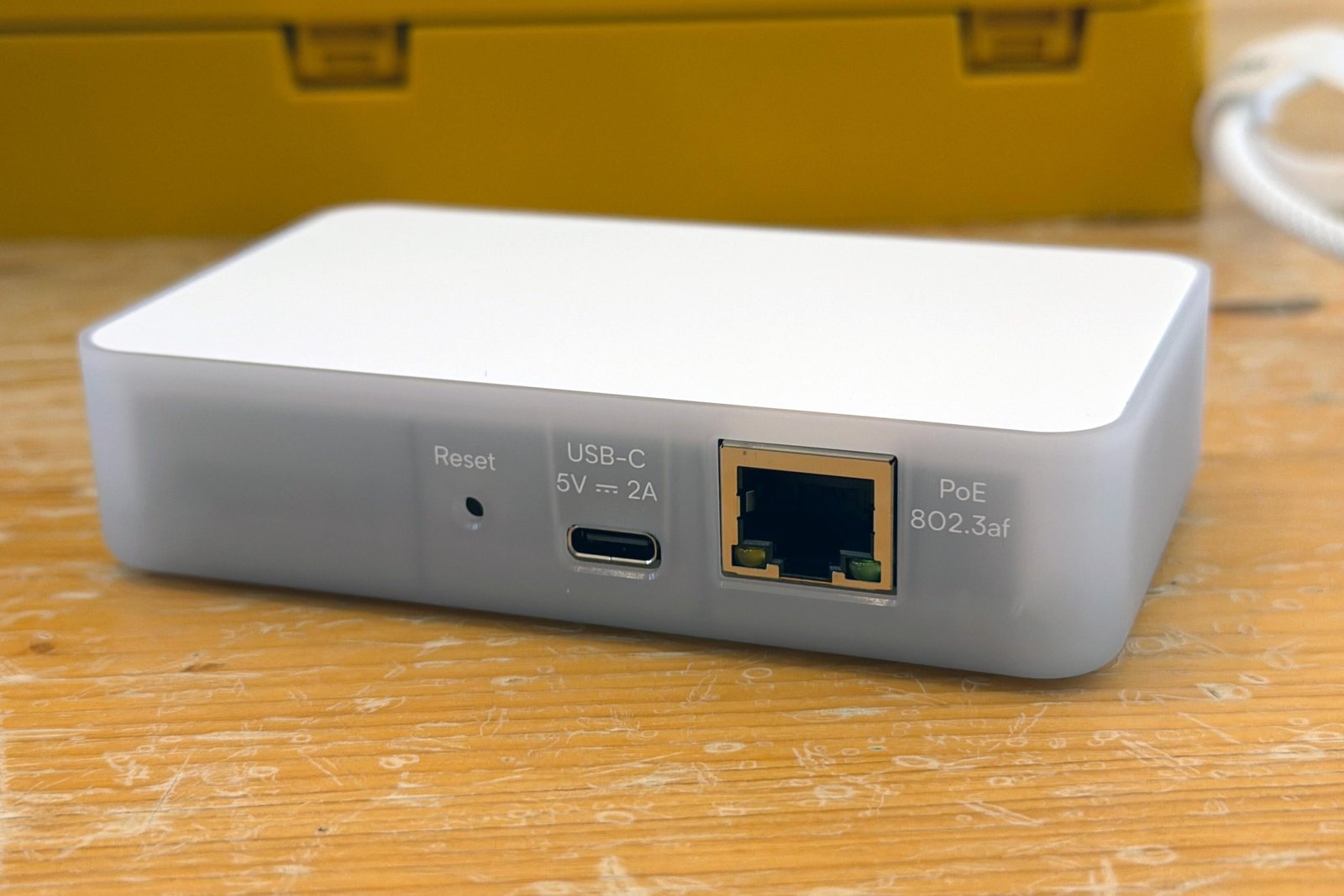
It can bridge Bluetooth devices into your Home Assistant setup. Its USB port lets you plug in a Nabu Casa Z-Wave or Zigbee antenna in case your Home Assistant hub isn’t in a good spot. You can control devices like TVs, AV receivers, solar inverters, and more via serial connector. And you can connect an amplifier or powered speakers to its audio jack to stream music to older audio equipment.
All of these things leverage Home Assistant’s capabilities as an open-source platform. The Aux-2 is based on ESPHome, an open platform for making DIY smart home devices from cheap, flexible ESP boards, and it uses existing Home Assistant/ESPHome integrations for all its features. The serial integration was developed earlier this year; Music Assistant and SendSpin, which power the audio-out feature, are in active development.
I have a Home Assistant install, but even after several years it is not my primary smart home platform simply because of friction and time constraints. Instead, I have a hodgepodge of Google Home, Apple Home, and a few devices that are only in Home Assistant. The situation is not ideal.
But the Aux-2’s capabilities perfectly intersect with two things I’d been meaning to do anyway, one of which I’m already using Home Assistant for. First, I have a garage fridge, because I live in Texas. I also have children, which means sometimes the fridge or freezer door gets left open. I want to know when that happens before all my food goes bad.
A couple years ago, I set up a few Aqara temperature sensors, connected to Home Assistant via a now-discontinued Zigbee dongle, and set up an automation to alert me if the fridge or freezer get too warm. But they frequently drop connection (probably because they’re inside a fridge in the garage), they chew through coin cell batteries, and they have no displays, which means I also have a cheap Acu-rite hygrometer in the fridge so I can see the temperature without pulling out my phone. Someone tipped me off to Govee’s Bluetooth hygrometers, but I’d need a Bluetooth proxy to get them into Home Assistant. That happens to be a feature of the Aux-2.
I also have a set of in-wall speakers in my living room that I’ve never used. I’d been meaning to get an amp, but analysis paralysis set in. Do I get a Wiim Amp? A stereo receiver? A cheap Bluetooth amp? Do I try to get them to work with my four Sonos speakers? Maybe my ancient Google Home speaker? Turns out I do nothing for five years. Maybe the Aux-2 could help.
Setting up the Aux-2 was much easier than I expected. I plugged it into my computer via USB-C and was able to download and install the latest firmware right from a browser. I could also add my Wi-Fi credentials. Then I unplugged it, moved it over to my media console and connected it to power (it takes USB-C or power over Ethernet), and did the rest of the setup in the Home Assistant interface.
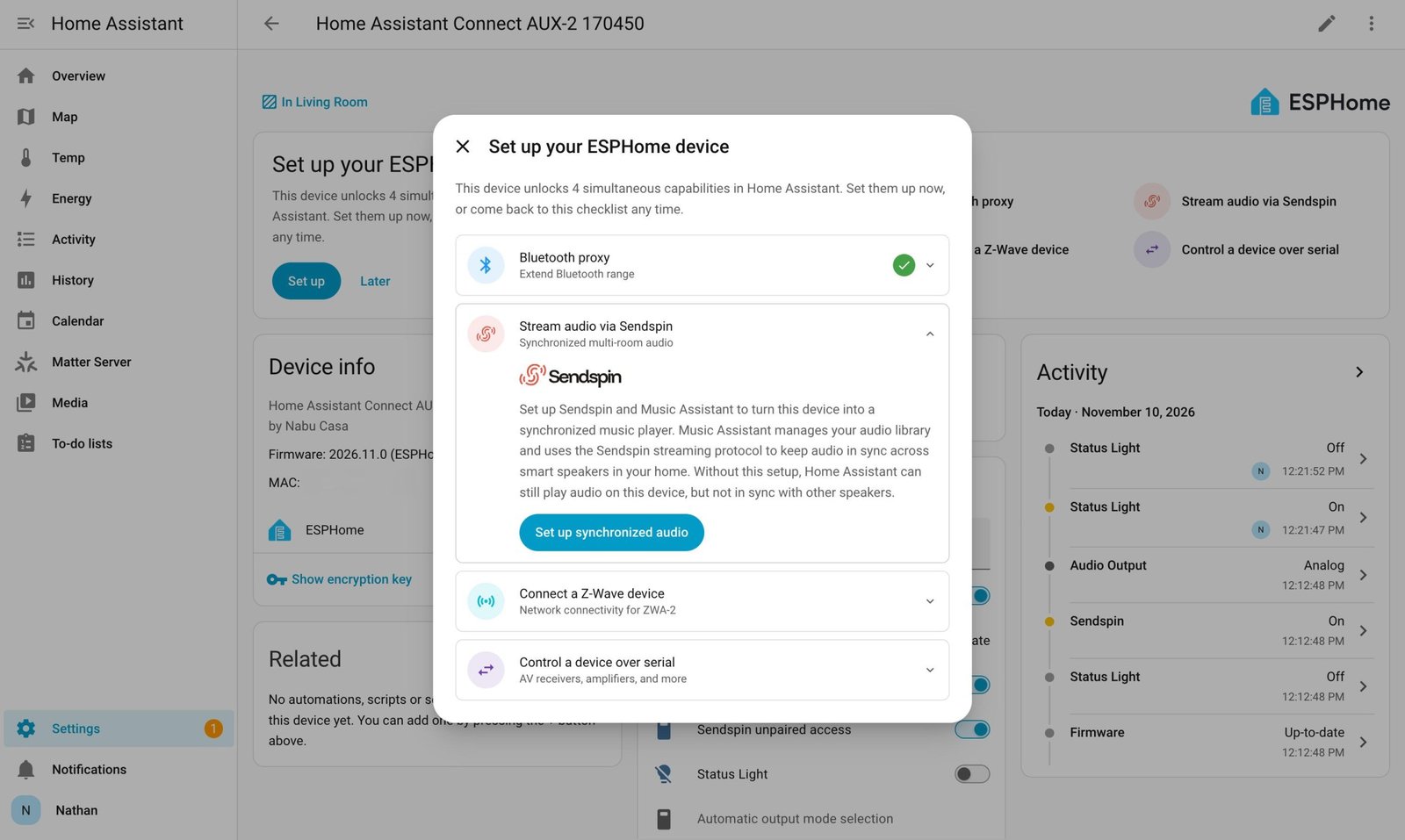
In HA, I was prompted to install ESPHome, which discovered the Aux-2 and sent me to a “set up your ESPHome device page” that walked me through the capabilities. Enabling Bluetooth proxying took a couple of clicks; I added the Govee Bluetooth integration and put batteries into the sensors and they showed up automatically. Mercifully, they maintained their Bluetooth connection through three walls and a fridge, and now my fridge monitoring setup works again.
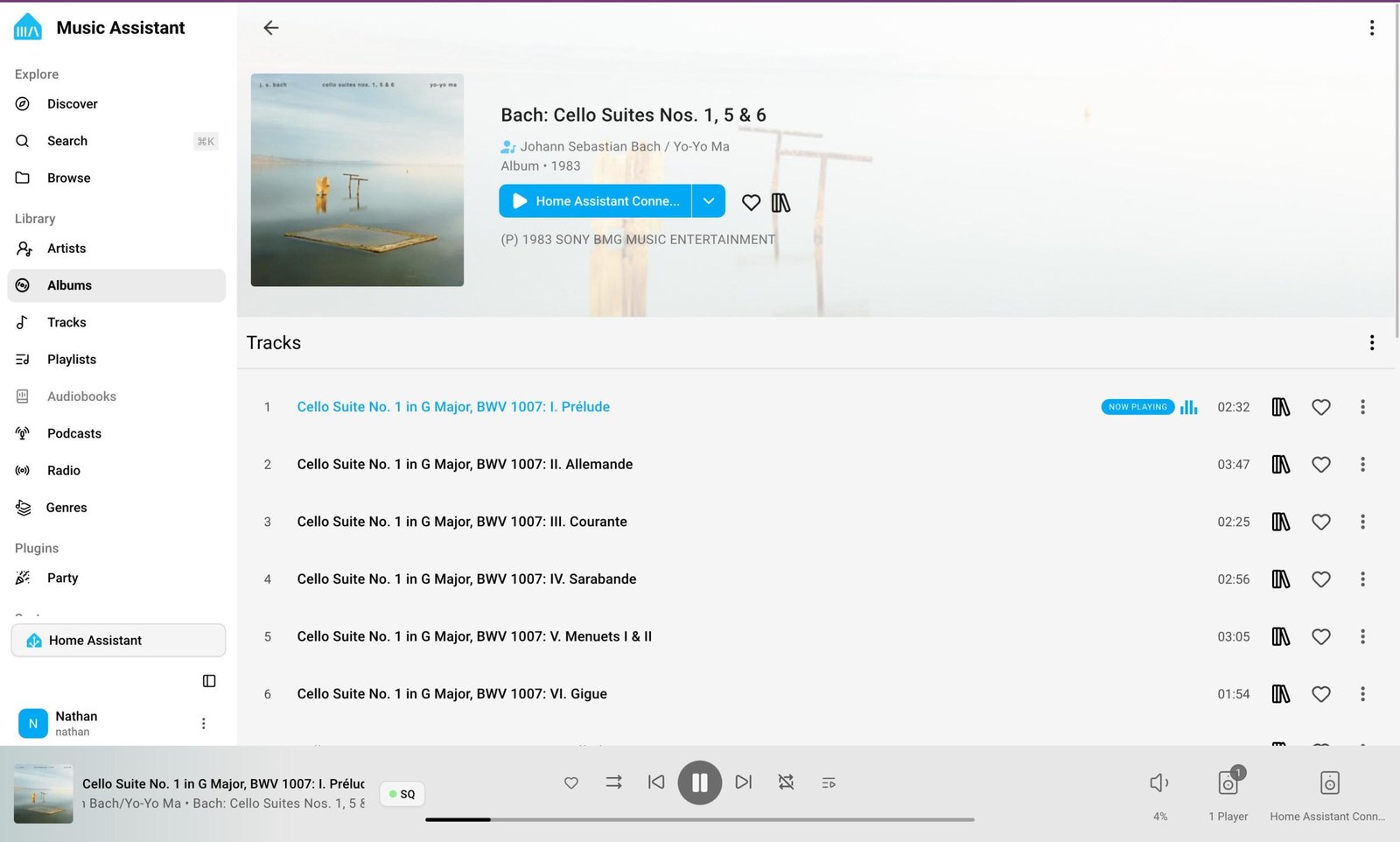
The audio capability took a little longer, but most of that was spent hooking the speakers up to the amp I ended up buying and setting up Music Assistant, which I didn’t have installed. Music Assistant lives on your Home Assistant hardware and can play from many different services — from Spotify to YouTube Music to local files and more — and to many different outputs, like Sonos, Wiim, AirPlay, Google Cast, and others, but they all need to be configured, and that took a beat. Not a long beat: less than half an hour total.
I can now play music to the in-wall speakers using Music Assistant. Sendspin, the whole-home audio standard (also developed by the Open Home Foundation) is supposed to be able to let you group speakers from different protocols under certain conditions, but I haven’t gotten that working yet. The standard is still in development, and I’ve also been busy, so I’m not sure if that’s a me problem or a them problem.
I would also like to see the Aux-2 show up as an AirPlay or Spotify Connect target, which (again) is probably just a thing I need to set up.
Serial control is the most intriguing feature of the Aux-2, and it’s unfortunately the thing I haven’t yet had time to test. But the ability to hook in things like solar inverters, TVs, and receivers is fascinating and one I want to look into further when I get the chance. Maybe I’ll hook it up to my LG TV.
The Aux-2 doesn’t do anything you couldn’t do already with an ESP32 board and various accessories, or even other ESP-based devices. The Apollo Automations Cast-1, for example, costs $35 and supports the same music-casting and Bluetooth proxy features I’m actually using from the Aux-2 at the moment. You could bodge together something even cheaper with DIY parts.
That’s not a knock against the Aux-2. That’s the whole point. The ecosystem is open by design, which I find endlessly refreshing. Both Nabu Casa and Apollo fund the Open Home Foundation, which develops Home Assistant and ESPHome (and Sendspin and Music Assistant), and both provide hardware that’s a little easier to use than DIY options. But there’s nothing stopping you from making your own devices. It’s actively encouraged.
I bought a three-pack of ESP32 boards for $16 three years ago. I could have built a Bluetooth proxy from one of those. I could have built an LED controller. I could have built a soil sensor, or a media player, or any of a dozen other things. I didn’t do anything at all.
But now that I’ve used the Aux-2 and dipped my toe into the ESPHome waters, maybe I will.
Keep following us for the latest insights.