All of Apple’s processors are scattered across different MacBook models, and you can find older models at specific third-party online retailers, whether brand new or refurbished. If you come across their older chips (which came out four years ago), you might be wondering how they compare to other options. Here you will find a breakdown
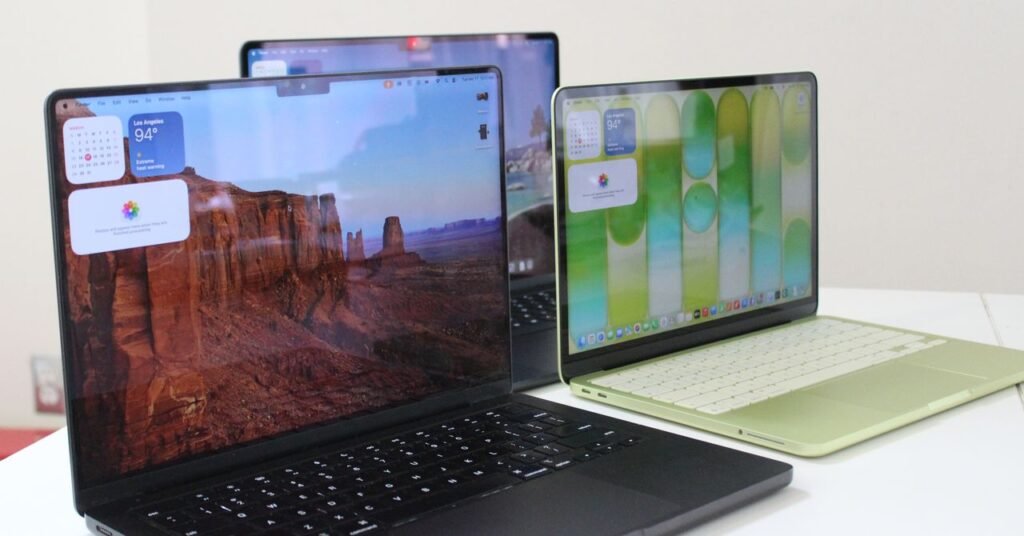
All of Apple’s processors are scattered across different MacBook models, and you can find older models at specific third-party online retailers, whether brand new or refurbished. If you come across their older chips (which came out four years ago), you might be wondering how they compare to other options. Here you will find a breakdown of the differences to consider.
M5 series
M5: The M5 chips are Apple’s latest options and arrived in late 2025 with the launch of the 14-inch MacBook Pro, iPad Pro and Vision Pro. The base M5 still has a 10-core CPU and a 10-core GPU, although there’s also a lower-tier 9-core CPU available in the iPad Pro. The M5 is 10 to 15 percent faster in CPU performance, but it also takes a significant step forward in GPU, AI workloads, and even storage speed. Like Apple’s mobile chips, the M5 is now also available in the MacBook Air.
M5Pro: Currently available exclusively on 14- and 16-inch MacBook Pros, the M5 Pro comes with up to an 18-core CPU and a 20-core GPU. The basic configuration starts with just a 15-core CPU and a 16-core GPU. Like previous generations, the “Pro” chip gets the same benefits as the M5 architecture, but adds more cores and improved memory bandwidth. The biggest advantage is in the performance of the GPU and AI on the device. This time, however, both the M5 Pro and M5 Max also featured an update: “Fusion Architecture” is a new version of UltraFusion (previously only used in Ultra chips) that combines two dies via a super-fast interconnect.
M5 max: The M5 Max is the M5 Pro, only with more GPU power. You have the option of up to 40 GPU cores, which puts the MacBook Pro on par with high-end gaming laptops in terms of graphics performance. Add in the neural accelerators that are now built into each GPU core and you have one of the most powerful AI laptops on the market. In terms of Apple’s ranking, it is only surpassed in GPU performance by the M3 Ultra, which is currently only available in Mac Studio.
M4 series
M4: The M4 was originally released in 2024. It has a 10-core CPU and a 10-core GPU. Apple claims that the M4 offers 1.8x faster CPU performance and 2.2x faster GPU performance than the M1. Meanwhile, the neural engine is more than three times faster than the original and two times faster than the M3. It also starts with 16GB of unified memory, which helps drive Apple Intelligence (the company’s set of AI features) more seamlessly. It is available on 14-inch MacBook Pro (2024), iMac (2024), and MacBook Air (13-inch and 15-inch, 2025).
M4 Pro: The M4 Pro has a 14-core CPU (which Apple claims is up to 1.9 times faster than the M1 Pro) and up to 20-core GPU, with up to 64GB of unified memory. Built on a second-generation 3-nanometer process, it also supports enhanced GPU features like mesh shading and ray tracing, the latter of which is now twice as fast as the M3 chips. You’ll find it on the 2024 MacBook Pro (14 and 16 inches) and the Mac Mini (2024).
M4 Max: This chip has a 16-core CPU and up to 40-core GPU with support for up to 128 GB of unified memory. Apple says the CPU is up to 2.2 times faster than the M1 Max, while the GPU is up to 1.9 times faster. Like the M4 Pro, it includes support for mesh shading and ray tracing. The M4 Max is available as an option on the 2024 14-inch and 16-inch MacBook Pro, and you can also get it as an option on the current Mac Studio.
M3 series
M3: The M3 was available in the 14-inch MacBook Pro (late 2023), 13-inch MacBook Air (2024), 15-inch MacBook Air (2024), and 24-inch iMac (2023). It includes an 8-core CPU and up to 10-core GPU with 24 GB of unified memory. Compared to the M1, Apple claimed that CPU performance was up to 35 percent faster and GPU performance was up to 65 percent faster. The company said the CPU and GPU are 20 percent faster than the M2. As with the M1 and M2, it was great for basic tasks like word processing, sending emails, using spreadsheets, and light gaming. With the 13-inch and 15-inch MacBook Air, it also supported two external displays (one display with resolution up to 6K at 60 Hz and another with resolution up to 5K at 60 Hz).
M3 Pro: With a 12-core CPU and 18-core GPU, Apple claimed that the M3 Pro’s GPU was only up to 10 percent faster than the M2 Pro’s, making it a marginal improvement over its predecessor. However, compared to the M1 Pro, the M2 Pro was up to 40 percent faster in GPU performance and 20 percent faster in CPU performance. It was available in the 14-inch and 16-inch MacBook Pro starting in 2023. It was the ideal middle ground for those who needed a more powerful chip than the M3 but that wouldn’t use the full power of the M3 Max.
M3 max: This was the next step forward from the M2 Max. It had a 16-core CPU, a 40-core GPU, and up to 128 GB of unified memory. According to Apple, CPU performance was up to 80 percent faster than the M1 Max and up to 50 percent faster than the M2 Max. As for GPU performance, it was said to be up to 50 percent faster than the M1 Max and 20 percent faster than the M2 Max. The M3 Max was available in the 14-inch and 16-inch MacBook Pro (Late 2023).
M3 Ultra: While the M3 line was introduced in 2023, Apple announced an M3 Ultra in 2025. Interestingly, it is still the most powerful chip in the M series line, even better than the latest M4 Max and M5. It has a CPU with up to 32 cores (with 24 performance cores) and a GPU with up to 80 cores. Apple claims it’s up to 2.5 times faster than the M1 Ultra. It also comes with 96GB of unified memory, with the option to upgrade up to 512GB, while the SSD storage can be increased up to 16TB. This chip is currently only available in Mac Studio 2025.
M2 Series
M2: The M2 was a basic chip like the M1, with a little more processing power. It included an 8-core CPU and up to a 10-core GPU (two more GPU cores than its predecessor), along with support for up to 24 GB of unified memory. Apple said the second-generation chip has an 18 percent faster CPU and a GPU that is 35 percent more powerful than its previous version. The M2 was great for everyday tasks like word processing and web browsing, but tasks like editing multiple sequences of 4K footage and 3D rendering should be reserved for the M1 Pro or M1 Max (or the two chips below). It was available on MacBook Air (13-inch, 2022), MacBook Air (15-inch, 2022), and MacBook Pro (13-inch, 2022).
M2 Pro: The M2 Pro was the next step up from the M2. It had up to 12 cores in the CPU and up to a 19-core GPU, with up to 32 GB of unified memory. Apple claimed that performance was up to 20 percent faster than with the 10-core M1 Pro and graphics were 30 percent faster. We recommend this chip for intermediate level video and photo editors. It was a marginal upgrade compared to the M1 Pro, but it was the best option for those who wanted a more future-proof processor. You could find it on the MacBook Pro (14-inch and 16-inch) from early 2023 and the Mac Mini (2023).
M2 max.: The M2 Max includes up to a 12-core CPU and up to a 38-core GPU (with support for up to 96 GB of unified memory). According to Apple, the graphics are 30 percent faster than on the M1 Max. The M2 Max is a great choice for those working with graphics-intensive content, including graphic design, 3D modeling, and high-definition video footage. But as with the M2 Pro, it’s an incremental upgrade if you’re coming from an M1 Max. It is available on the MacBook Pro (14 and 16 inches) released in early 2023 and the Mac Studio (2023).
M2 Ultra: Successor to the M1 Ultra, the M2 Ultra was available in the second generation Mac Studio and Mac Pro (2023). Composed of two M2 Max chips, using Apple’s UltraFusion technology, the M2 Ultra had a 24-core CPU and a GPU configurable with 60 or 76 cores. Apple claimed that the CPU offered up to 20 percent faster performance and 30 percent faster GPU than the M1 Ultra. This was the chip you had to get if you worked with extremely Heavy content that you thought the M1 Ultra, M2 Pro or M2 Max simply couldn’t handle. You would have known that if you needed such a robust chip.
M1 Series
M1: For years, Apple continued to sell the M1 MacBook Air through Walmart for just $599, which was a great price for this laptop. The MacBook Neo has since replaced it, using the iPhone A18 Pro chip. The M1 was the first custom silicon Apple introduced for its MacBook Air in 2020. It has an 8-core CPU and up to an 8-core GPU. Originally, up to 16 GB of unified memory (RAM) was supported for an additional cost, but today only the 8 GB model can be purchased. It was much faster than any previous Intel-powered MacBook Pro and was the practical choice for most people as it was among the most affordable MacBook Air you could buy (at third-party retailers). It had more than enough processing power to perform common everyday tasks and even light gaming. It could also handle more intense work, such as photo editing.
M1Pro: From there, the next step was the M1 Pro. It had up to 10 cores in the CPU and up to a 16-core GPU, with up to 32 GB of unified memory. Apple said performance and graphics were twice as fast as on the M1. We found it to be considerably more capable than the base chip, making it ideal for anyone who works a lot on MacBooks for music production or photo and video editing. Only the 2021 MacBook Pro (14 and 16 inches) used this chip.
M1 max: Like the M1 Pro, the M1 Max had a 10-core CPU but a heavier 32-core GPU (with support for up to 64 GB of unified memory). Apple said it was four times faster than the M1 in terms of graphics. As demonstrated in testing, this chip was extremely powerful and handled all heavy tasks with ease. It was the ideal choice if you needed a computer that could handle multiple 8K or 4K video streams, 3D rendering, or develop applications and run demos. You probably already knew if you needed that much power. It was available on MacBook Pro (14 and 16 inches) starting in 2021.
M1 Ultra: The M1 Ultra was the most powerful of all. These are two M1 Max chips connected with a technology called UltraFusion. It includes a 20-core CPU, a 64-core GPU (which can be configured with up to 128GB of unified memory), and a 32-core neural engine, complete with seven times more transistors than the base M1. Even with the M3 Ultra now available, the M1 Ultra is still powerful and a solid choice for anyone who needs a heavy-duty processor to work with intense images and graphics. It was available only in the first generation Mac Studio.
For more tech updates, stay tuned to our blog.