Baseus PimeSentinel W1 Window Camera Pros & Cons 4K resolution Great magnetic, indoor design Adjustable camera angle (unusual in window cams) MicroSD card slot for free local storage Free motion and AI object detection for people, vehicles and animals Privacy and motion zone options to customize where and how the camera monitors Simple, effective app
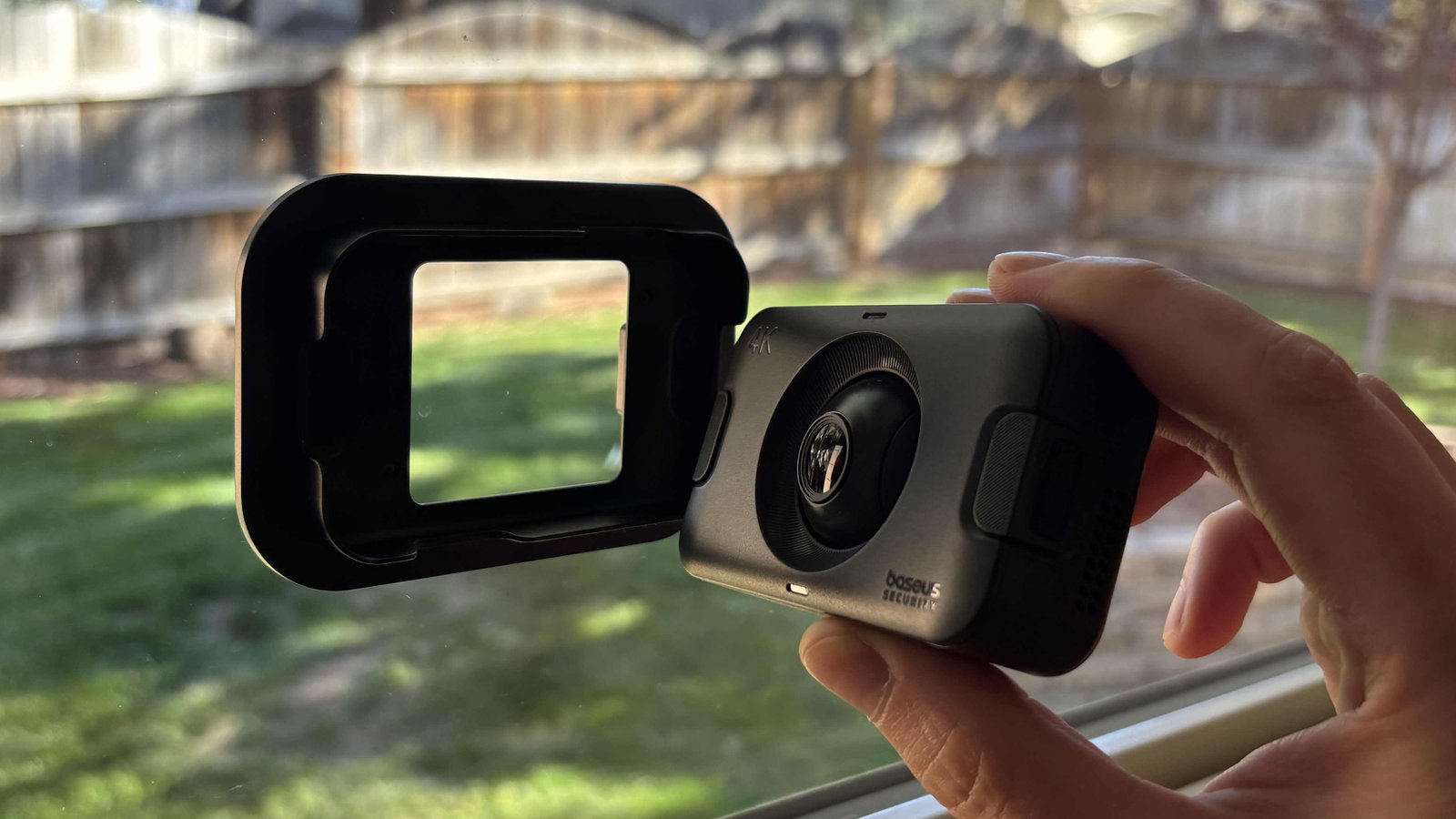
Baseus PimeSentinel W1 Window Camera
Pros & Cons
-
4K resolution -
Great magnetic, indoor design -
Adjustable camera angle (unusual in window cams) -
MicroSD card slot for free local storage -
Free motion and AI object detection for people, vehicles and animals -
Privacy and motion zone options to customize where and how the camera monitors -
Simple, effective app
-
Overly sensitive motion and object detection can trigger false alerts from shadows, though privacy and motion zones help -
Night vision is only passable, and requires a least a little light to work well
It’s tough to find good security devices for renters because of the restrictions on what changes they can make to their homes and all the fine print in their leases. Window cameras are a happy exception — adhesive-mounted cams that stick to windows and allow you to monitor carports, parking spaces, yards, visitors and more. If you don’t have room for a traditional security camera, it’s a versatile — and affordable — alternative.
My new favorite dedicated window cam comes from Baseus, a company that has stood out in this growing category in 2026. If you haven’t heard of it, you’ll want to keep it in mind. Like Anker, with its many tech lines, including Eufy security, Baseus is a Chinese company that makes a bit of everything, including solid-performing security products at reasonable prices.
The Baseus PrimeSentinel W1 Window Camera ($100) offers a particularly clever design and no-subscription management, although you may need to do a little work in settings to customize everything to your liking. If you’ve dealt with other vehicles taking your spot, people vandalizing your car, strangers on your steps, package theft or similar problems, consider using a camera like this on a window near your door. Here’s how it works.
Design and a very easy installation
I was originally very skeptical about using a security camera to look through a window, since glare is a constant problem, the right angle is hard to find and the camera can get in the way of shades or curtains. The first cam to change my mind was Wyze’s version, launched earlier this year. Baseus, however, has a model with a design I like much better, albeit at a higher price.
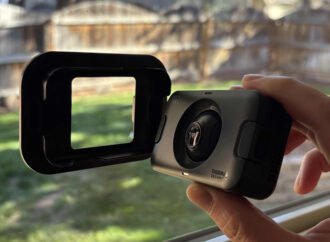
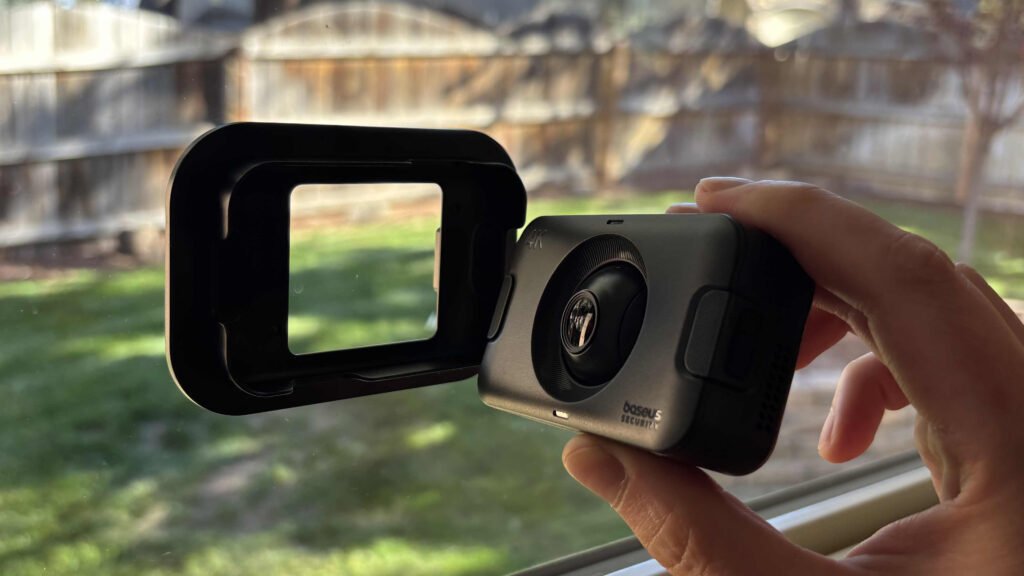
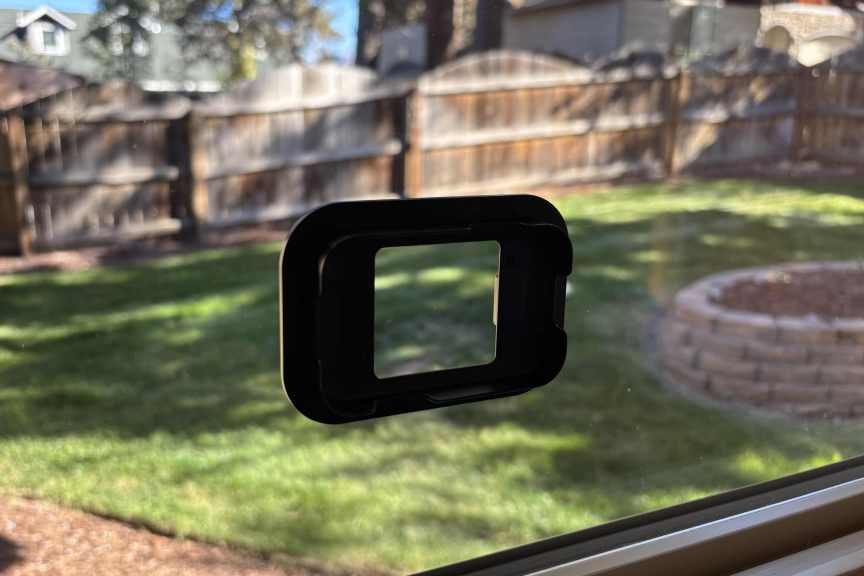
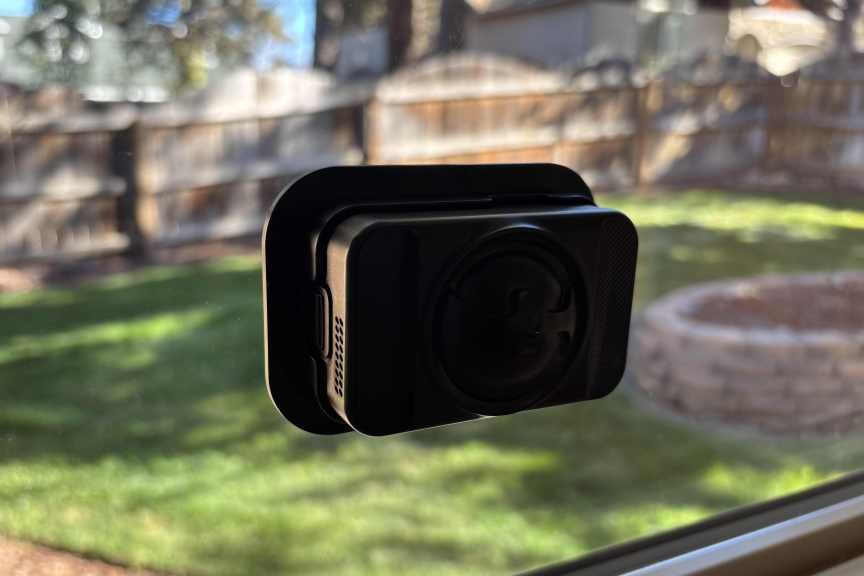
Instead of using Velcro like the Wyze model, the Baseus cam has a magnetic frame. Stick it to a clean window and the small Baseus cam locks on automatically. All you need is an outlet somewhere near the window to plug the camera in.
But that’s not the only thing I like about its design. You can also manually angle the orb-like camera lense, shifting it downward to focus on things below the window. That’s a helpful feature if you live a story or two up in an apartment building and need to angle the camera down to watch your car parked directly below or a similar area.
A side slot makes room for a microSD card, which allows you to store video locally without paying any subscription fees or risking privacy issues with cloud video storage. I suggest grabbing a microSD card along with this cam if you choose to buy.
Video performance and capabilities
Another useful feature of the Baseus window cam is its 4K resolution, which can be tough to find in cameras under $100. It provides extra detail and worked quite well in my testing. The 130-degree field of view captured a good swath of my yard and should be sufficient for most viewing needs.
The magnetic lock design holds the camera directly against the window, minimizing glare, although some slight distortion may occur when the sun shines directly on the lens. A unique feature lets you flip the video 180 degrees, which can be helpful when positioning the camera based on your windows, the location of the nearest outlet and how unobtrusive you want the cam to be.
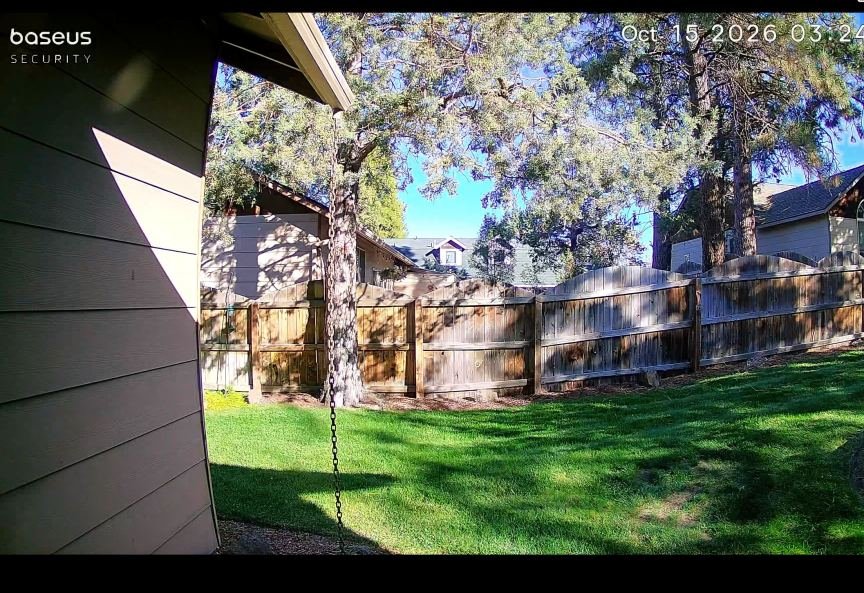
Video recording and histories also worked well, although snapshots were significantly more blurry than the 4K live view. The camera comes with low-light night vision, which is fine. It’s not going to compete with the more advanced night vision you’ll find on modern cameras, but as long as there’s a little nearby light, I was able to pick out the details. If your area goes completely dark at night, it may be hard for the camera to capture much.
The camera also includes a mic and speaker for two-way audio. It’s funny seeing this feature on a window camera, because while I know it’s common, audio is mostly useless here. You won’t be able to hear much of anything outside, and shouting through the speaker won’t reach outdoors either. At most, you may be able to alert someone inside the house if, for example, you’re at work and see someone smashing car windows in the parking lot.
App controls, settings and smart features
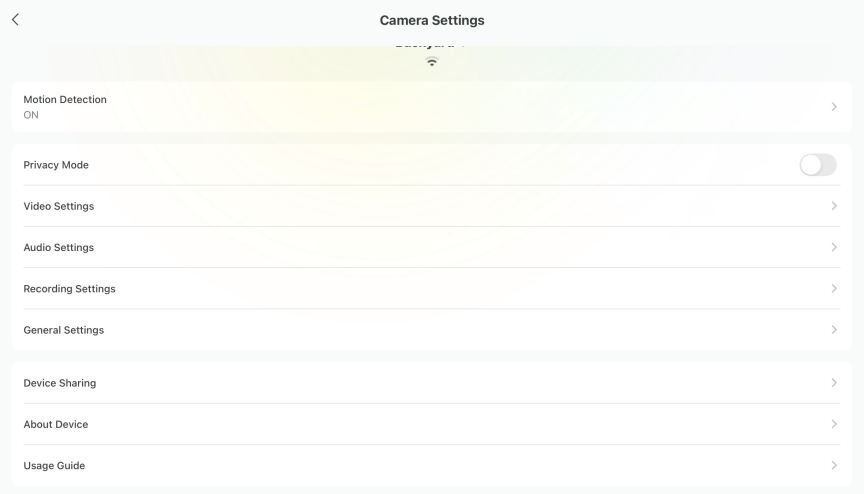
The Baseus app is relatively simple, with sections for viewing event history, changing settings, watching the live feed and more. There are no surprises, but it’s worth diving into the settings to improve the camera’s accuracy.
Baseus doesn’t do subscriptions, but you do get detection features for free. That includes not only basic motion detection, but also options to enable person, pet and vehicle detection, along with sensitivity controls.
While glare isn’t a problem when viewing videos, there seems to be just enough reflection for the camera to mistake people or shadows moving around the room for a “person spotted” outside when the light is right. The camera occasionally appeared to be triggered by moving trees as well and was too sensitive overall, even when I lowered it to the lowest sensitivity setting.
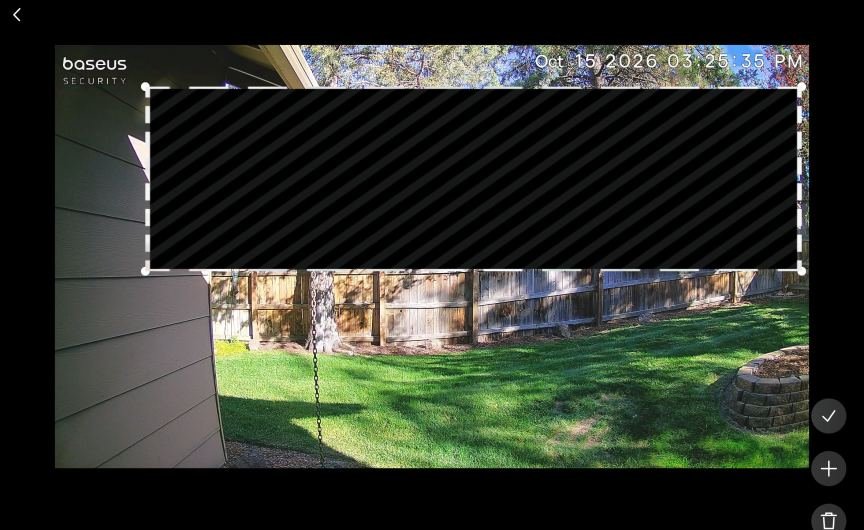
To avoid mistakes and frequent triggers, I turned to another feature in the app: Baseus includes the ability to add both privacy zones and motion zones. Privacy zones place black sections on the camera’s recording so they don’t show up in videos, which is useful for blocking a neighbor’s yard or parking spot and avoiding issues with privacy.
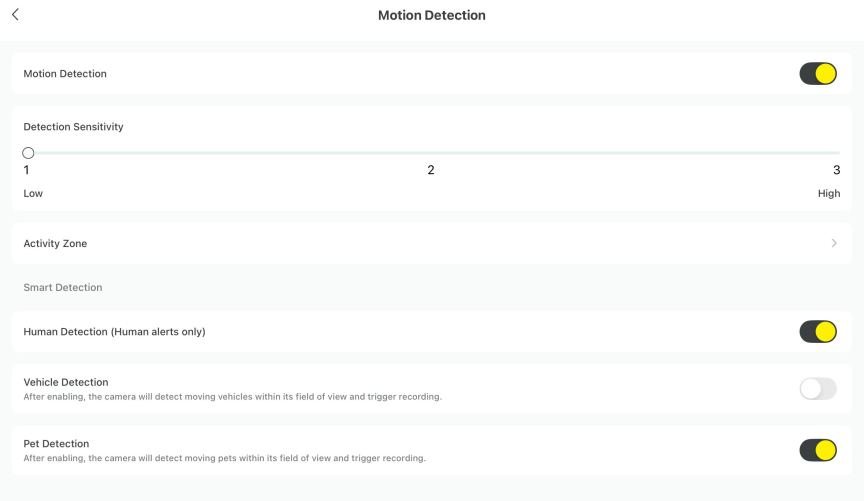
However, the privacy zone feature didn’t always block object detection in that area, so I also used motion detection zones to control which spots the camera watched. Between the privacy and motion zones, I was able to wrangle the camera into sending reasonable alerts about the activity I cared about.
I also suggest leaving pet detection off, since it offers the least security value. Hopefully, Baseus will release updates to reduce false alerts overall. In the meantime, you can turn off object and motion detection entirely, or enable privacy mode to temporarily disable the camera.
What about Baseus? Is this brand safe to use?
Before recommending a relatively little-known Chinese security brand, I researched its track record, looking for significant data breaches, privacy concerns or other red flags. Baseus, much like Anker, doesn’t have any obvious security issues. You can view the Baseus privacy policy here, which goes over the information it collects and notes that privacy laws in other countries (and certain states, such as California) do apply to the data it handles. It’s a little rough, but does include plenty of useful information.
I found no notable security incidents involving Baseus. However, the company says authorized employees may access encrypted personal information. It also says it doesn’t collect financial information, relying instead on third-party services to secure that data. But as I previously mentioned, you can use a microSD card for local storage, so you won’t be storing video directly on Baseus servers.
Overall, I’d like to know a bit more about the company’s security practices, relationship with the government and data storage, but there’s nothing right now that would make me hesitant to suggest the company to users.
Final thoughts on the Baseus PrimeSentinel W1 Window Camera
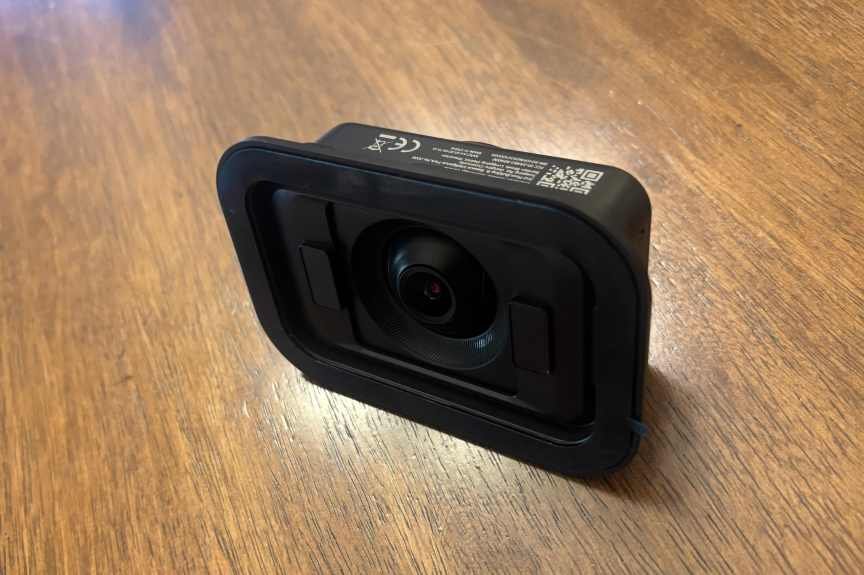
With its 4K resolution, magnetic design, rotatable lens and free local video storage, the Baseus W1 is my favorite window camera so far—a strong showing from a relatively unknown name in home security. At $100, it costs more than some window cameras, but its features make it a good value. I’ll be testing other options this year, including a new window camera from Eufy, but for now, the W1 is my top choice.
I’d like to see some improvements with its object detection and recognition, which triggered too frequently and seemed occasionally affected by reflections, although I managed to improve results by using the welcome privacy and motion zone settings. Otherwise, this is an excellent choice for renters who may want to watch their cars but can’t use an outdoor cam, and anyone else who has a spot on their window to keep an eye on things.

See full bio
Check back often for more exciting news!