Adding ambient lighting to your gaming desk or entertainment unit can completely transform the atmosphere of a room. Whether you want subtle backlighting to reduce eye strain or high-energy sync for gaming and movies, the right lighting setup makes a massive difference. We’ve looked at smart lighting solutions before, and the new Govee Flow Plus
Adding ambient lighting to your gaming desk or entertainment unit can completely transform the atmosphere of a room. Whether you want subtle backlighting to reduce eye strain or high-energy sync for gaming and movies, the right lighting setup makes a massive difference.
We’ve looked at smart lighting solutions before, and the new Govee Flow Plus Light Bar Pair focuses on flexibility, ease of use, and multi-colour presentation right out of the box. We saw these at PAX Aus this year, and now we’ve spent some time testing them in our setup. Thanks to the Govee team for hooking us up, so here’s how they perform.
Design and Flexible Placement
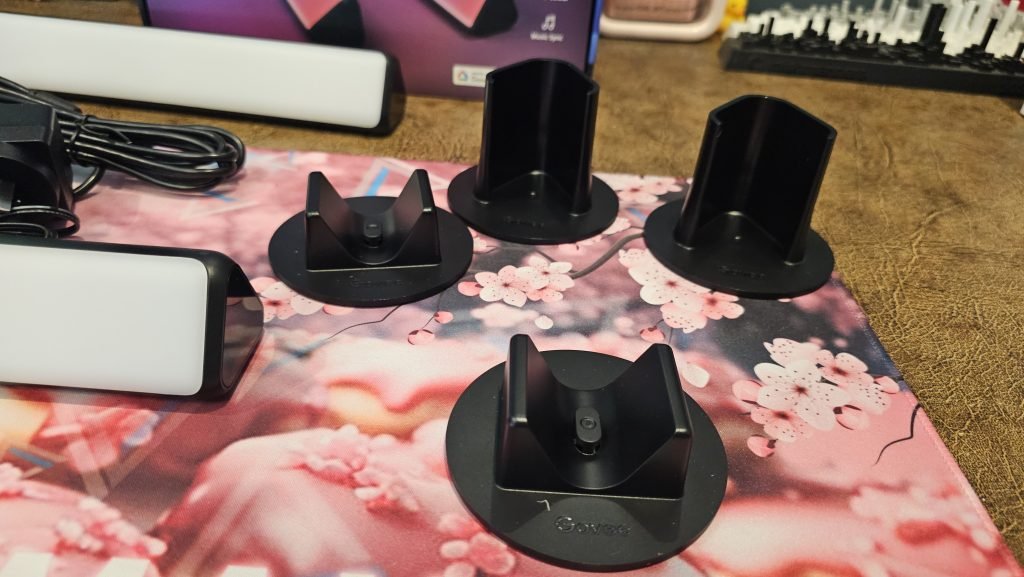
One of the best things about the Govee Flow Plus light bars is how adaptable they are to different desk or entertainment configurations. Govee includes multiple mounting and standing options in the box:
- Vertical stands to flank either side of your screen
- Wall/screen mounting brackets to stick directly onto the back of your display
- Horizontal placement directly onto your desk surface
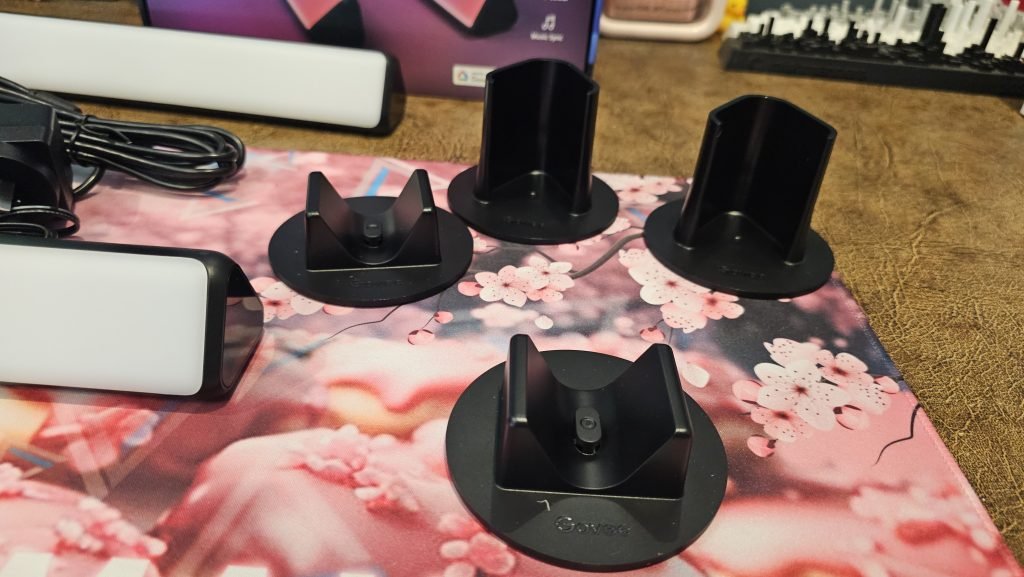
For me, I opted to lay them horizontally directly onto the cabinet surface facing backward. The light throw against the wall creates a smooth, warm ambience that fills out the background and complements the overall aesthetic of the room.
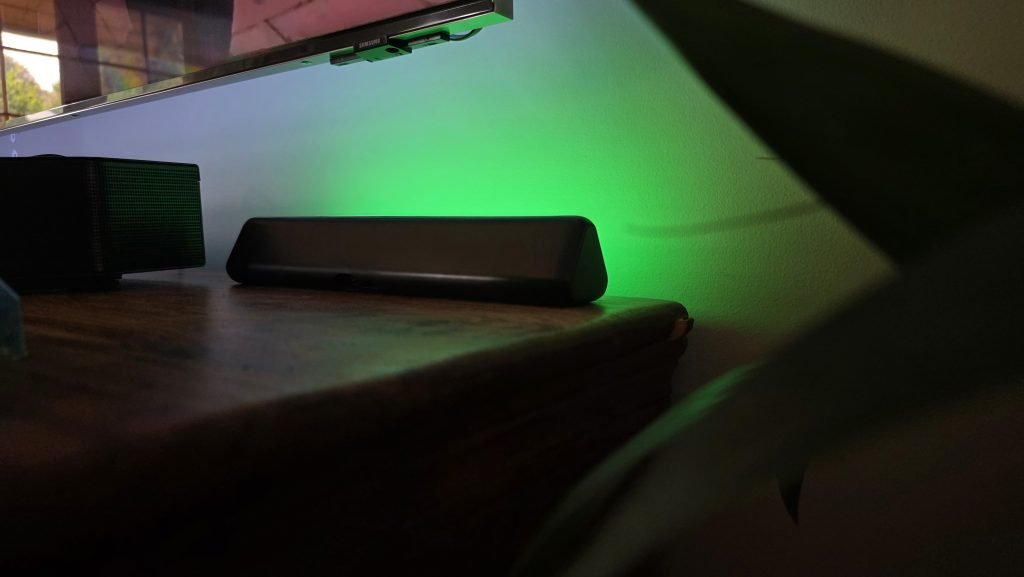
Cable management is straightforward; the bars connect back through a small control box, meaning you do not have an overwhelming rat’s nest of wires trailing across the back of your desk or cabinet. The only thing that would make this form factor even better is if Govee offered these in various physical lengths down the line, giving users tailored choices for ultra-wide monitors or larger 65-inch-plus television setups.
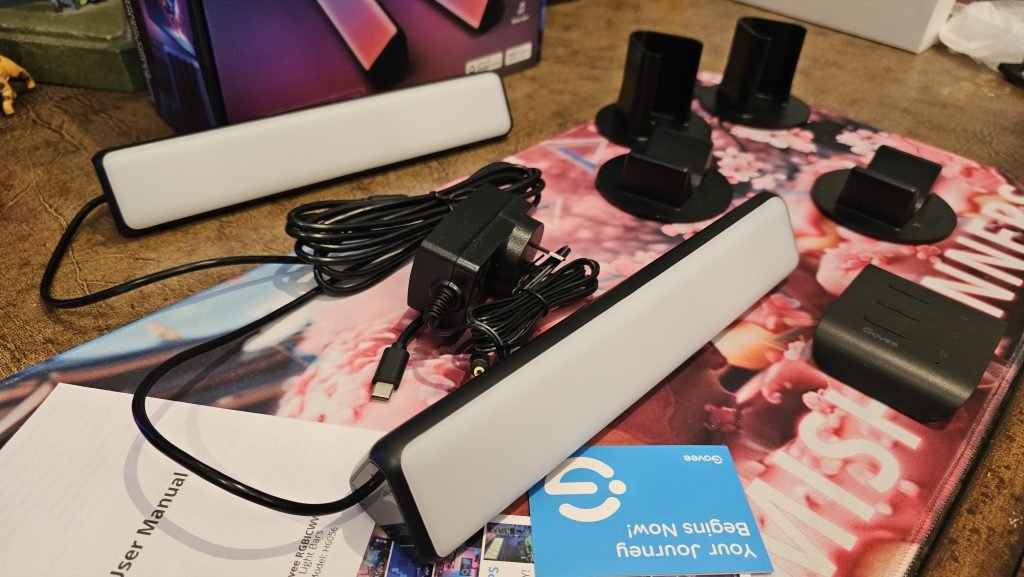
Ease of setup: Plug and play control
Smart lighting often gets a bad rap for requiring endless software configurations before you can even turn a lamp on. Govee avoided that trap entirely with these lights.
The Flow Plus light bars are genuinely plug-and-play. If you prefer to keep your smart setup offline or do not want another mobile app taking up screen real estate, you never actually have to open one.
Included in the cable run is an inline hardware controller.
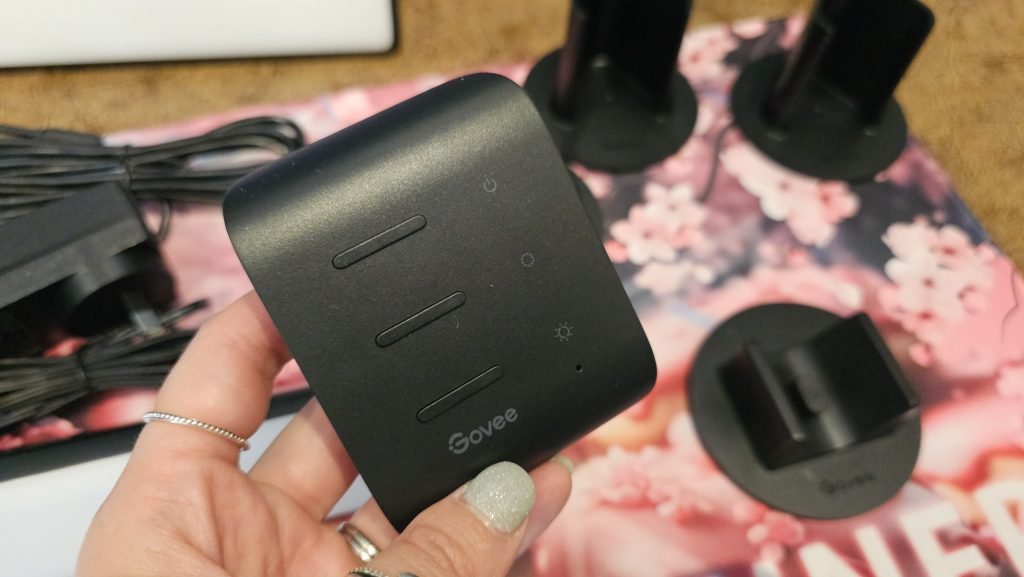
From this physical module, you can:
- Power the bars on and off
- Adjust brightness levels on the fly
- Cycle through a solid selection of preset colours and lighting effects
For a basic, functional desk lamp replacement or simple static ambient glow, you can plug them into the wall, click the inline button, and you are good to go in under two minutes.
Understanding the tech: Why RGBIC matters
Under the hood, these aren’t standard single-colour LED strips. Govee utilises RGBIC and RGBICWW technology here. It’s something Govee developed that makes it possible to show multiple colours on one strip of light at the same time. The IC in RGBIC stands for Independent Control, which integrates microchips directly along the light path. What does this mean? In traditional RGB lights, every LED across a strip or bar is wired together to display the exact same uniform colour at any given moment. If you pick blue, the entire bar is locked to that single shade of blue. The independent control means you can control different segments of the light separately.
This means as a viewer, you get:
- Smooth gradients transitioning across a single bar (like neon sunset fades transitioning from warm orange into deep purple)
- Segmented lighting where you can manually assign distinct colours to different zones
- Fluid animations and running light effects where colours chase each other dynamically during games, movies, or music playback
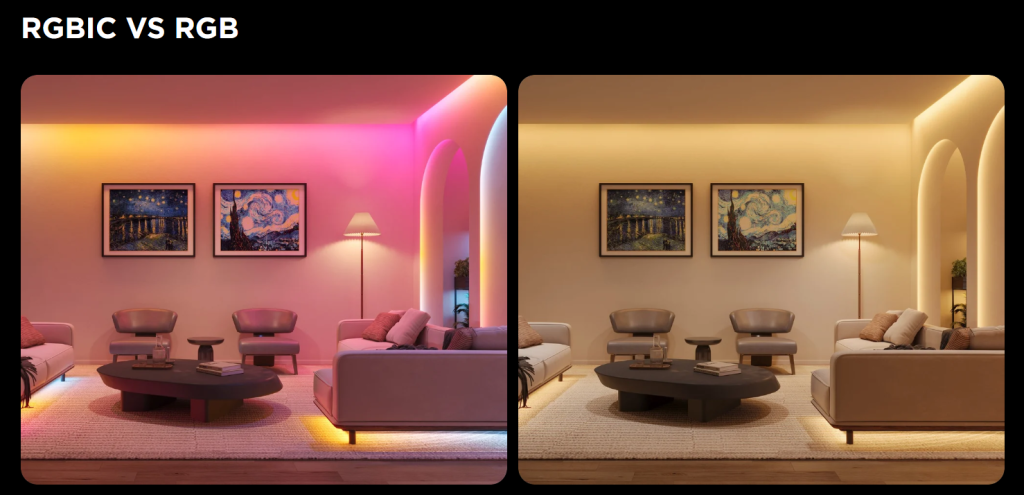
Then let’s look at the RGBICWW. The WW stands for Warm White + Cool White (WW for each of the different whites). This means the viewers can see vivid colours, watching them chase one another more naturally, rather than simply solid-coloured lighting. Thus, instead of hard, single-block tones, you get:
- Natural, clean warm and cool white tones without RGB colour fringing
- Wider range of practical task, reading, and daytime bias lighting
- Smoother, more pastel colour blends and natural daytime daylight temperatures
With the whites included, there are mixes of non-coloured lights in the diodes. If you are using these for productivity during work hours or late-night reading, you get clean, natural white tones rather than the artificial, slightly tinted white that standard RGB mixing often produces. In reality, this is what it can look like:
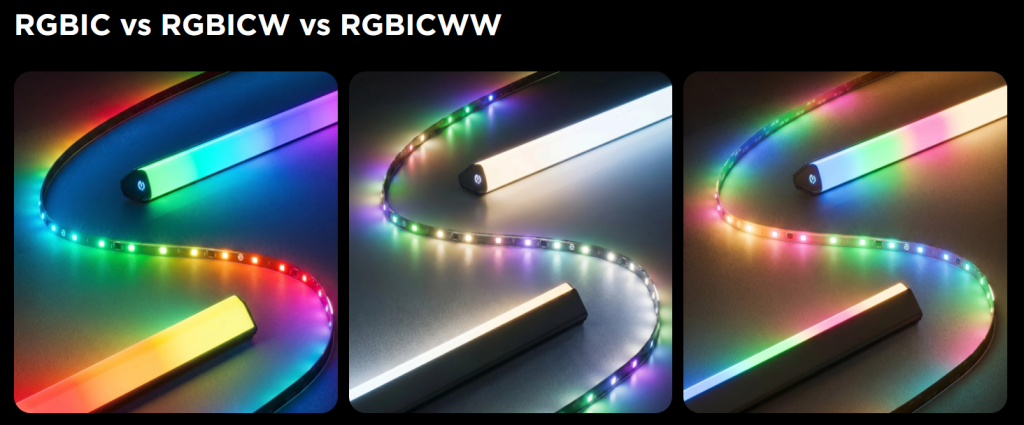
Note, the lights that I was reviewing were the older, RGBIC version. The newer ones, which include the full RGBICWW are now available. These newer light bars are also Matter compatible.
Govee Home App: Customisation and ecosystem integration
While the inline controller handles the basics, stepping into the Govee Home app (available on iOS and Android) unlocks the true potential of the hardware.
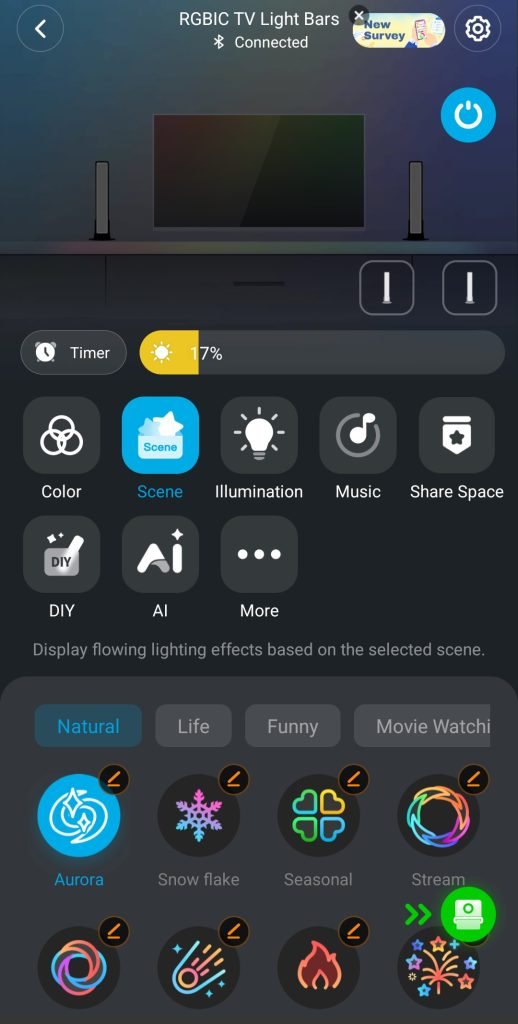
The onboarding process has some thoughtful touches. During the initial pairing, the app explicitly asks you to confirm which side of the screen each light bar is placed on. This simple step ensures that left-to-right colour sweeps and directional gradients map accurately to your physical environment without you having to swap cables behind your desk.
Within the app, you get access to:
- Over 60 dynamic scene modes ranging from calm ambient glows to energetic party themes
- Music Mode, which uses an integrated mic to bounce the lighting dynamically to in-game audio or background tunes
- Routines and schedules, allowing you to automate sunrise wake-ups or automatic shutoffs when you head to bed
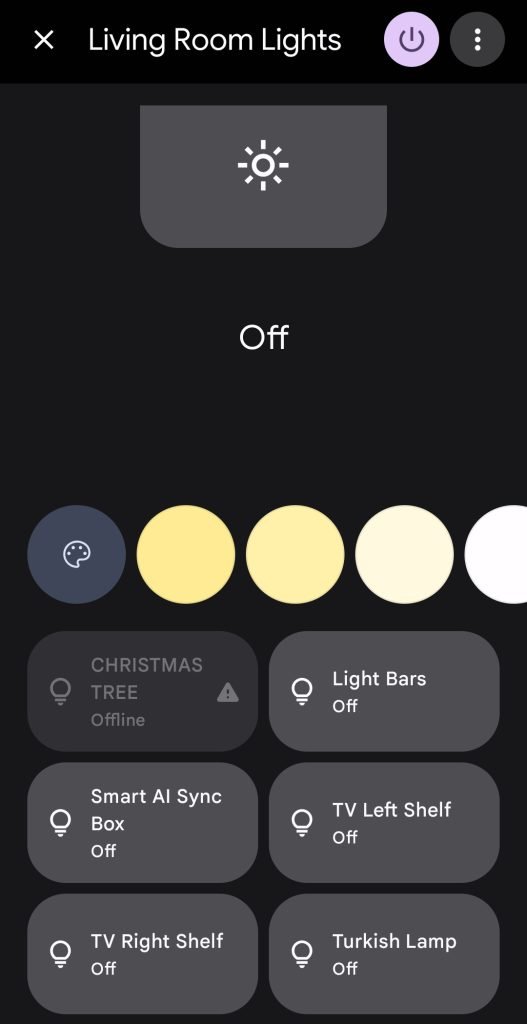
- Smart Assistant integration, connecting smoothly to Google Home and Amazon Alexa for hands-free voice commands
Ecosystem synergy: DreamView and Sync Boxes
If you already own other Govee products, these light bars act as natural extensions. We paired the Flow Plus light bars alongside the Govee AI TV Sync Box that we previously reviewed.
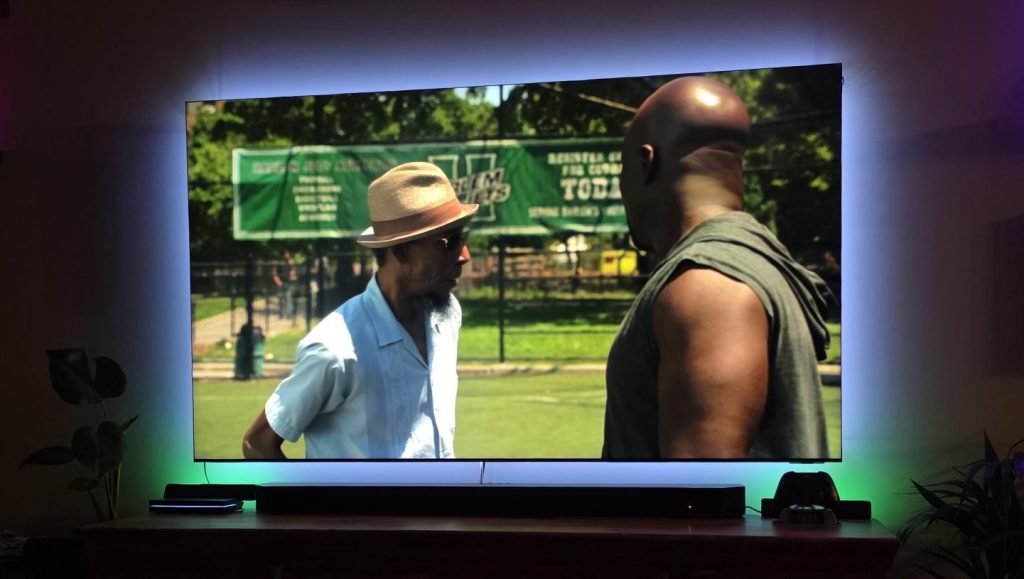
Using Govee’s DreamView feature, the light bars can sync directly with the TV sync box’s real-time HDMI screen analysis. Instead of the backlighting remaining confined to the edges of the display, the colour profile stretches across your entire desk surface and side walls, delivering a cohesive, room-scale gaming and movie experience.
Final Thoughts
The Govee Flow Plus Light Bar Pair strikes an ideal balance between simplicity and deep customisation. If you just want quick, clean desk bias lighting, the physical controller lets you get going instantly without fussing over accounts or Wi-Fi pairings. If you want full immersion, the cool RGBIC or RGBICWW tech, voice assistant integration, and DreamView ecosystem syncing deliver top-tier results for any battlestation.
If you’d like to see them in action, check out my Instagram unboxing, and Instagram setup videos.
You can pick up the Govee Flow Plus Light Bar Pair direct from the Clever Gear website. They are $149.99 AUD for the pair of lights, however, you can pick them up for 41% off during the Black Friday sales! Note these are the older, RGBIC version which are on sale. The newer, RGBICWW Matter-compatible lights are $149.99 AUD. If you use my code below, you’ll be able to snag yourself a discount.
Reader Discount: Use code “CLEVERGEARMISH20” at checkout for 20% off your order across the entire Clever Gear website.
Keep following us for the latest insights.