When it comes to desk setups, I am a firm believer that tech should be as fun and expressive as it is functional. You only have to read my recent reviews and articles to know this is true. Enter the KiiBOOM Phantom 98 Lite. It’s a keyboard that practically spews kawaii charm, vibrant RGB lighting,
When it comes to desk setups, I am a firm believer that tech should be as fun and expressive as it is functional. You only have to read my recent reviews and articles to know this is true.
Enter the KiiBOOM Phantom 98 Lite. It’s a keyboard that practically spews kawaii charm, vibrant RGB lighting, and clever design features right out of the box. If you are looking to inject pure personality into your workspace without compromising on high-end customisation, this might just be your next favorite mechanical board. I got my hands on one, and I’m here to give you the kawaii low-down.
Unboxing and initial impressions
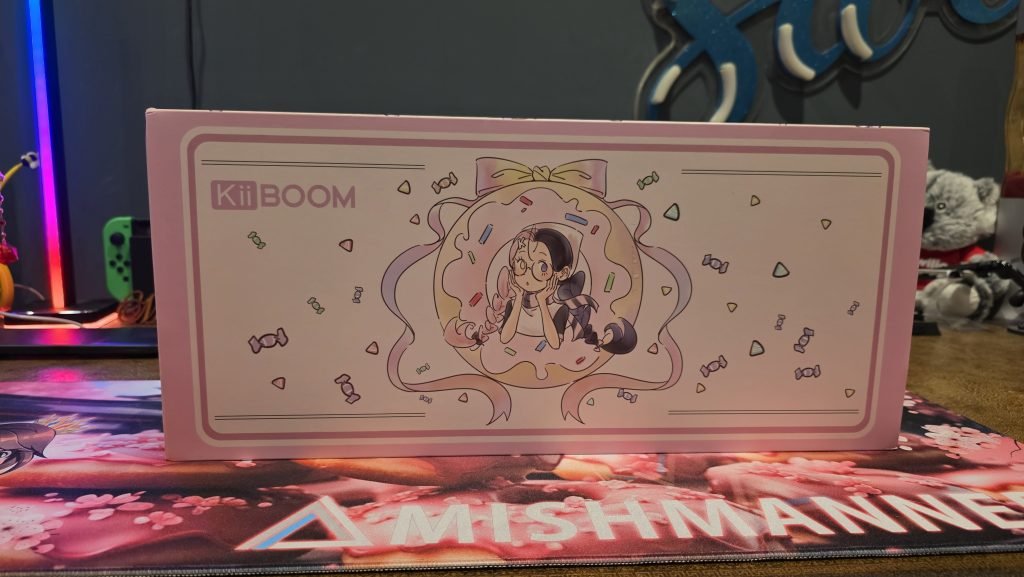
Right from the moment the package arrived, unboxing the Phantom 98 Lite was an absolute delight. KiiBOOM really leans into the cute, playful aesthetic across their branding. The box itself has a cute, pink vibe, showcasing their character artwork on the box, and drawing you in right from the start.
Inside the box, alongside the expected accessories, you get a lovely branded dust cloth; a genuinely nice touch for keeping a shiny new board looking pristine. The included instruction booklet deserves a special shoutout too. Rather than a dry, standard manual, it walked through different keyboard types while heavily embracing that cute, kawaii vibe. There’s even a sticker sheet inside featuring KiiBOOM characters and kawaii artwork.
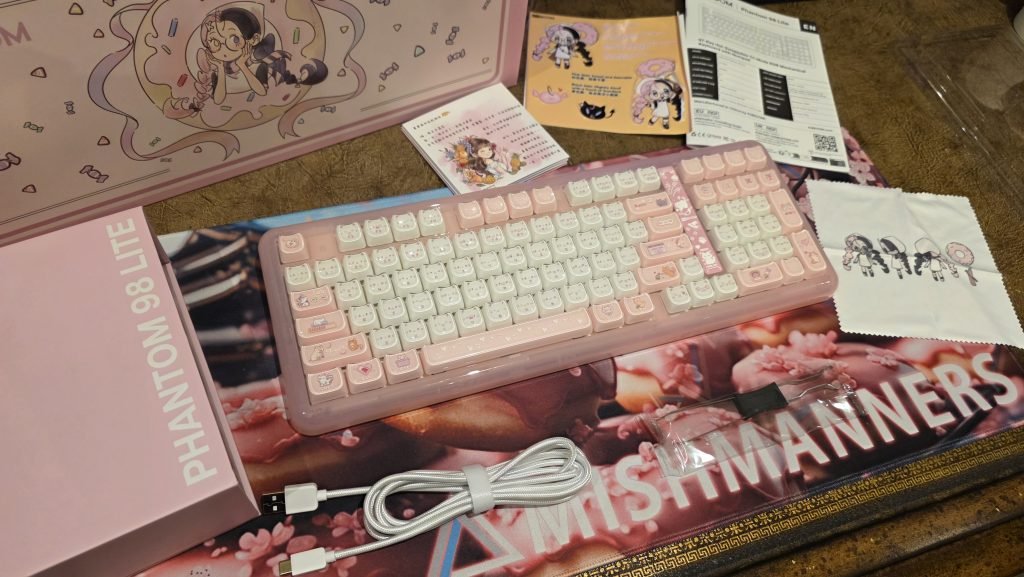
In terms of connectivity hardware, KiiBOOM equips you with everything needed:
- Connection Cable: For reliable low-latency wired typing and charging.
- Hidden 2.4GHz USB Dongle: Cleverly tucked away into a magnetic compartment on the chassis so you never lose it on the go.
- Keycap Puller: Included in the box to get you started on customization immediately.
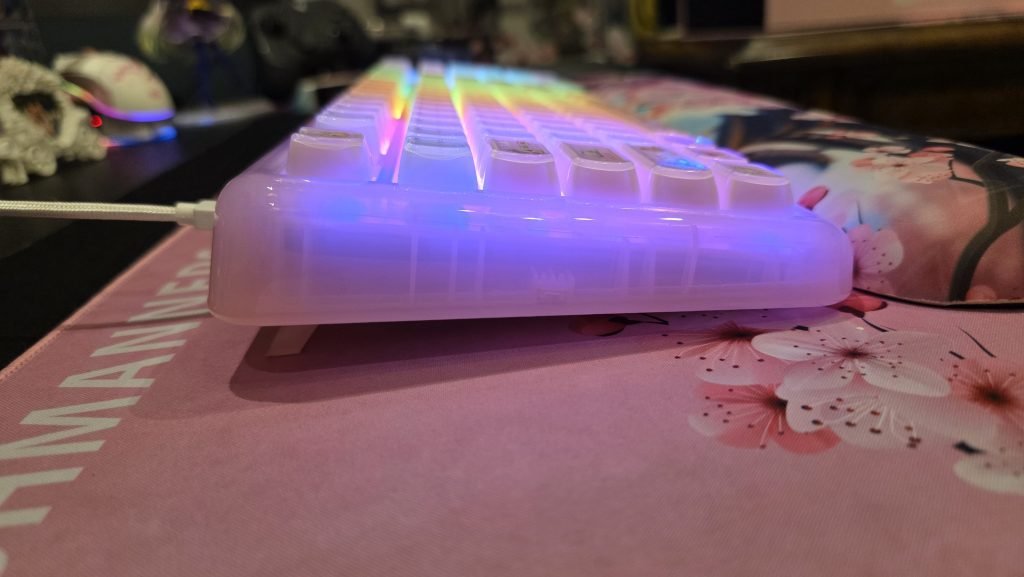
The board features adjustable feet on the underside to tweak your angle. However, keep in mind that the chassis itself is quite thick and tall. If you prefer an ultra-low-profile or flat typing experience, this chunkier profile might take some getting used to.
Plastic, but make it high quality
Don’t let the lack of a heavy metal housing fool you. The KiiBOOM Phantom 98 Lite feels incredibly sturdy. It is made from a dense, high-grade acrylic and polycarbonate structure that feels substantial in the hand rather than cheap or hollow.
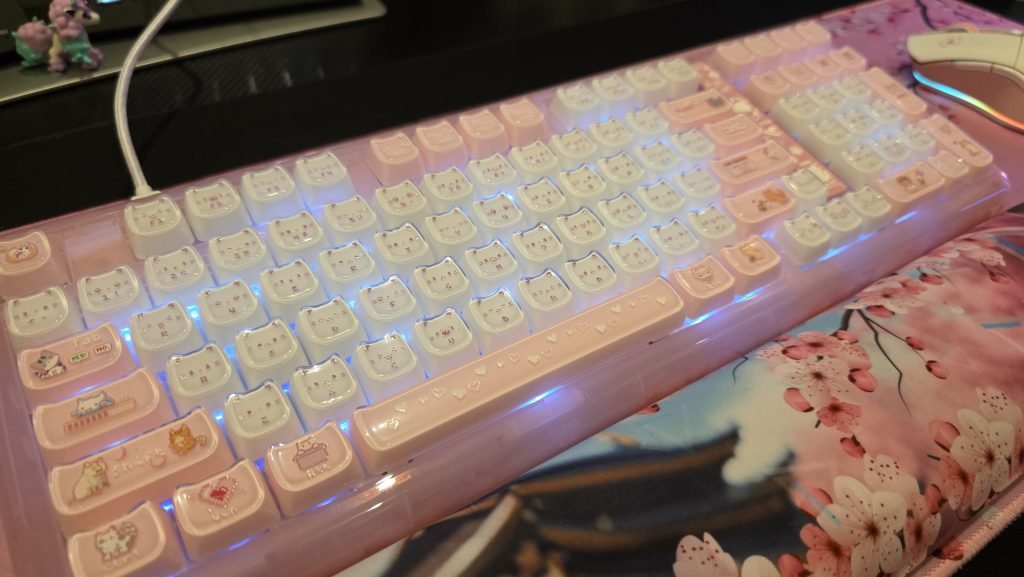
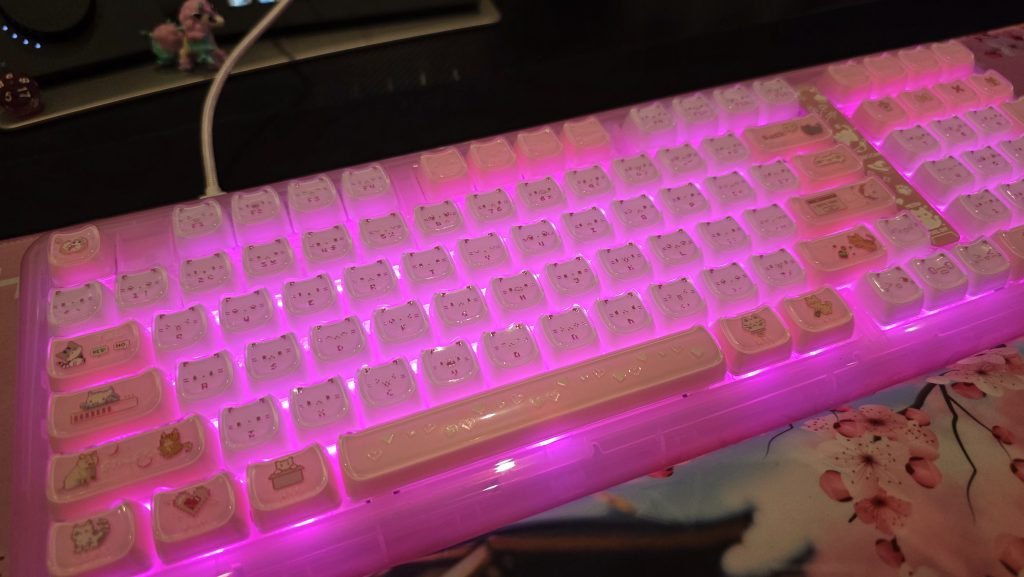
The translucent housing works overtime here, allowing the internal RGB lighting to diffuse across your entire desk setup. There are so many lighting color combinations and dynamic modes that I could have sat there for hours just cycling through options to build something that felt uniquely me. It doesn’t just light up; it radiates RGB in the absolute best way possible.
Everyday Usability and Kawaii Aesthetics
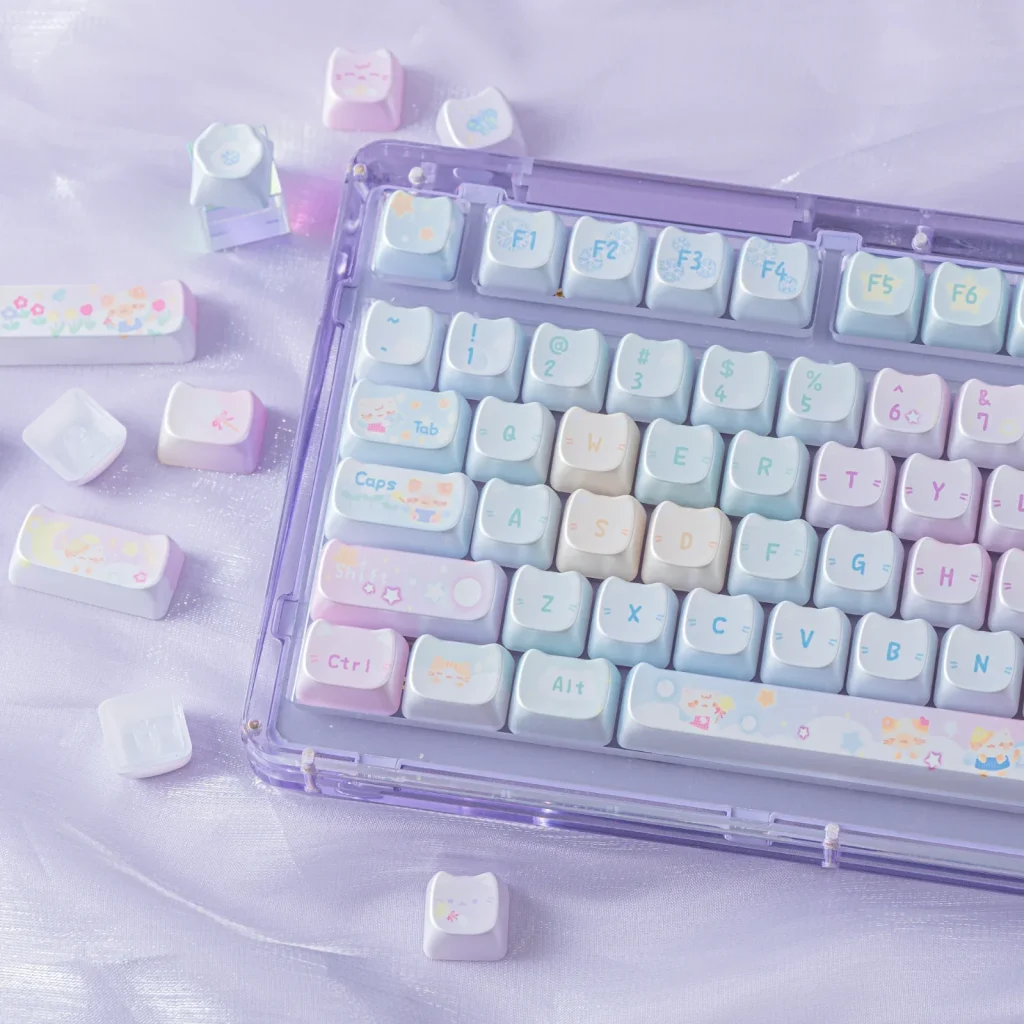
I went with the KiiBOOM Phantom 98 Lite Pink version because it suited my style so well, complete with adorable cat keycaps that are super cute.
Admittedly, because of the crystal-clear, candy-like aesthetic, seeing the faint legends (the letters, numbers, and symbols printed on the keys) can be a bit tricky depending on your lighting angle. Especially since the legends are written in white 8-bit font on an already translucent keycap. But if you can touch-type with your eyes closed like I can, it isn’t a problem. The trade-off for those aesthetics is well worth it.
Switching between operating systems is completely seamless. You don’t need to fiddle with tiny switches hidden on the back; just use quick hardware shortcuts:
- Fn + A: Windows
- Fn + S: Mac
Compact Layout with Room to Grow
The 98% form factor is a fantastic sweet spot for anyone who wants a more compact footprint on their desk without sacrificing the dedicated arrow keys or the numpad. The KiiBOOM Phantom 98 Lite fits all the usual keys whilst keeping a slightly more compact look.
If you prefer something even smaller, KiiBOOM has similar translucent mechanical boards available across virtually every size. There’s everything from 75% and 65% layouts all the way down to a tiny 20% standalone number pad (which I now totally want to add to my setup).
Deep customisation: VIA support & hot-swapping
Where the Phantom 98 Lite really shines is how effortless it makes customisation. You can modify everything from the switches, to keycaps, macros, lighting, and connectivity.
Web-Based VIA Software
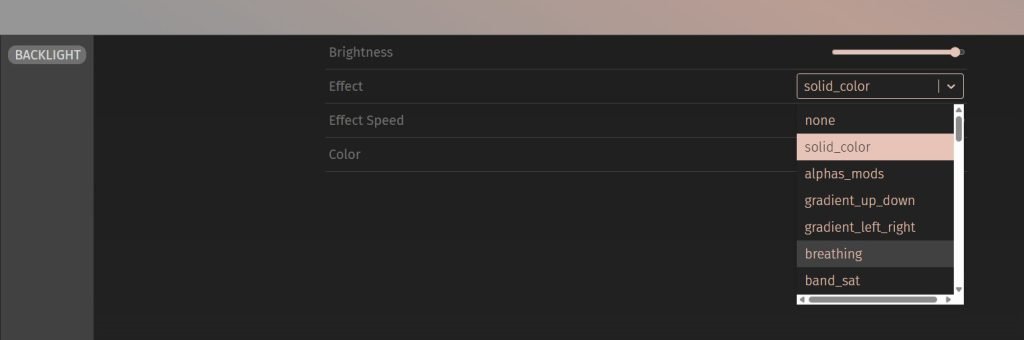
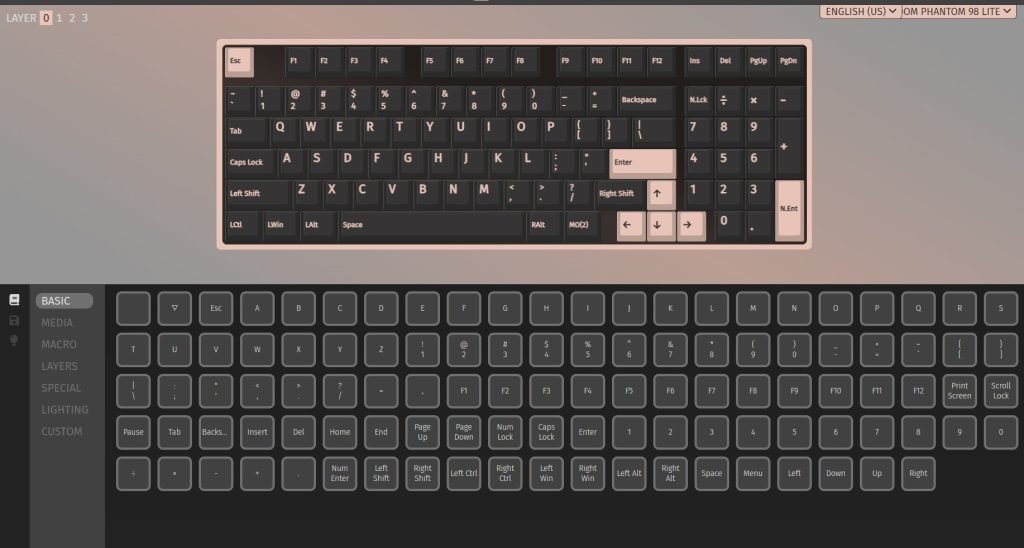
You don’t need to bloat your computer with heavy background software to remap FN keys, program macros, or tweak lighting. KiiBOOM supports the web-based VIA application, meaning you just plug the board in, open your browser, and customise everything directly from the web interface. The settings are stored on the keyboard so you don’t need to load this up each time you boot the computer, or when you change machines.
Hot-Swappable Switches
When ordering, you can pick from options like Mossy silent linear or Mochi linear switches across the Pink, Green, and Clear colorways. I love a clicky, smooth keypress, so I went with linear switches.
Because the PCB is fully hot-swappable, you aren’t locked into your initial choice. You can pop out switches and swap keycaps whenever you want to change up the sound or feel.
Pro Tip: While KiiBOOM includes a basic keycap puller, if you plan on changing your switches frequently, I strongly recommend picking up a dedicated 2-in-1 switch and keycap puller. It grips much better and prevents damage to your keycaps and switches
Purchase and availability
The KiiBOOM Phantom 98 Lite is one of my favourite keyboards to date. It really leans into its kawaii, pink vibe. Compared to many keyboards on the market, KiiBOOM is fairly cheap. This particular keyboard is available directly from the official KiiBOOM store starting at US$108.99 USD (~A$153).
It comes in Clear, Pink, and Green finishes, with optional silent or standard linear switches to match your desk vibe. Whilst you’re on the website check out the various keycaps KiiBOOM has on offer, including the new Opal Kitty Keycap Set for $34.99 USD (~A$50). There are plenty of other keycaps starting from $25.99 USD, with switches from just $14.39 USD.
Check back often for more exciting news!