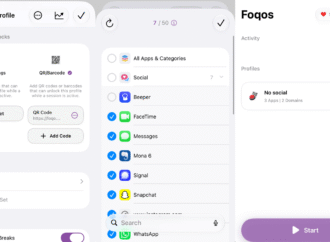
Wish you looked at your phone less? Then you’ve probably heard of Brick, a $59 device that claims to help you block distractions. You tap your phone against the Brick when you want to avoid distractions—the bundled software stops you from opening whichever apps you’ve decided you need to stop doomscrolling. The idea is to
Voice assistants handling phone calls is a little more accepted today than back in the Duplex days. Call screening features abound—whether on a Pixel, Samsung, or iPhone, onboard assistants routinely intercept unknown callers to ask why they’re calling. But these kinds of features—much like hyped-up AI translation features—can often fall short. Calls are unpredictable, and
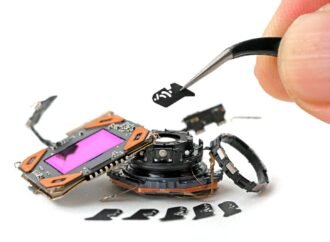
iFixit, the company known for completely tearing apart just about every product and device it can, has fully disassembled a brand new iPhone 18 Pro. The goal is to understand how all the parts fit together and find ways to fix anything that might break. In the company’s post and teardown video, iFixit showed off
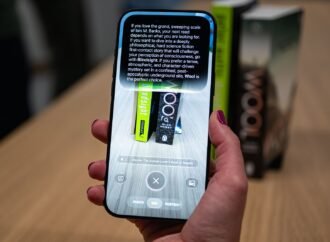
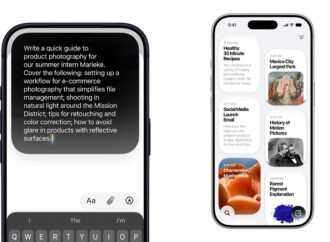
What’s New in iOS 27? Photograph: Julian Chokkattu While last year’s iOS 26 debuted the divisive Liquid Glass, iOS 27 and iPadOS 27 focus squarely on quality-of-life improvements, with a redesigned and much improved Siri AI assistant, easier Shortcuts, and lots of little tweaks to enhance speed and stability. Siri AI doesn’t just look different—now
Battery life has been stellar on the Pro models over the last few years, and that remains true here. The Pro Max is the more notable of the two because it packs a denser battery. With average use (around 5 hours of screen-on time), I hovered around 50 percent by the end of the day,
Apple’s latest iPhone and iPad software—iOS 27 and iPadOS 27—is here. While this release won’t make as big of a splash as Apple’s big Liquid Glass redesign in the prior version, there’s still plenty here that could change how you use your device. iOS 27 and iPadOS 27 focus largely on stability improvements that you’ll